Roles & permissions
/ade/dashboard/roles
A role is a named set of permissions, and every member holds one. Roles shows them all on the left and the selected role's permission matrix on the right: which actions — View, Create, Edit, Delete and Publish — it grants on each resource. Go to Workspace → Roles, or click “Roles” on the Members page.
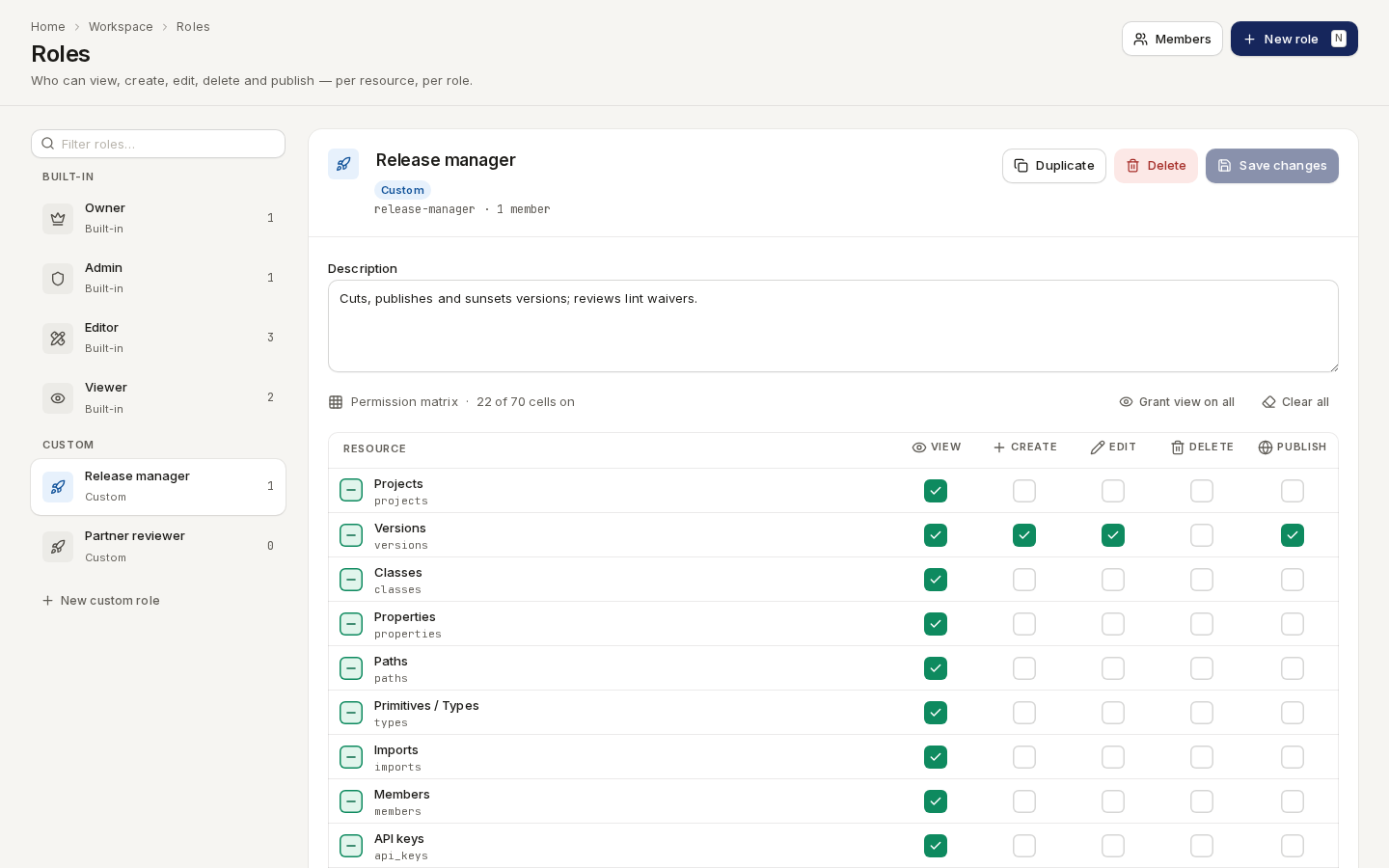
/ade/dashboard/rolesAnyone can browse the matrix. Changing roles needs members:edit, members:create or
members:delete — roles are administered through the members permissions — and without them the
editor says You can still browse the matrix. Creating and duplicating need members:create;
deleting needs members:delete.
Built-in and custom roles
The list is in two groups, each role with the number of members who hold it:
| Group | Roles | What you can change |
|---|---|---|
| Built-in | Owner, Admin, Editor, Viewer — created with the workspace | The description and the matrix. Not the name, and they cannot be deleted |
| Custom | Roles your workspace created | Everything: name, description, matrix; delete |
A built-in role keeps its name because seat licensing and identity-provider group mapping refer to it; the editor says so above the description.
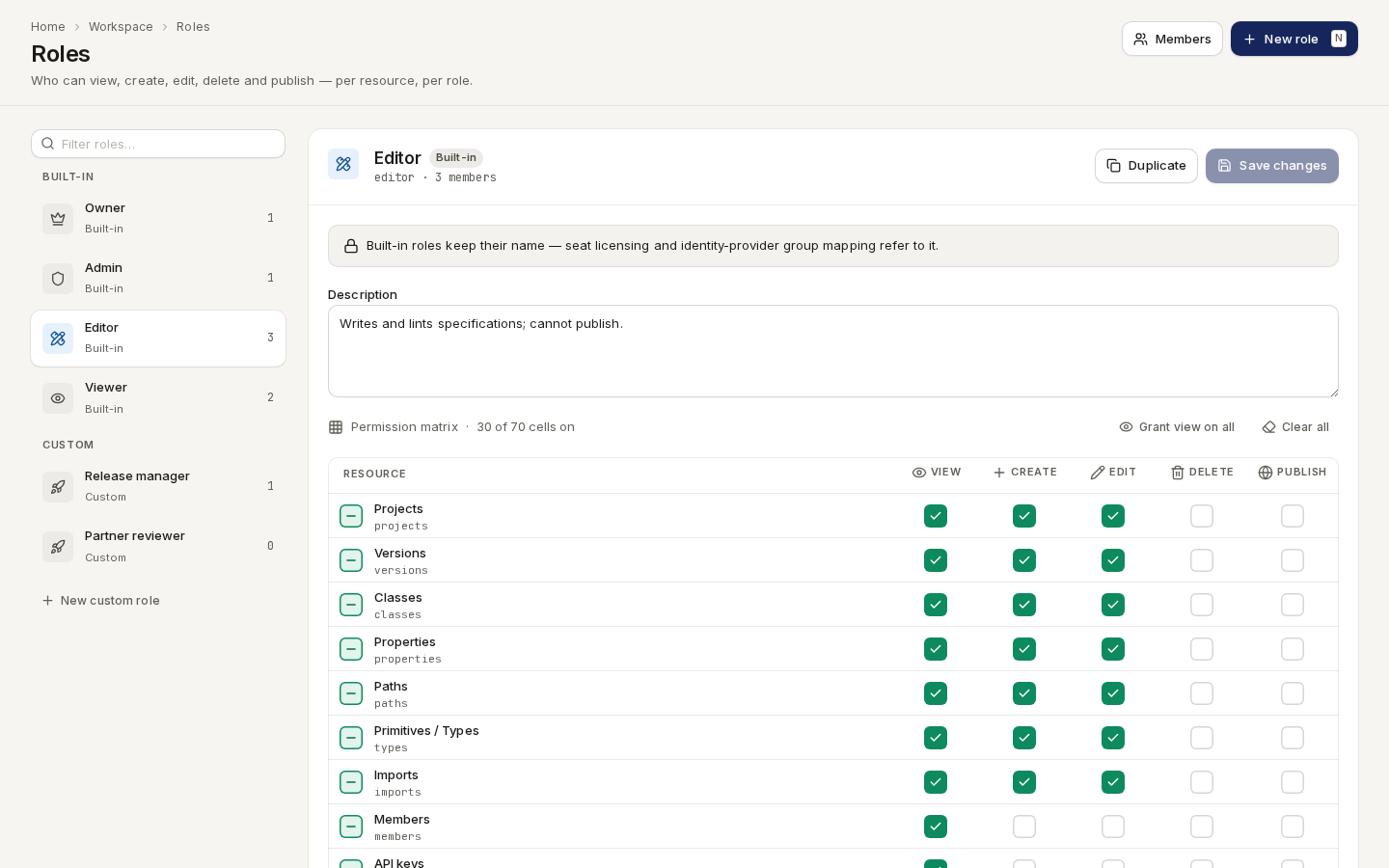
/ade/dashboard/rolesFilter roles… narrows the list.
The permission matrix
Rows are resources — Projects, Versions, Classes, Properties, Paths,
Primitives / Types, Imports, Members, API keys, Billing, Lint findings,
Verification targets, Verification evidence and Consumer contracts — each with the key
the server checks under it (projects, api_keys, …). Columns are the five actions. Each cell is a
resource:action permission (for example versions:publish), checked on every REST route.
- Click a cell to grant or remove one permission.
- Click the box at the start of a row to grant or remove the whole row. It shows a tick when the row is fully granted, a dash when it is partly granted, and is empty when nothing is.
- “Grant view on all” ticks View on every resource; “Clear all” empties the matrix.
The line above the matrix counts what is on — 24 of 70 cells on.
Edit a role
- Select the role on the left.
- Change its name (custom roles only), its Description, or the matrix.
- Click “Save changes” — in the role's header, or on the bar that appears under the matrix.
While there are changes, the role shows an Unsaved badge, the list marks it with a dot, and the bar counts them — 2 unsaved changes — with Discard to drop them.
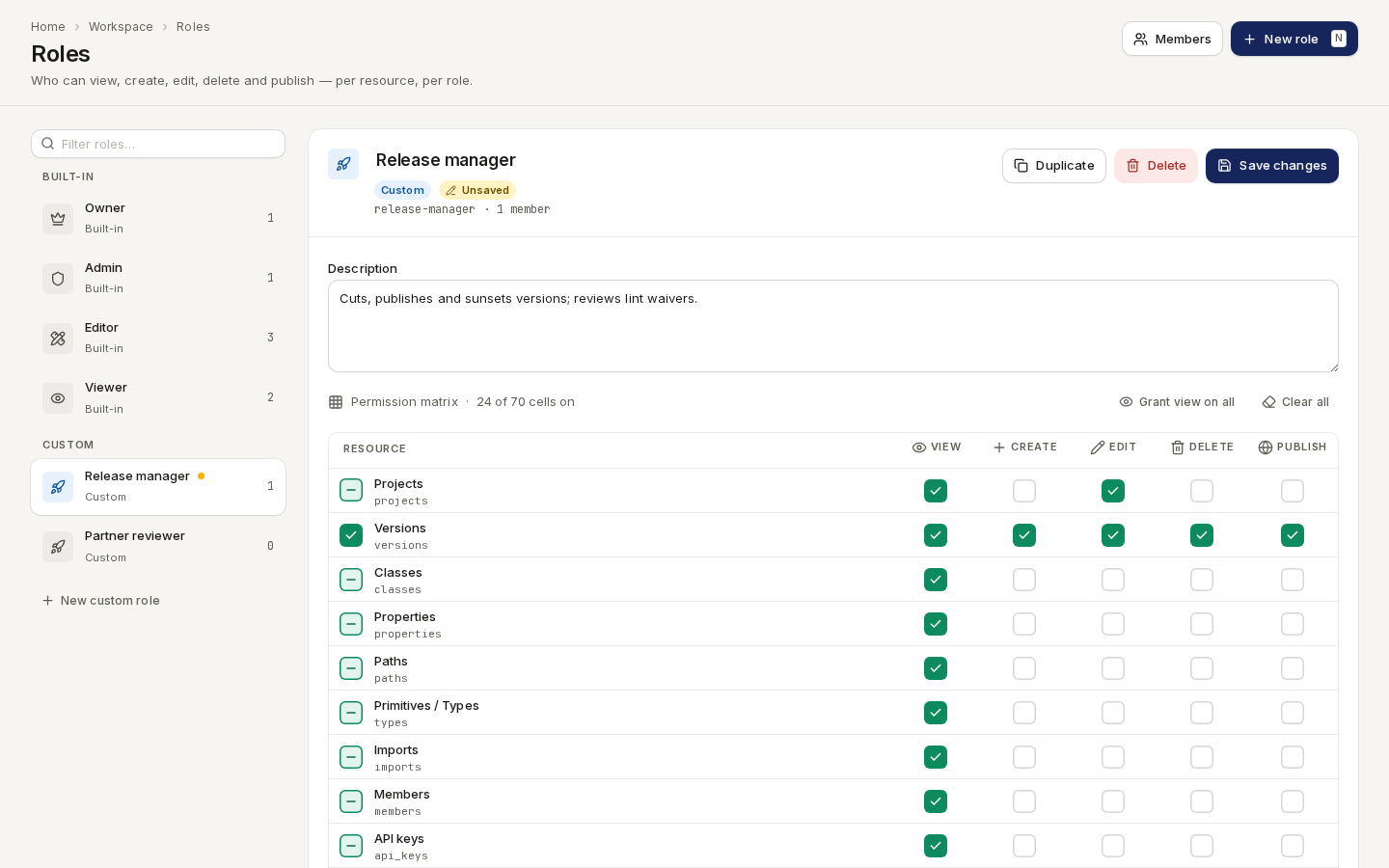
/ade/dashboard/rolesSaving replaces the role's whole grid, and the change is recorded in the Access audit with what was granted and revoked. Members holding the role get the new permissions straight away.
Leaving with unsaved changes
Selecting another role, New role or Duplicate with unsaved changes asks first:
- Keep editing — stay on the role, changes intact;
- Discard — drop the changes and go;
- Save and switch (or Save and continue) — save, then go.
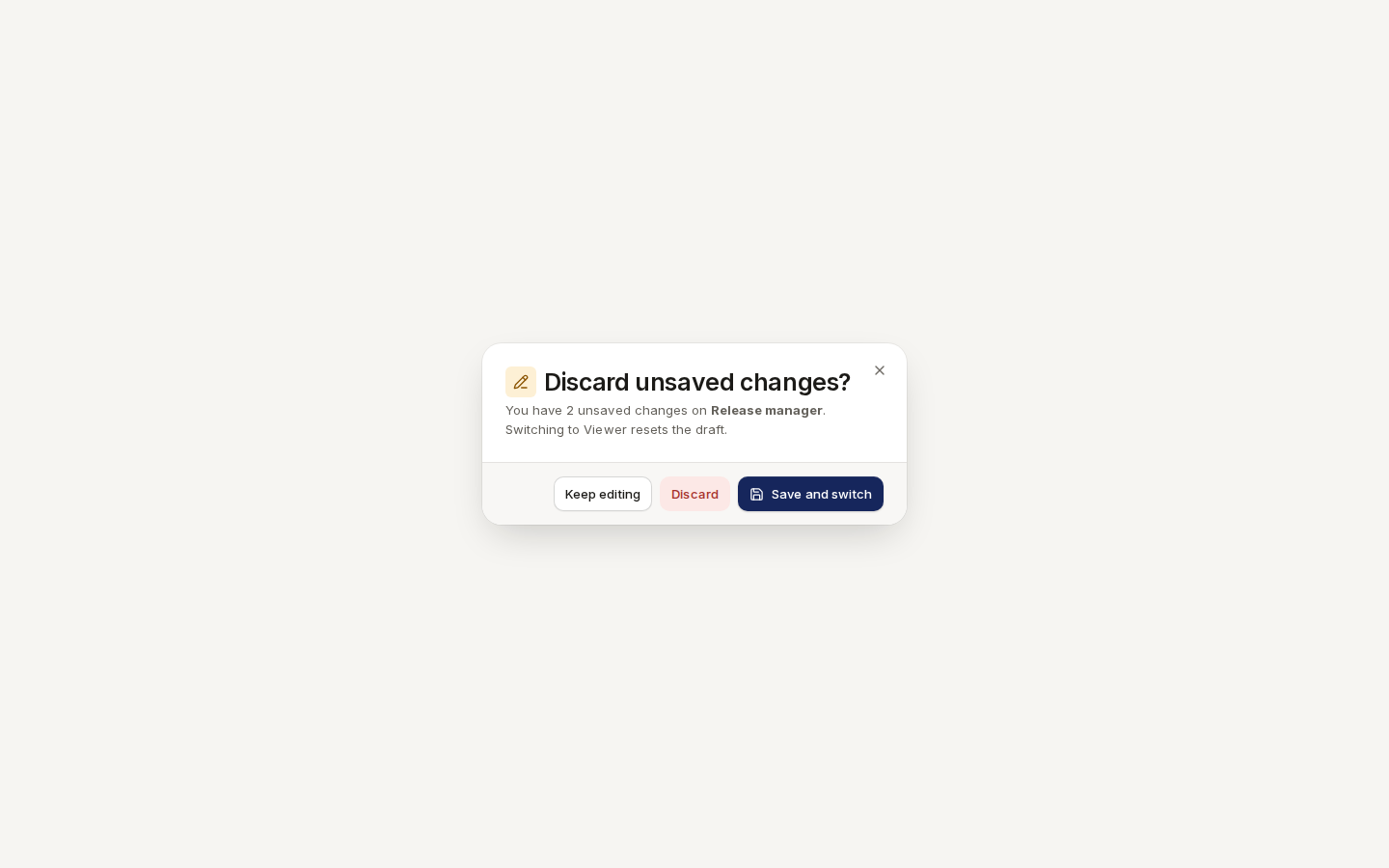
/ade/dashboard/rolesClosing the browser tab with unsaved changes brings up the browser's own warning.
Create a role
- Click “New role” (or press N, or “New custom role” under the list).
- Give it a Name — it must be unique in the workspace.
- Under Copy permissions from, pick a role to start from, or Empty matrix (no permissions).
- Click “Create role”. The new role is selected; adjust its matrix and save.
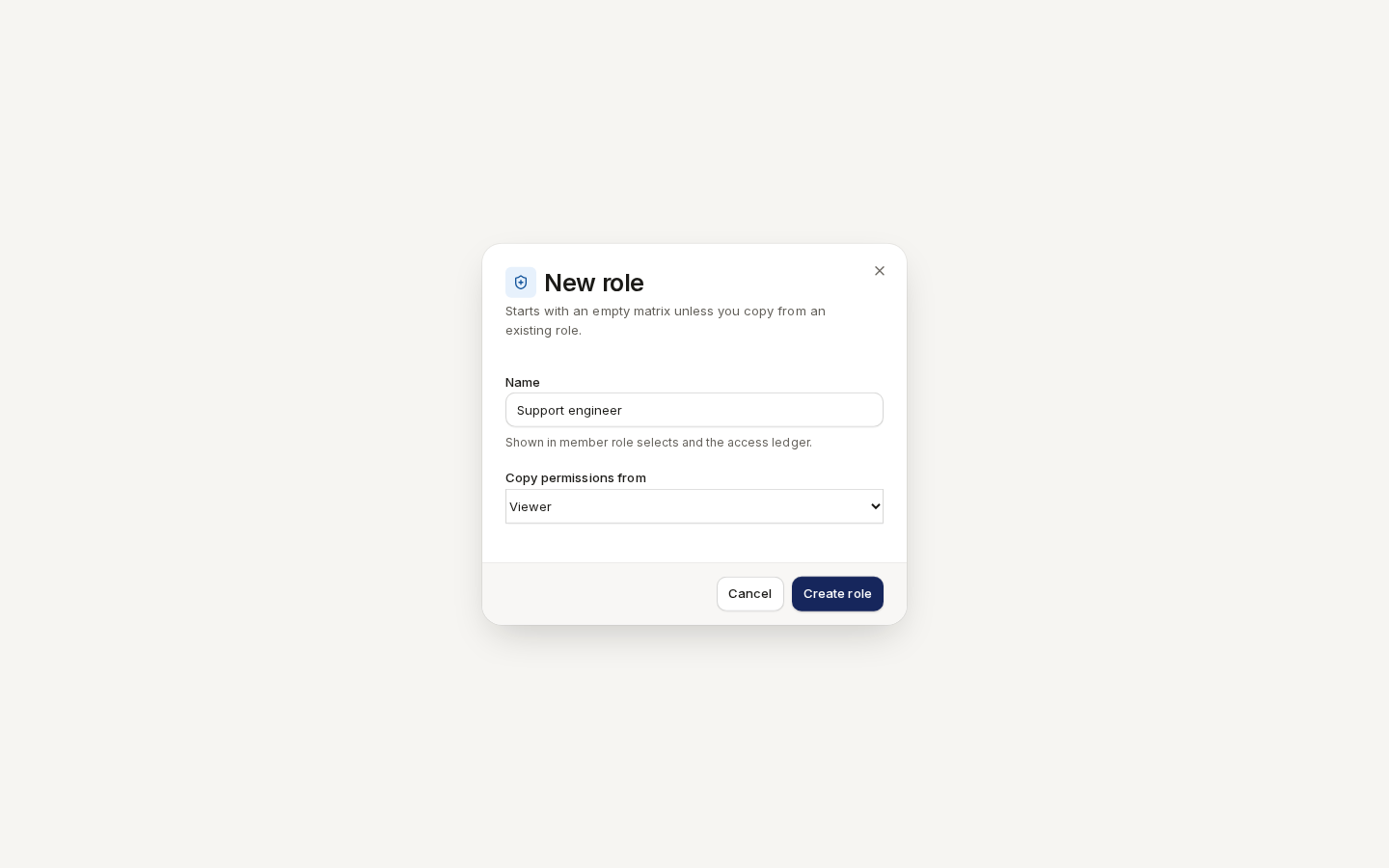
/ade/dashboard/rolesTo start from the selected role instead, click “Duplicate”: it copies the description and the whole matrix into a new custom role named … (copy), with no members.
Delete a role
Only custom roles can be deleted.
- Select the role and click “Delete”.
- Read who holds it — members keep their accounts but lose every permission the role granted.
- Click “Delete role”. This cannot be undone.
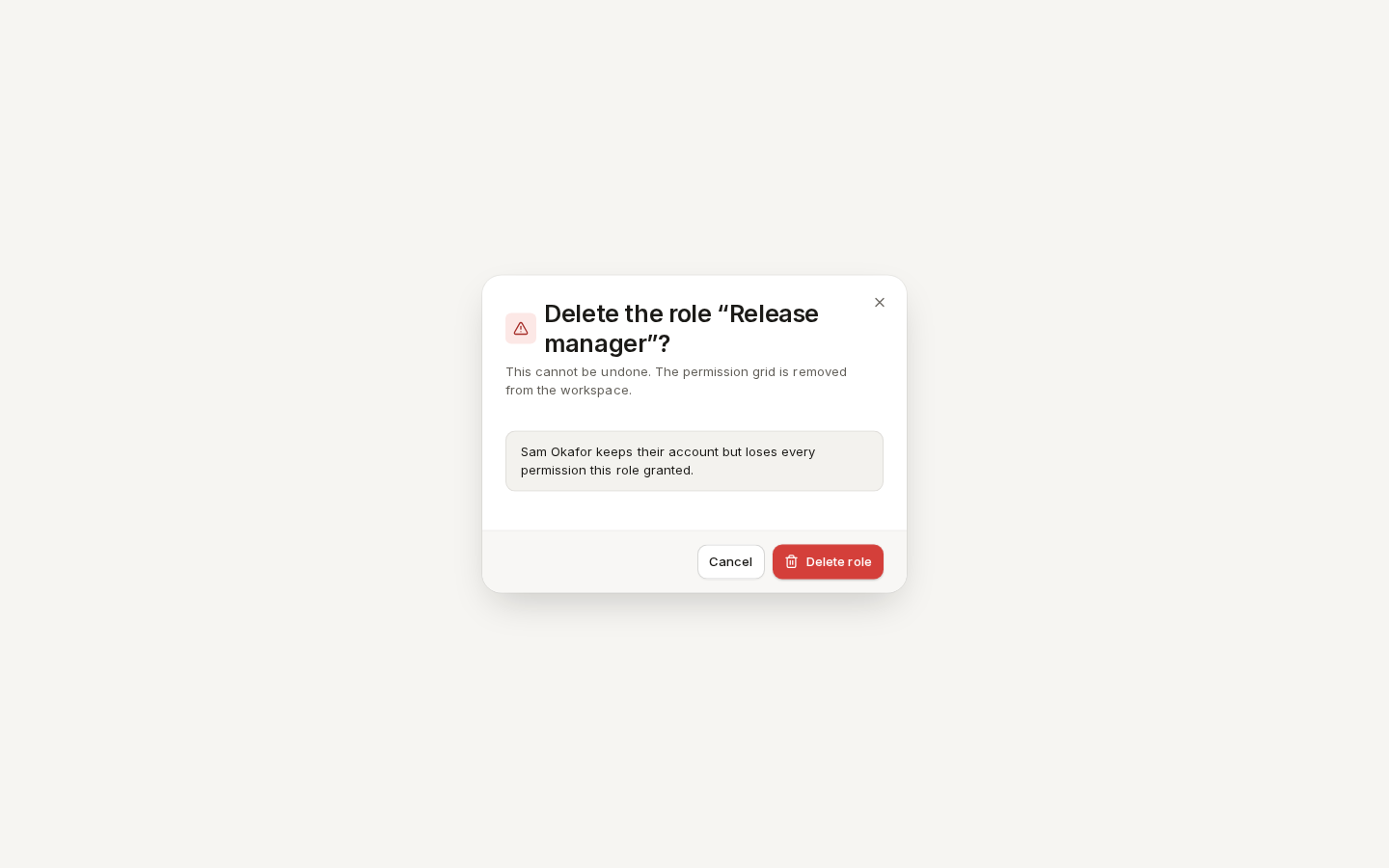
/ade/dashboard/rolesGive those members another role on Members & seats.
With the API
See the API reference:
| Call | Does |
|---|---|
GET /v1/access/{tenant}/roles | Every role with its permissions and member count |
GET /v1/access/{tenant}/roles/{role_id} | One role |
POST /v1/access/{tenant}/roles | Create a custom role (name, description, permissions) |
PUT /v1/access/{tenant}/roles/{role_id} | Replace a role's description, matrix and (custom only) name |
POST /v1/access/{tenant}/roles/{role_id}/duplicate | Duplicate a role |
DELETE /v1/access/{tenant}/roles/{role_id} | Delete a custom role |
GET /v1/access/{tenant}/permissions/me | The calling user's own effective permissions |
There is no CLI command for roles.