Notifications
/ade/dashboard/notifications
Apiome tells you when something concerns you: somebody mentions you in a comment, asks for your review, answers a review you requested, resolves a thread you took part in, or publishes a version you collaborated on. Notifications belong to you and to the current workspace — switching workspace shows that workspace's inbox.
| Type | You get one when… | Reads like |
|---|---|---|
| Mentions | somebody names you in a comment | Marcus Lee mentioned you in a comment, with the comment's first words |
| Review requests | you are asked to review a version | Priya Raman requested your review |
| Review decisions | a reviewer answers a review you requested | Sam Okafor approved your review or … requested changes on your review |
| Resolved threads | a thread you took part in is resolved | Elena Vasquez resolved a thread you took part in |
| Publishes | a version you collaborated on is published | Priya Raman published 1.8.2 |
The bell
Notifications sits at the foot of the sidebar, above Help & docs. A dot on the bell and a count beside it show how many are unread (over 99 reads 99+); with the sidebar collapsed, the dot stays and the tooltip says the count. The count refreshes every minute while the tab is visible.
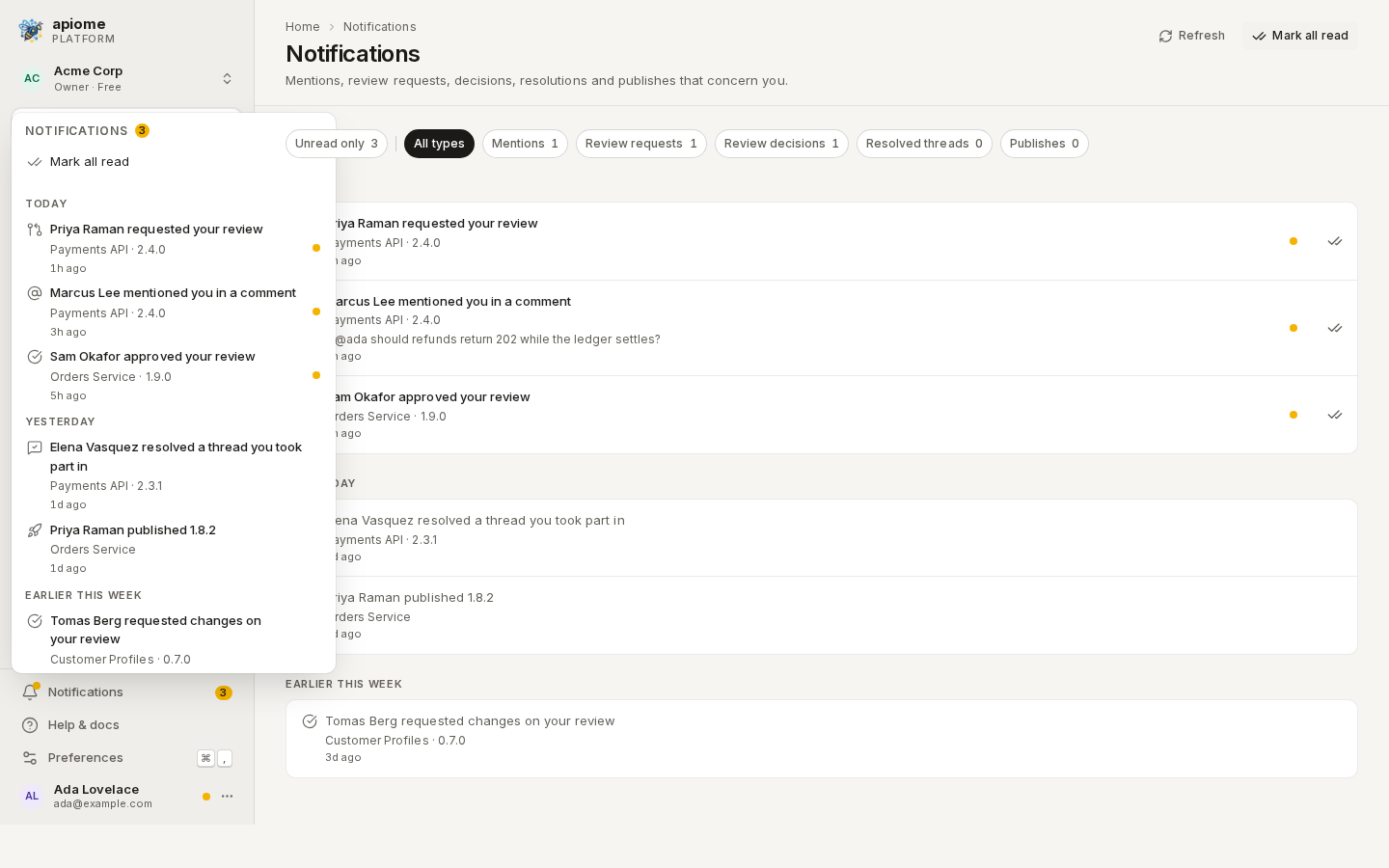
Click the bell (or focus it and press ↓) to open the latest twenty, grouped under Today, Yesterday, Earlier this week and Older. Unread rows carry a dot.
- Click a notification to go to it and mark it read: a mention or resolved thread opens the thread on the project's Discussion tab, a review request or decision opens the review, and a publish opens the project's Versions.
- “Mark all read” clears the count without closing the menu.
- “See all notifications” opens the notifications page.
/ade/dashboard/notificationsThe notifications page
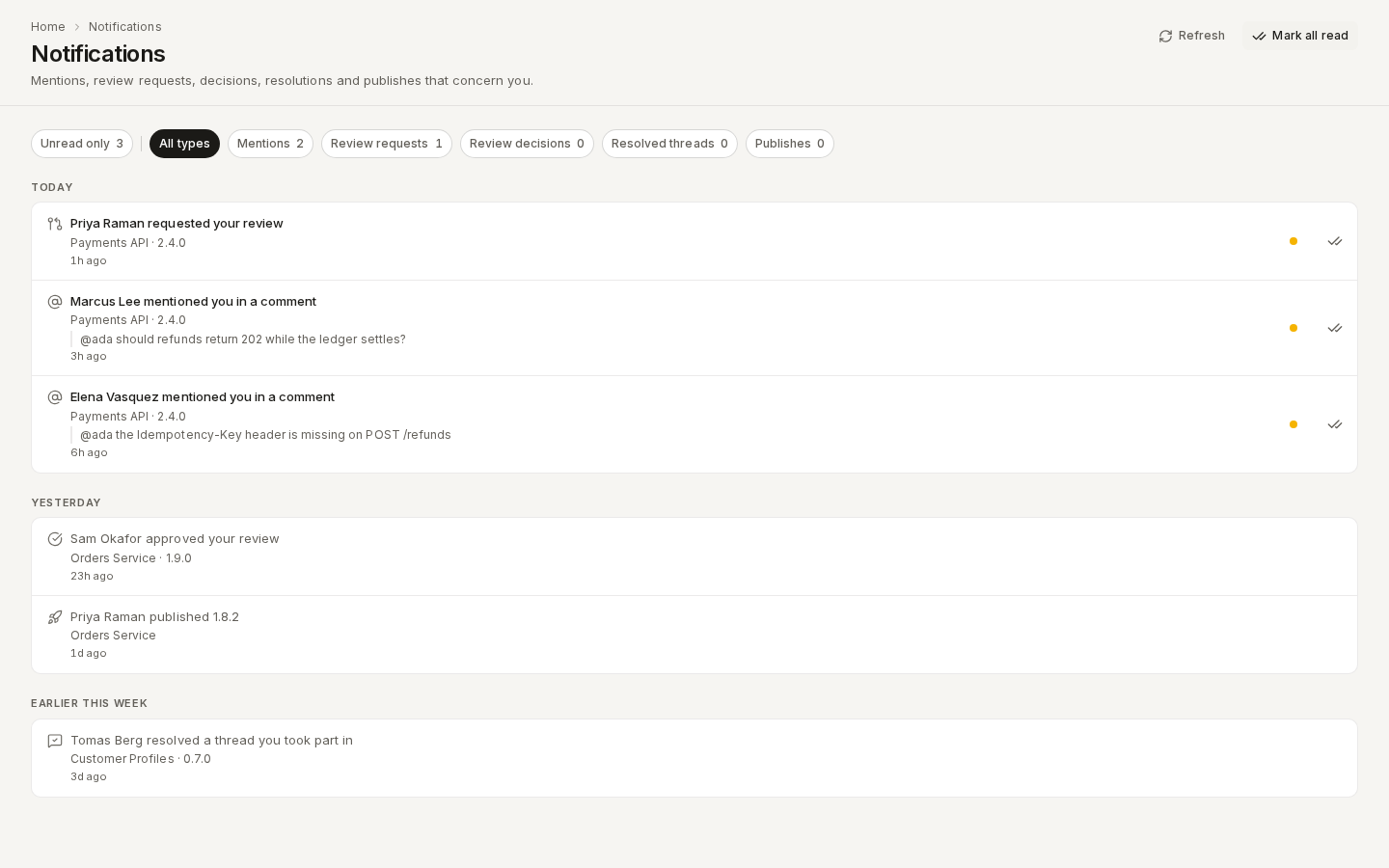
Click “See all notifications”, or go to /ade/dashboard/notifications. The page lists your whole
inbox, newest first, under the same time headings, fifty at a time — “Load more” fetches the
next fifty.
/ade/dashboard/notificationsFilter
- Unread only shows only what you have not read; its count is your unread total.
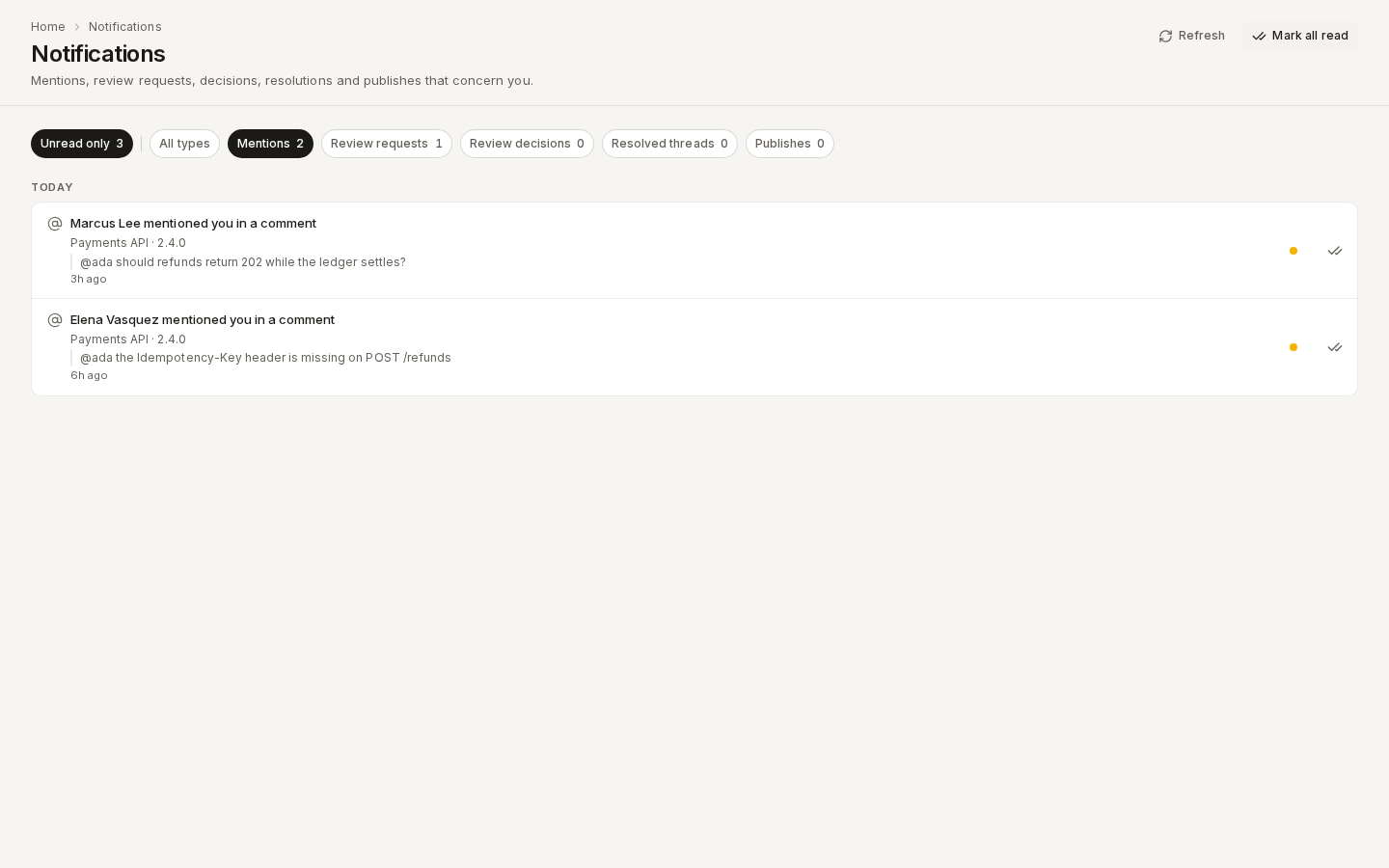
- All types or one type — Mentions, Review requests, Review decisions, Resolved threads, Publishes — each with its unread count. Click a selected type again to clear it.
The two combine: Unread only with Mentions lists the mentions you still have to read.
/ade/dashboard/notificationsMark as read
- Click a notification to open it; it is marked read on the way.
- Click the double tick at the end of an unread row to mark just that one.
- “Mark all read” marks the whole inbox.
Refresh reads the inbox again. A notification whose project or version was deleted keeps its sentence but is no longer a link.
Choose what you see
Click “Change what you see” on the notifications page, or open Preferences (Ctrl / ⌘+,) on its Notifications tab, and switch types off. A switched-off type disappears from the bell's count, the menu, the page and its filters, and the page says so — One notification type is switched off on this device. Nothing is deleted: turn the type back on and its history returns. With every type off, the page reads Every notification type is switched off and offers “Open notification preferences”.
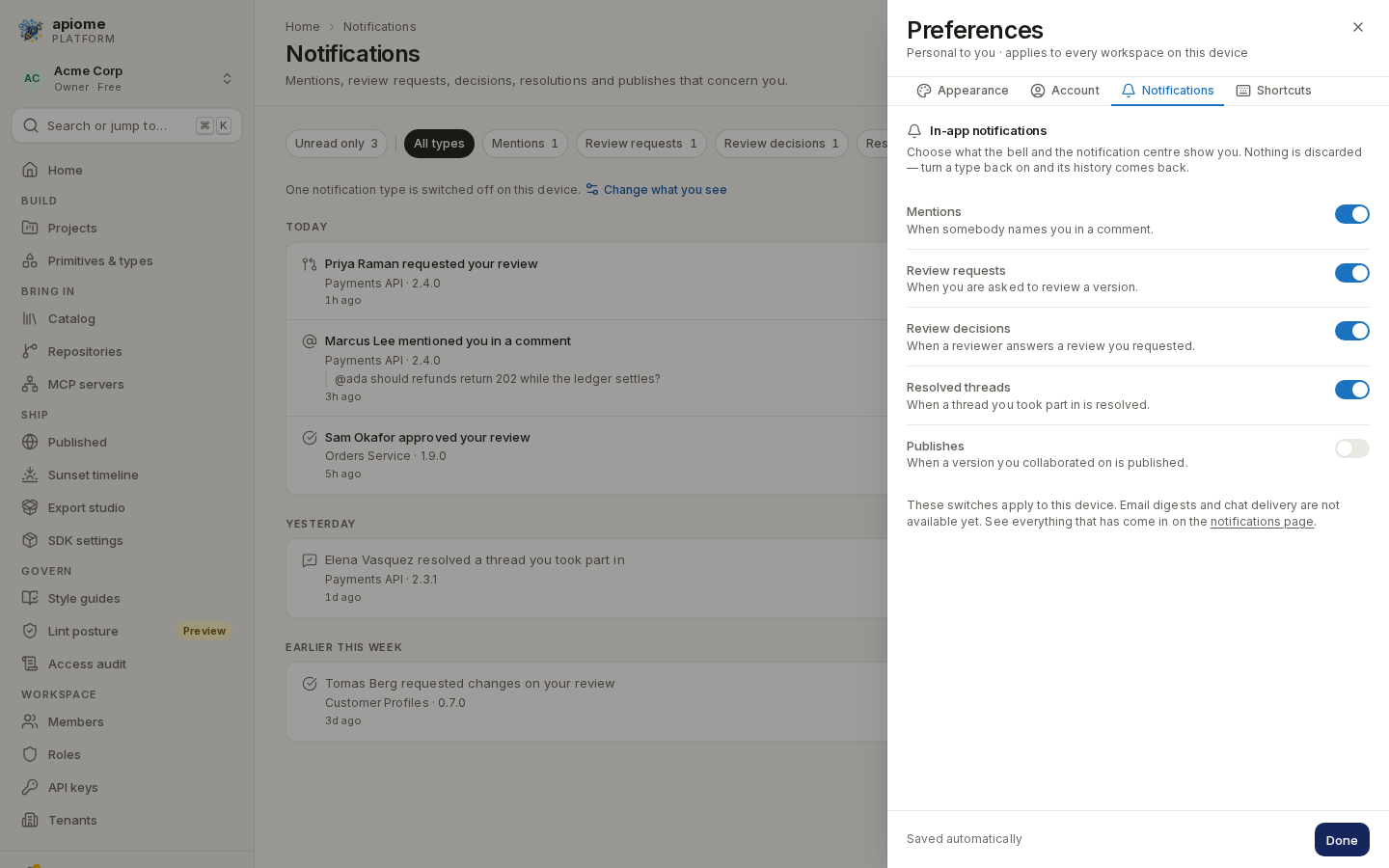
/ade/dashboardThe switches are kept in this browser, so they apply on this device only. Notifications are in-app: email digests and chat delivery are not available yet.
With the API
Your inbox is also available over REST, for the caller's own notifications in a workspace:
| Endpoint | Does |
|---|---|
GET /v1/tenants/{tenant_slug}/notifications | A page of the inbox, newest first — unread, type, limit, offset |
GET /v1/tenants/{tenant_slug}/notifications/unread-count | The unread total and the count per type |
POST /v1/tenants/{tenant_slug}/notifications/read | Mark {"ids": [...]} or {"all": true} read |
See the API reference. There is no CLI command for notifications.
Where next
- Reviews — where review requests and decisions come from
- Preferences
- Help & shortcuts