Style guides
/ade/dashboard/style-guides
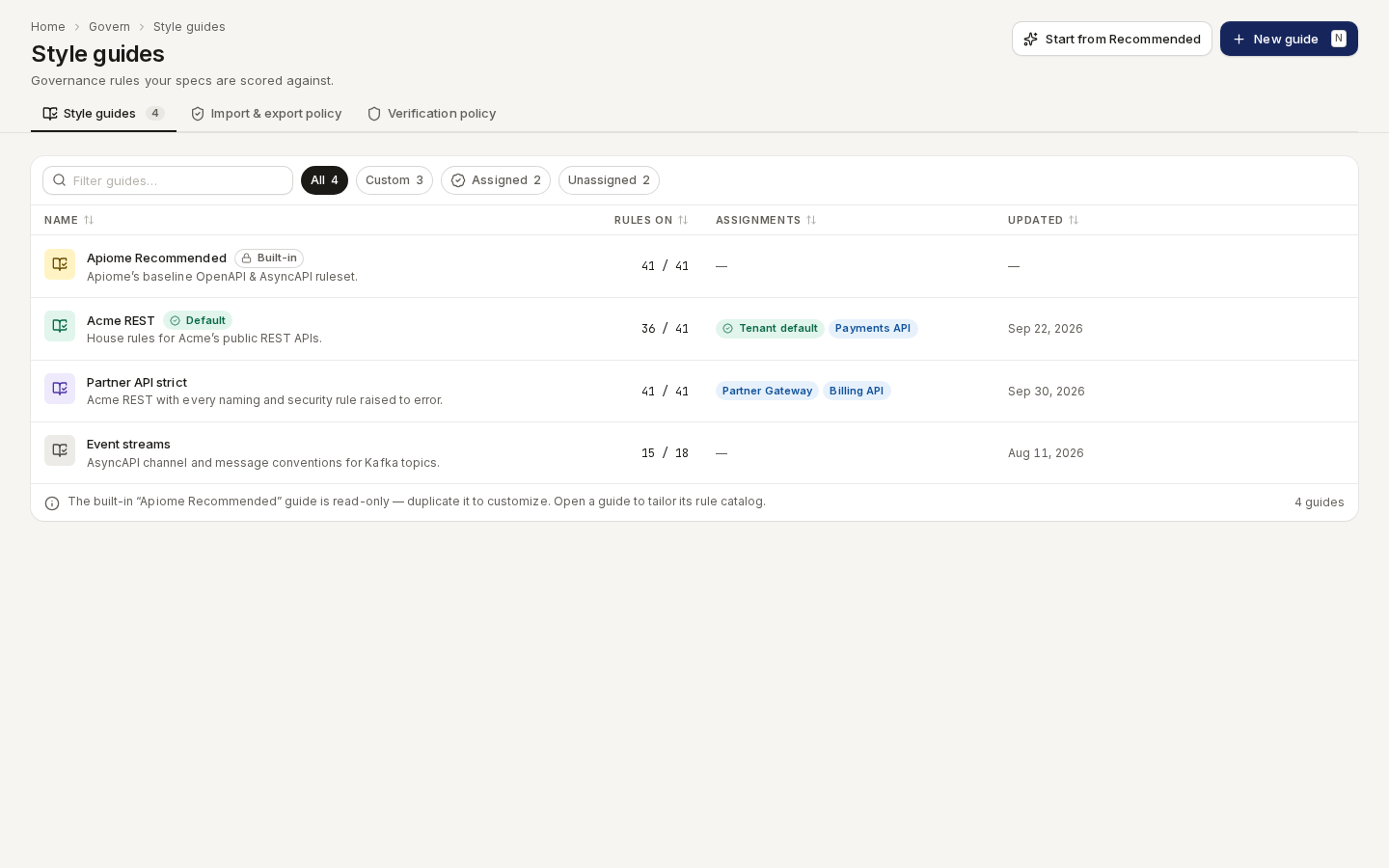
A style guide is the set of lint rules — and their severities — that a project's specs are scored against. Go to Govern → Style guides. Three tabs run across the top: Style guides, Import & export policy and Verification policy.
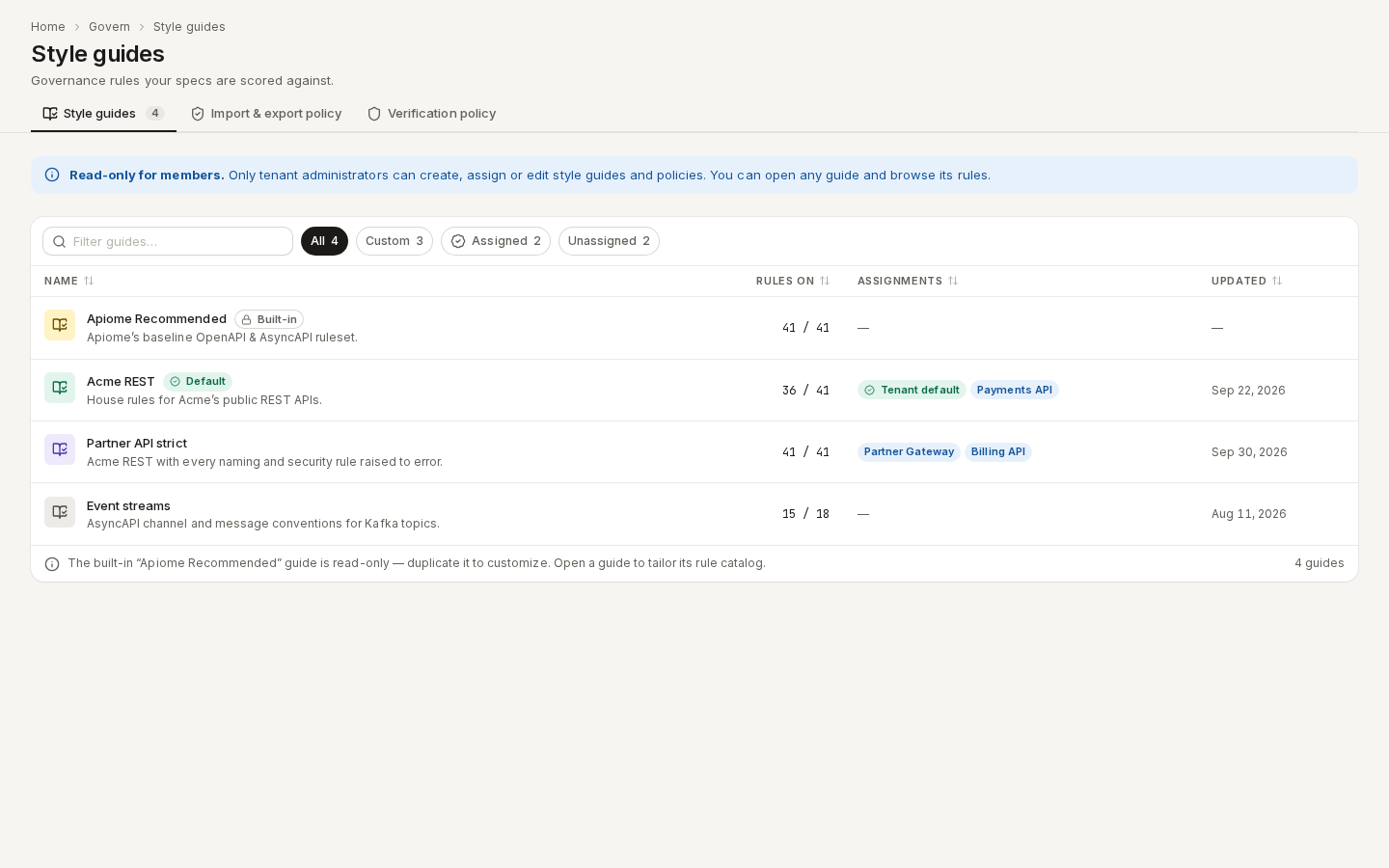
/ade/dashboard/style-guidesOnly workspace administrators can create, assign or edit guides and policies. Other members see Read-only for members. and can still open any guide and browse its rules.
/ade/dashboard/style-guidesThe list
| Column | What it shows |
|---|---|
| Name | The guide, its description, and Built-in or Default badges. |
| Rules on | How many rules are enabled, for example 34 / 41. |
| Assignments | Tenant default, and one chip per project the guide is pinned to. |
| Updated | When the guide last changed. |
Filter guides… searches by name; the chips All, Custom, Assigned and Unassigned narrow the list. A row's menu has Assign…, Duplicate, Edit and Delete.
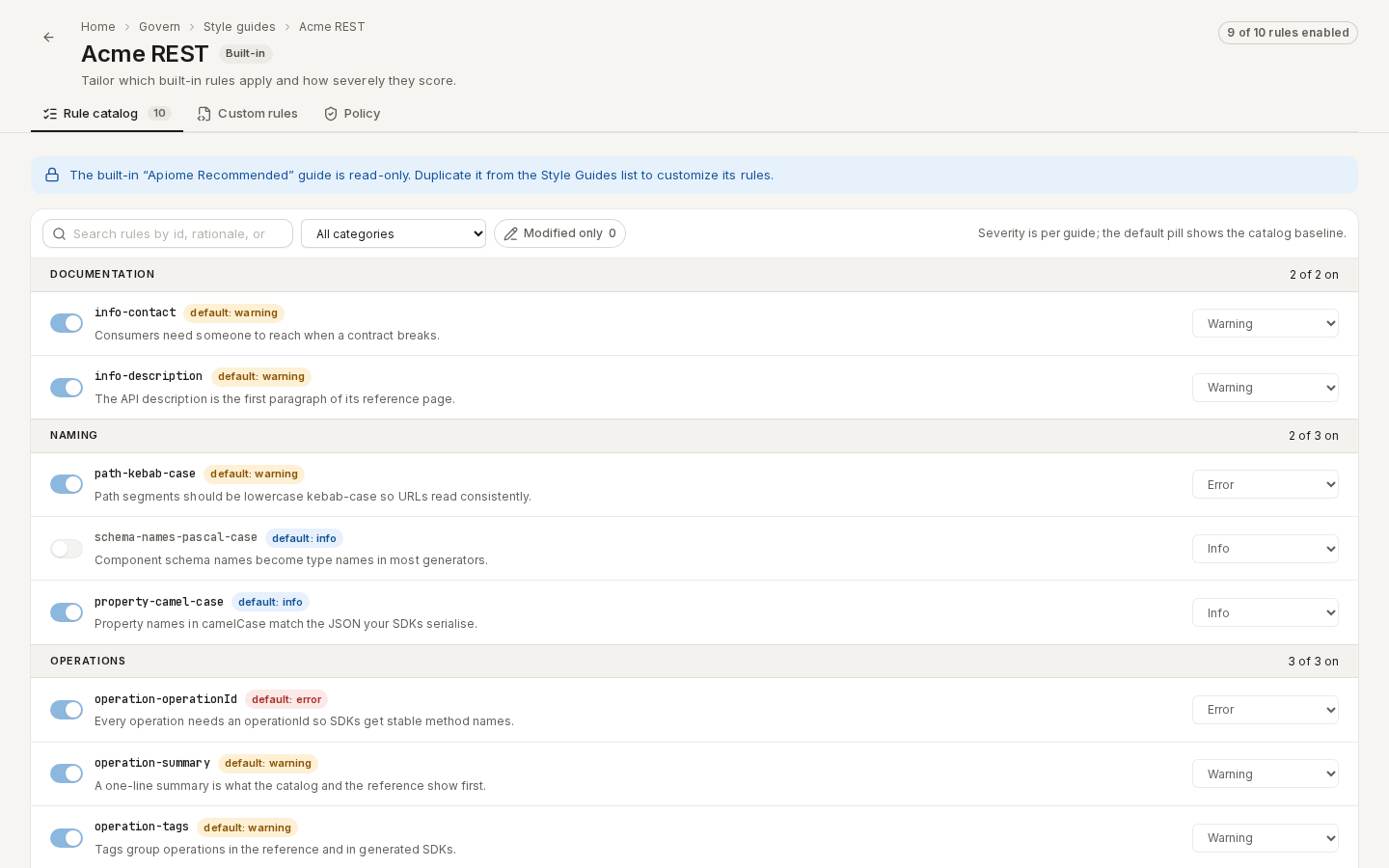
The built-in Apiome Recommended guide is read-only — Duplicate it to customise it.
/ade/dashboard/style-guides/[guideId]Create a guide
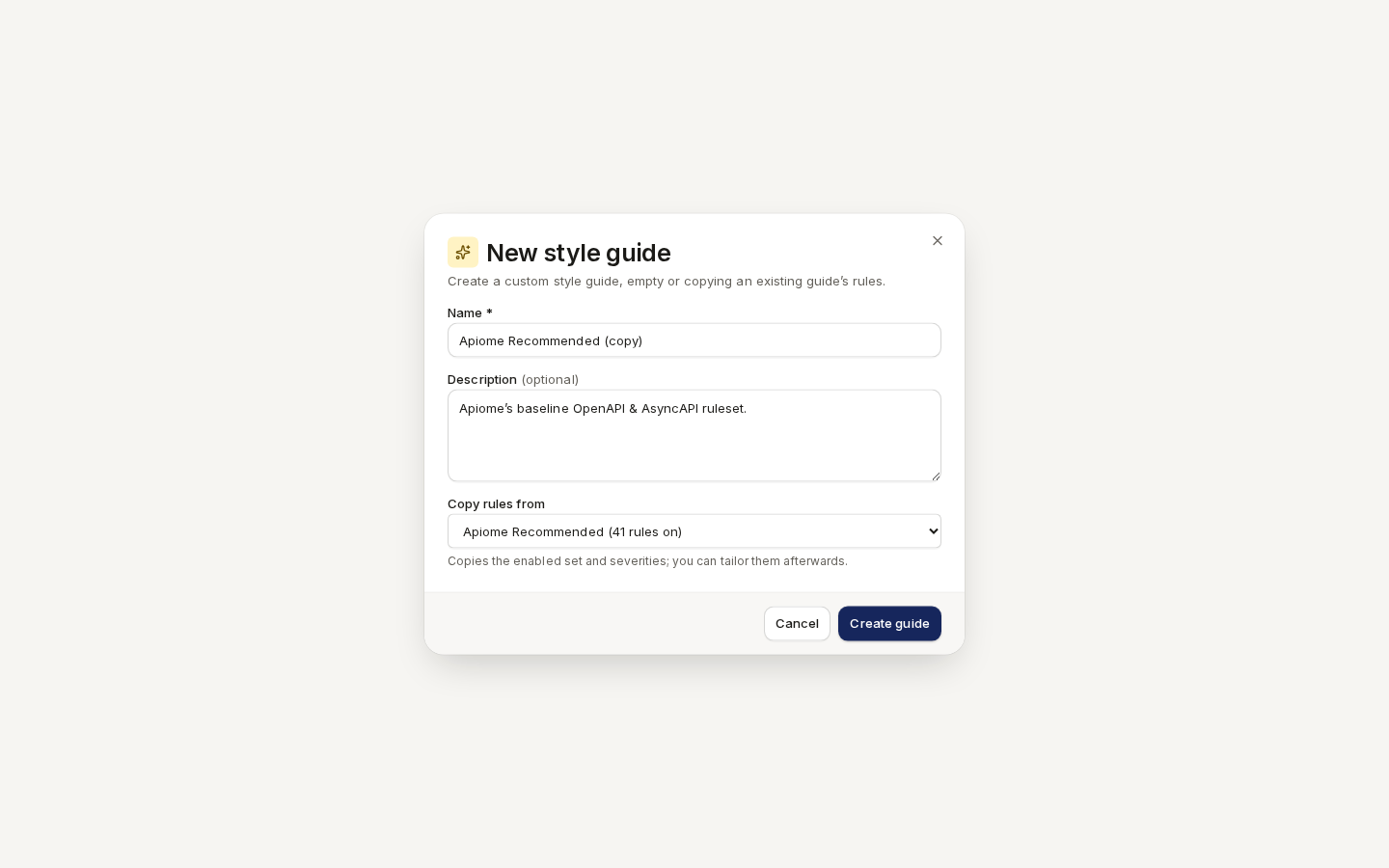
- Click “New guide” (or press N), or “Start from Recommended” to copy the built-in guide.
- Enter a Name — for example
Payments API Guide— and an optional Description. - Under Copy rules from, choose Empty guide (no rules) or an existing guide to copy its enabled rules and severities.
- Click “Create guide”.
/ade/dashboard/style-guidesEdit renames a guide or changes its description; rules and policy are edited on the guide's own page. Delete warns which projects fall back to the tenant default and cannot be undone.
Assign a guide
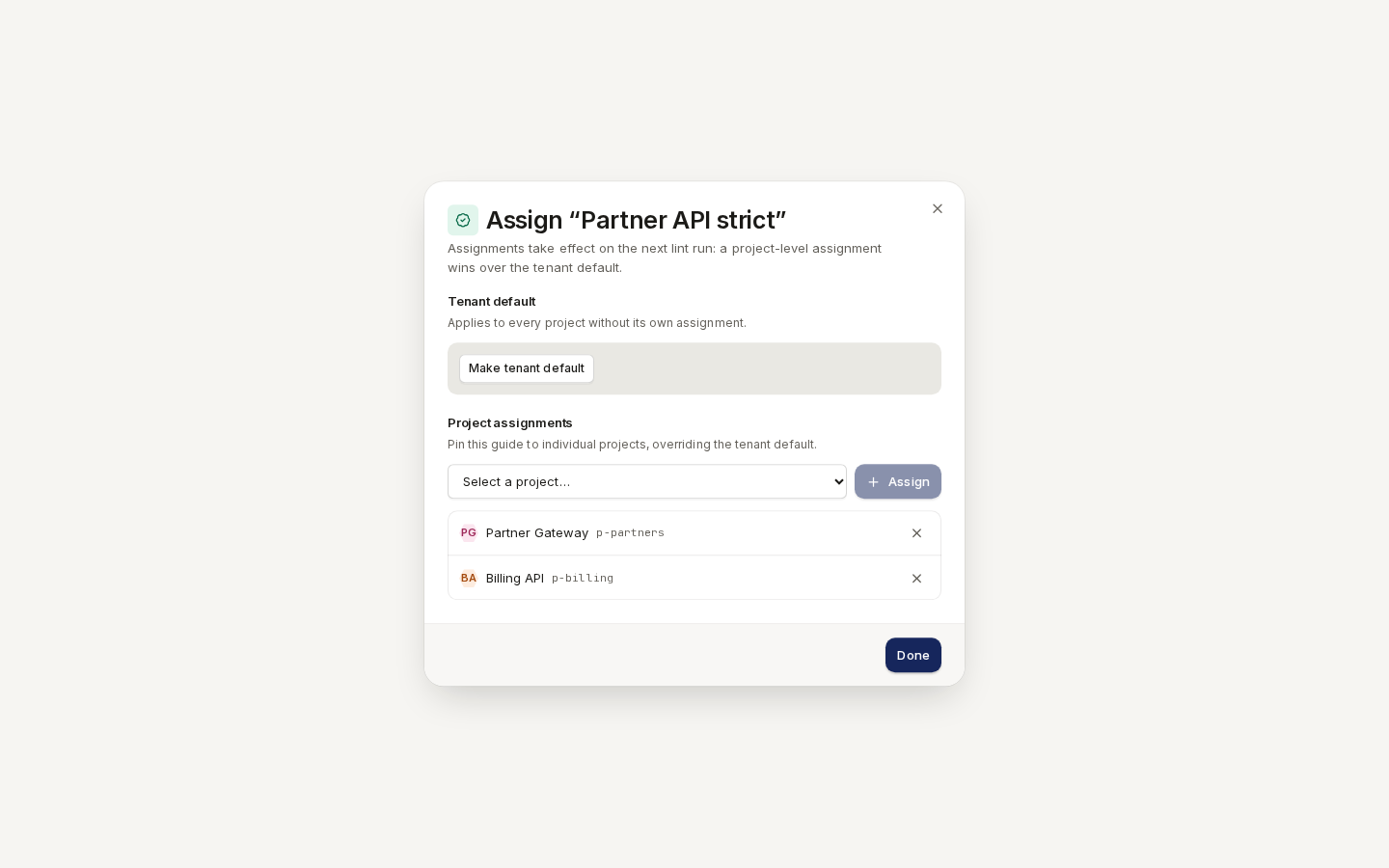
A project is scored by the guide pinned to it, or else by the workspace's tenant default.
- In the guide's row menu, choose “Assign…”.
- Click “Make tenant default” to make it apply to every project without its own guide, and/or
- Under Project assignments, select a project and click “Assign”. The × beside a project unpins it.
- Click “Done”. Each change is saved as you make it and applies from the next lint run.
/ade/dashboard/style-guidesA guide's page
Route/ade/dashboard/style-guides/[guideId]
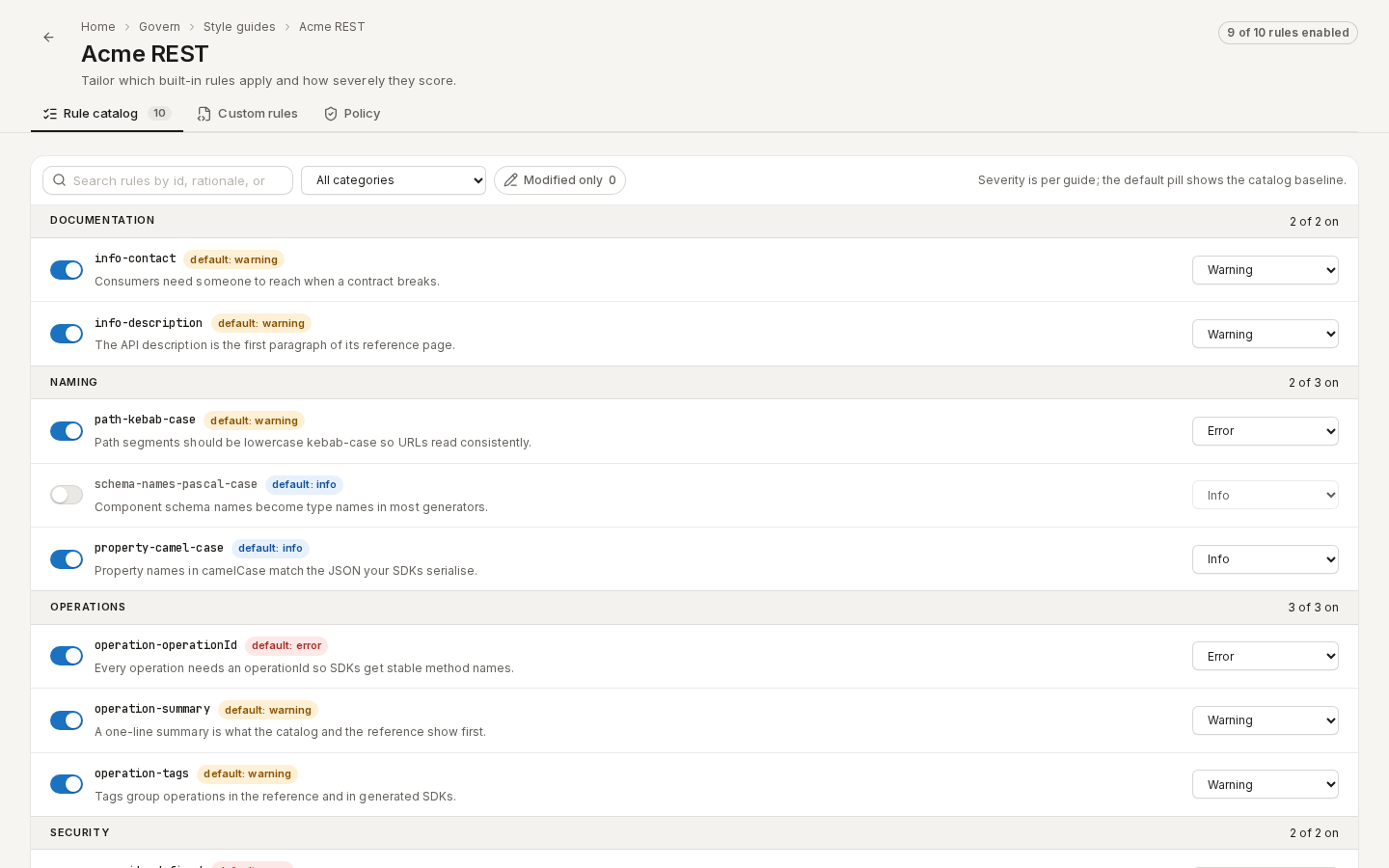
Click a guide. The header counts its enabled rules — 9 of 10 rules enabled — and three tabs follow.
Rule catalog
Every built-in rule, grouped by category. For each rule, turn the switch on or off and choose a severity — Error, Warning or Info. The default pill shows the catalog's baseline, and modified marks a change. Search by id, rationale or category, pick a category, or tick Modified only. Click “Save changes” (or Discard) in the bar at the foot.
/ade/dashboard/style-guides/[guideId]What each rule checks is in Built-in lint rules.
Custom rules
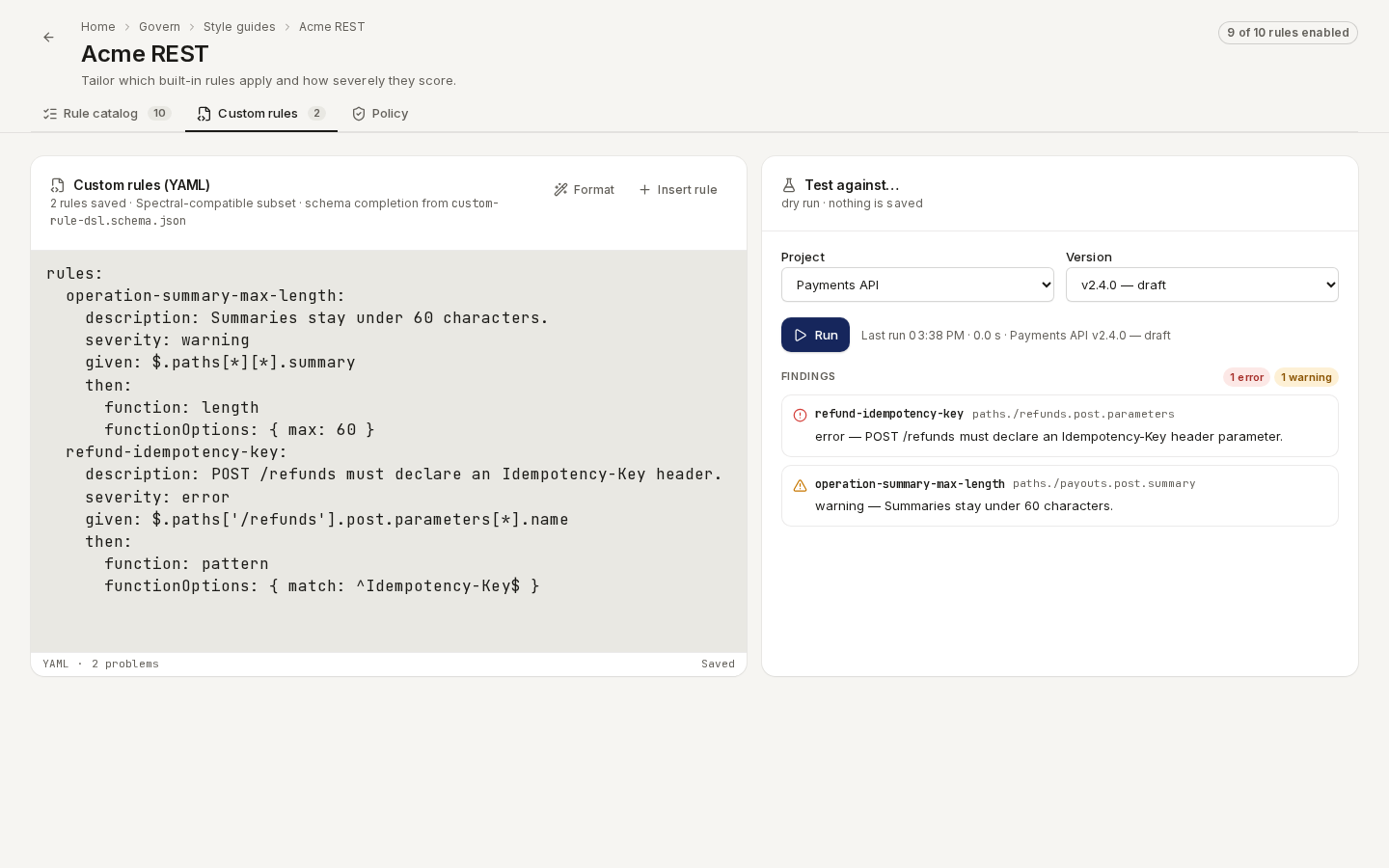
Write your own rules in YAML, in a Spectral-compatible dialect, with completion and inline problems.
- Click “Insert rule” for a starting snippet, and edit it. Format tidies the YAML.
- Under Test against…, choose a Project and Version and click “Run”. This is a dry run: the findings list each violation, and clicking one jumps to its rule. Nothing is saved.
- Click “Save”. If the server rejects a rule, Server validation failed. names it in the editor.
/ade/dashboard/style-guides/[guideId]The format, functions and limits are in Custom lint rules.
Policy
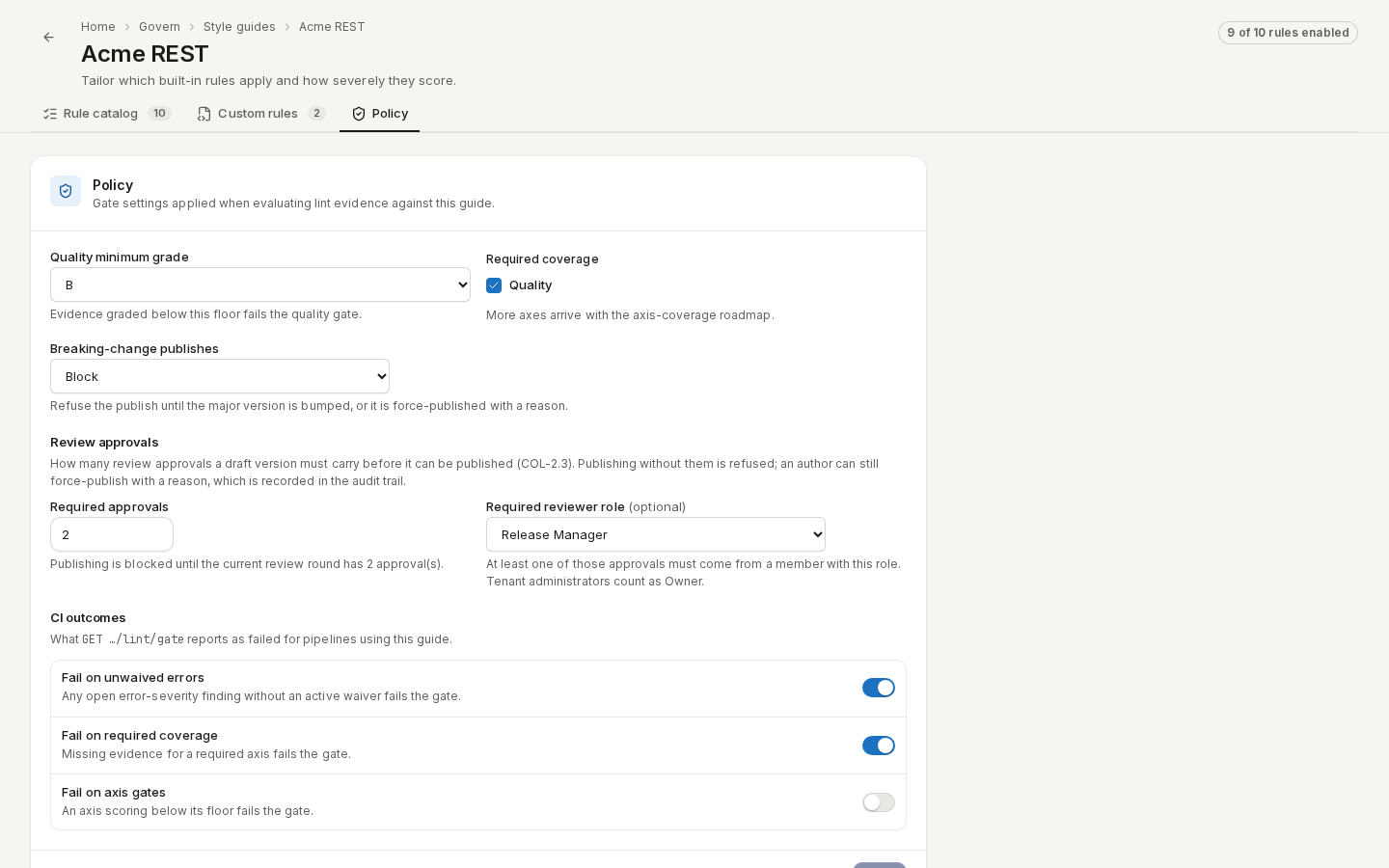
The gates applied when lint results are judged against this guide:
| Setting | What it does |
|---|---|
| Quality minimum grade | Results graded below it fail the quality gate. |
| Breaking-change publishes | Off, Warn (default) or Block publishing a version with breaking changes. |
| Required approvals | How many approvals a review round needs before publishing — see Reviews. |
| Required reviewer role | At least one approval must come from this role. |
| CI outcomes | Whether unwaived errors, missing coverage or axis gates fail apiome lint gate. |
Click “Save”. Every save is an immutable policy version, listed under Policy versions.
/ade/dashboard/style-guides/[guideId]Import & export policy
The quality floor applied when a document is imported and when an export is delivered:
- Under Import intake and Export delivery, set a Minimum grade, a Minimum score and Refuse findings at a severity.
- Turn on Refuse the import when a floor is missed (or the export equivalent) to block; off, the verdict is recorded and the import or delivery goes ahead.
- Under Overrides, turn on Allow a blocked user to proceed by recording a waiver, list the
Roles permitted to waive (for example
owner, release-manager) and set the Waiver lifetime (hours). - Click “Save policy”.
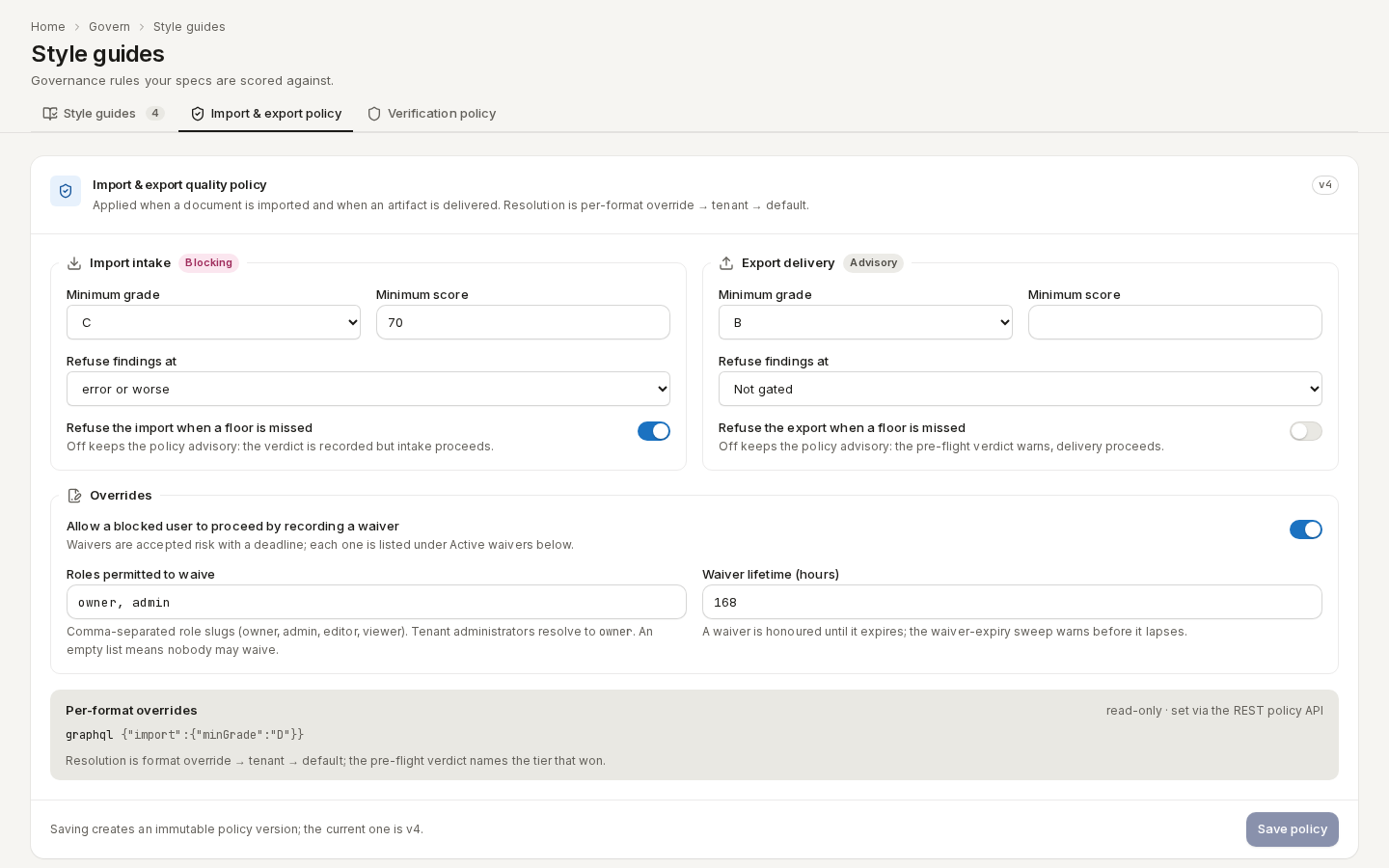
/ade/dashboard/style-guidesActive waivers lists every accepted risk with its reason, who recorded it and when it expires. Per-format overrides are set through the REST API and shown read-only.
Verification policy
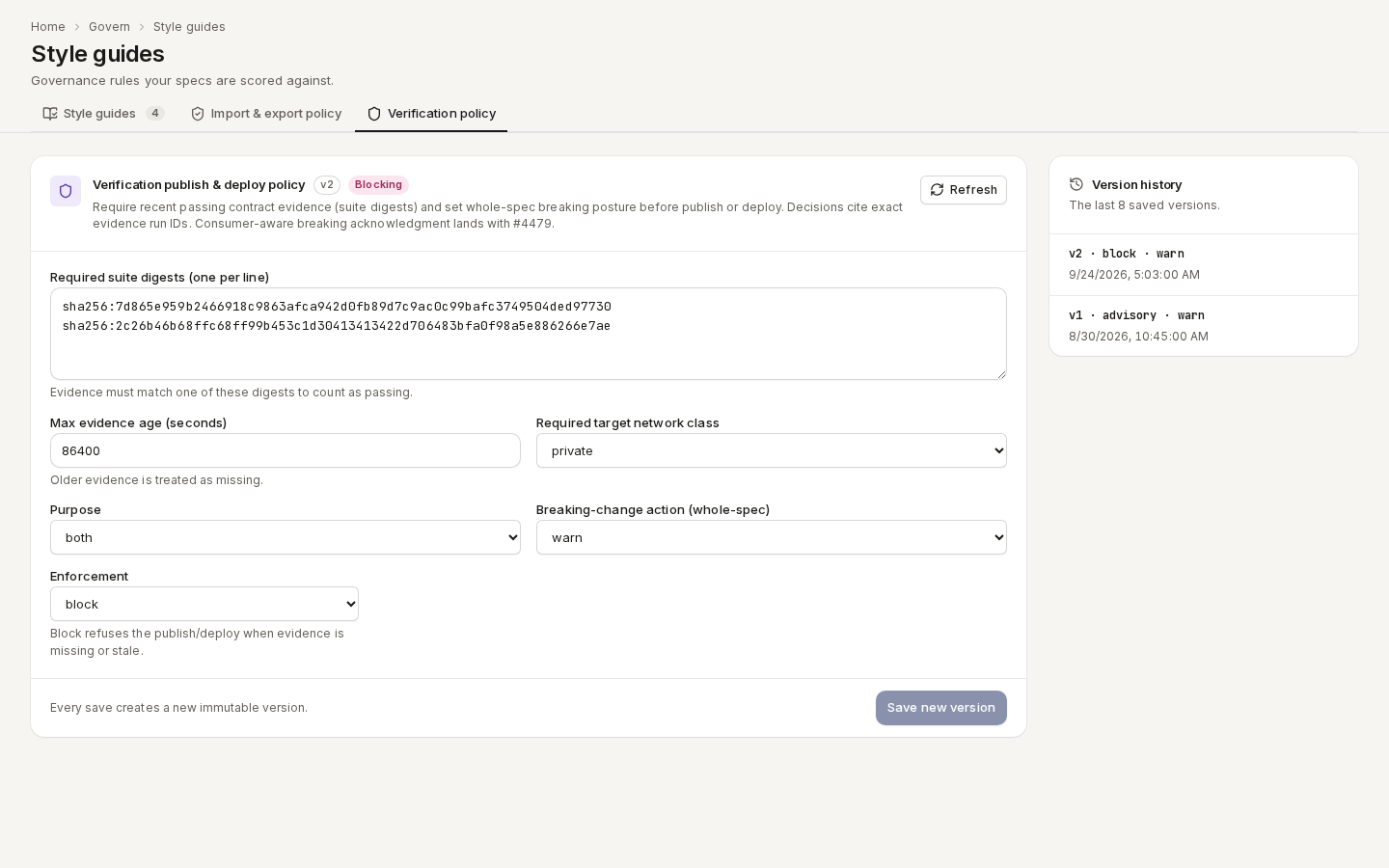
Requires recent, passing contract evidence before a version is published or deployed: the Required suite digests, a Max evidence age, the Required target network class, the Purpose (publish, deploy or both), the Breaking-change action and the Enforcement — advisory or block. Click “Save new version”.
/ade/dashboard/style-guidesWith the CLI or the API
- REST:
GET/POST /v1/style-guides/{tenant},…/{id}/rules,…/{id}/custom-rules,…/{id}/policy,PUT …/{id}/default,PUT …/{id}/assignments/projects/{project};/v1/tenants/{tenant}/governance/quality-policy,…/quality-waiversand…/verification-policy— see the API reference. - CLI: there are no commands to manage guides.
apiome lint gate --project … --version …reports against the assigned guide's policy, and--min-gradeonapiome importandapiome exportapplies the quality policy — see the CLI quick-start. - History: every guide edit is an immutable revision, readable over REST — see Style-guide revisions and audit.