Access audit
/ade/dashboard/audit
Access audit is the immutable record of every access and permission change in the workspace — role and permission changes, members joining and leaving, administrator overrides and style-guide changes. Entries are append-only and hash-chained: they cannot be edited or deleted, which is what SOC 2 and ISO 27001 access reviews ask for. Go to Govern → Access audit.
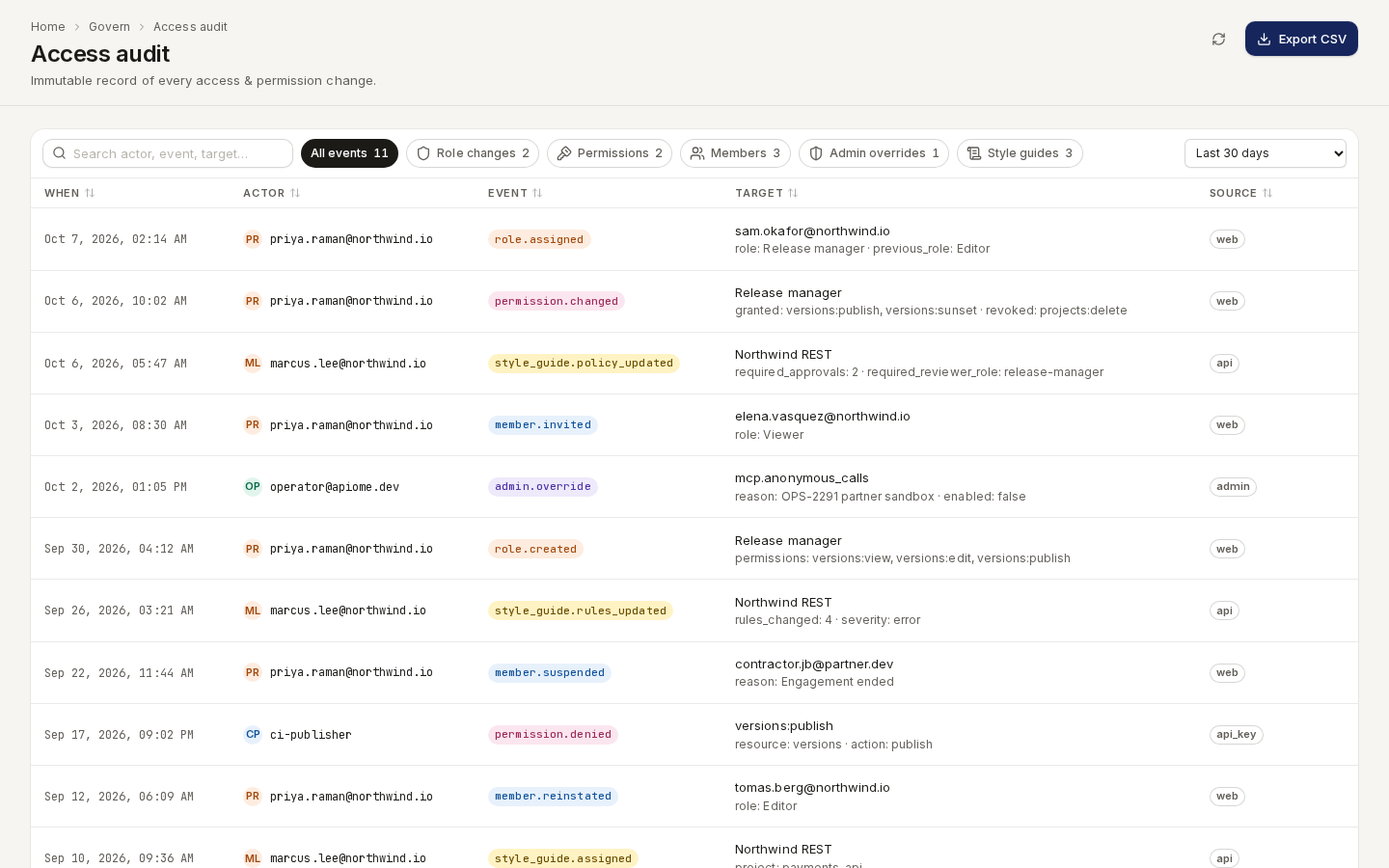
/ade/dashboard/auditEvery member can read the ledger (it needs members:view, which every built-in role has).
Find events
- Category chips — All events, Role changes, Permissions, Members, Admin overrides and Style guides, each with its count.
- Date range — Last 24 hours, Last 7 days, Last 30 days (the default), Last 90 days or All time.
- Search actor, event, target… narrows the rows on screen.
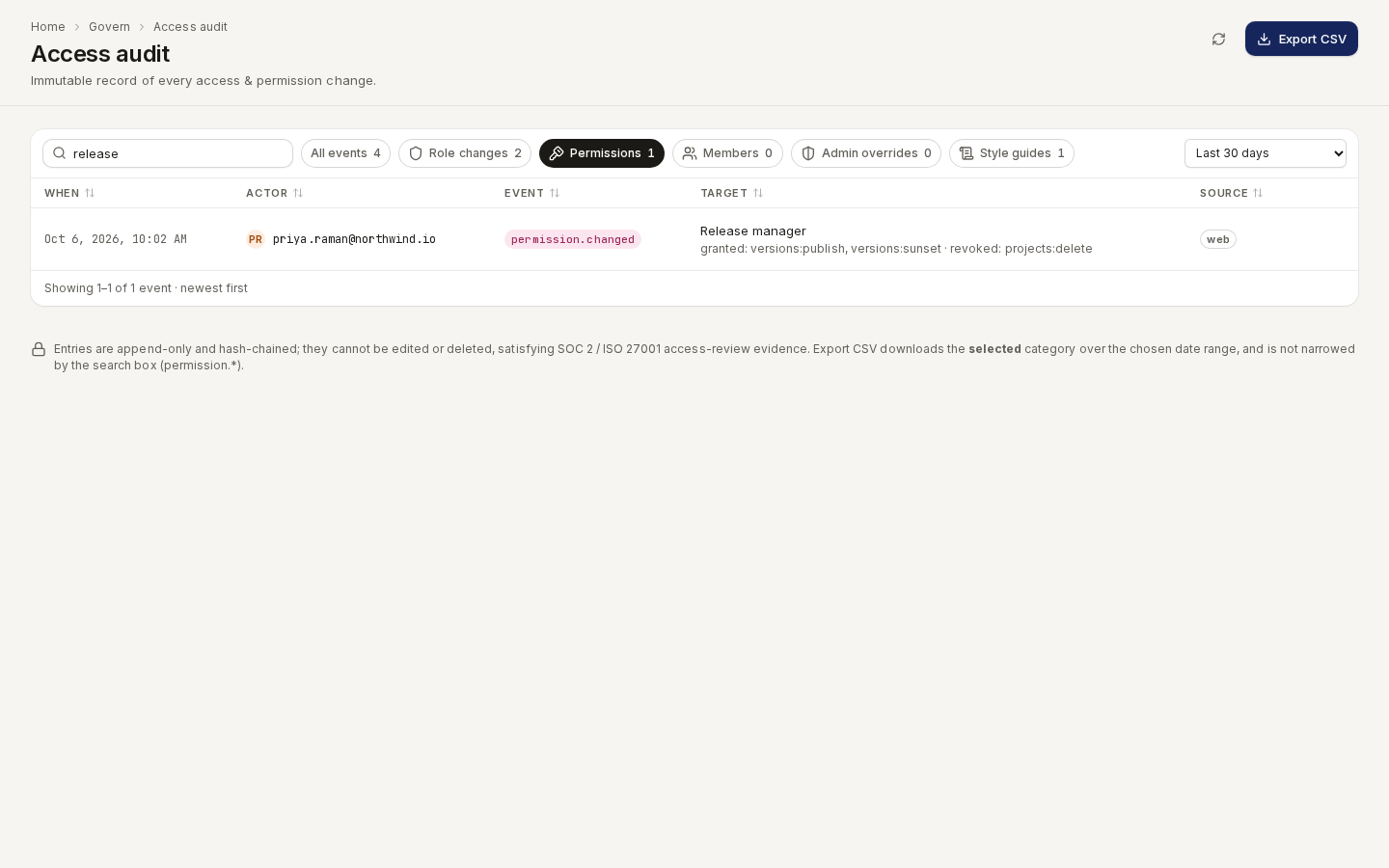
/ade/dashboard/auditThe table's columns — When, Actor, Event, Target and Source (web, api, api_key, admin, sso, scim or system) — all sort. The foot reads Showing 1–25 of 140 events · newest first; one read reaches at most the 1,000 most recent entries in the range, so narrow the range to reach older ones. Refresh reloads the ledger.
Read an event
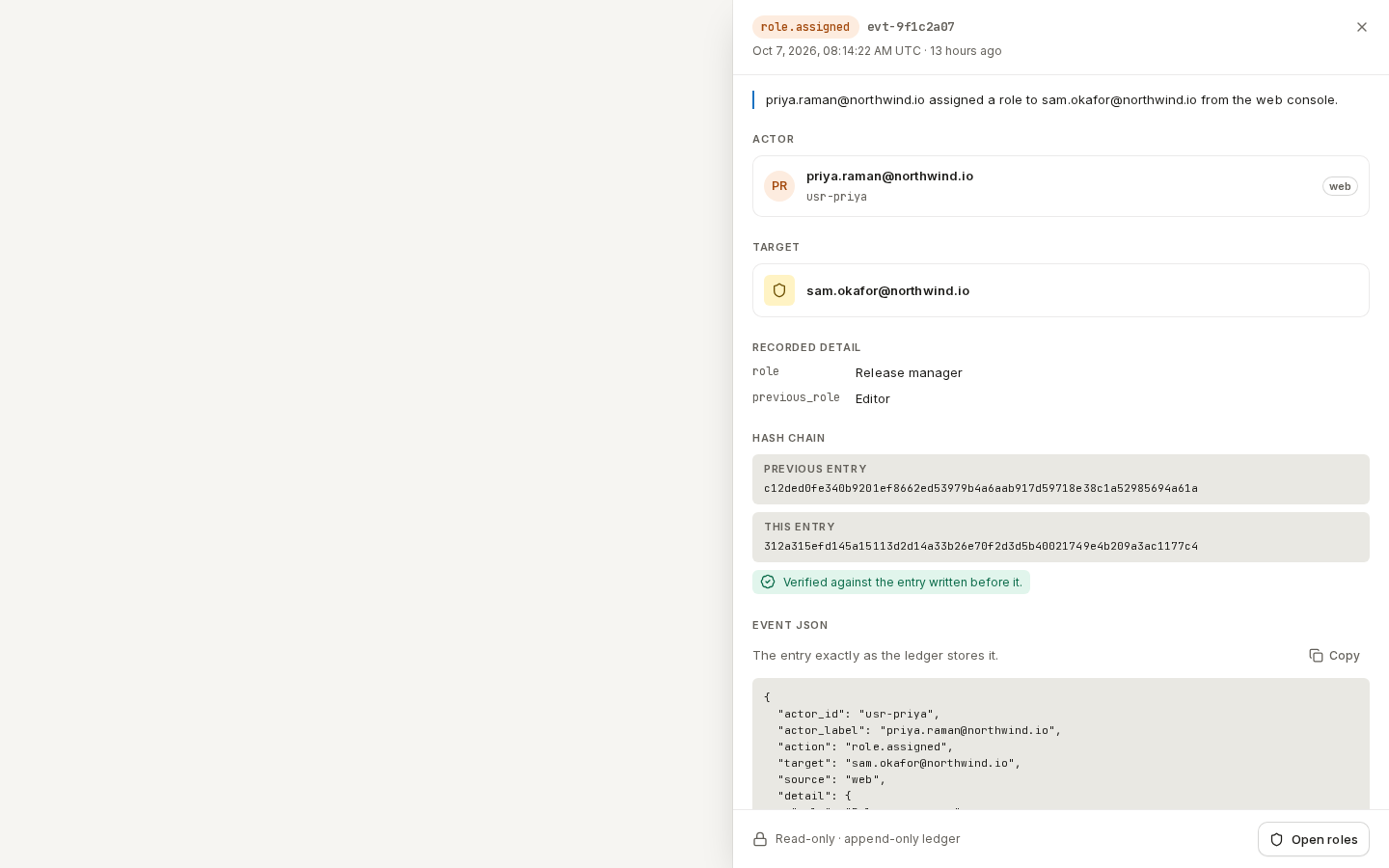
Click a row to open its drawer:
- the exact UTC time and a one-sentence summary — priya.raman@northwind.io assigned a role to sam.okafor@northwind.io from the web console.;
- Actor and Target, with the before → after values for a change;
- Recorded detail — every field the entry stored;
- Hash chain — the previous entry's hash, this entry's hash, and whether they link;
- Event JSON — the entry exactly as stored, with Copy.
Open roles or Open members in the footer goes to the screen the event changed.
/ade/dashboard/auditCheck the hash chain
Each entry stores the hash of the entry before it, so altering or removing one breaks the chain at that point. The drawer's Hash chain section says which applies:
| Status | Means |
|---|---|
| Verified against the entry written before it. | The link holds. |
| Does not match the entry written before it — the chain is broken here. | Investigate: the ledger was altered. |
| The first entry in this workspace's chain. | Nothing came before it. |
| The entry before it is outside this view, so the link was not checked. | Widen the date range to check it. |
| This entry was written without chain hashes. | It predates hashing. |
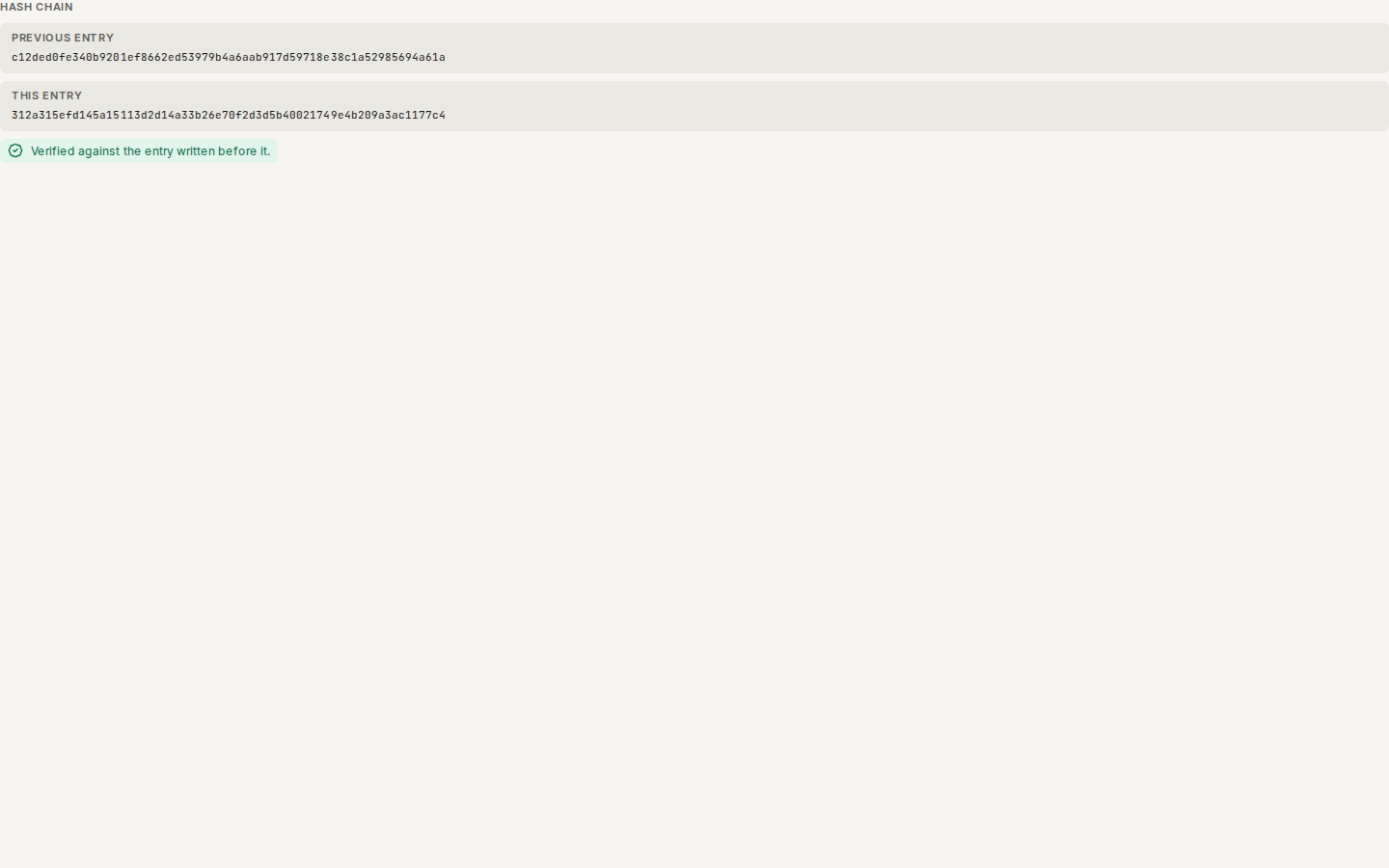
/ade/dashboard/auditThe chain is checked entry by entry in the drawer; there is no whole-ledger check in the app.
Export CSV
Click “Export CSV” to download <workspace>-access-audit.csv with the columns when, actor,
event, target and source. It covers the chosen category and date range (up to 1,000 rows); the
search box does not narrow it.
With the API
GET /v1/access/{tenant}/audit (filter, since, limit) and GET /v1/access/{tenant}/audit/export
— see the API reference. There is no CLI command for the ledger.
Style-guide events (create, edit, assign) are described in Style-guide revisions and audit. Review decisions are recorded in the workflow audit, not here — see Reviews.