Version and publish
/ade/dashboard/versions
A version freezes your project's schemas and paths under a number. Publishing a version makes it read-only and available to browse, export and MCP.
Open a project's versions
Go to Build → Projects and click your project. Its Timeline lists every version, newest first; All, Drafts and Published filter it.
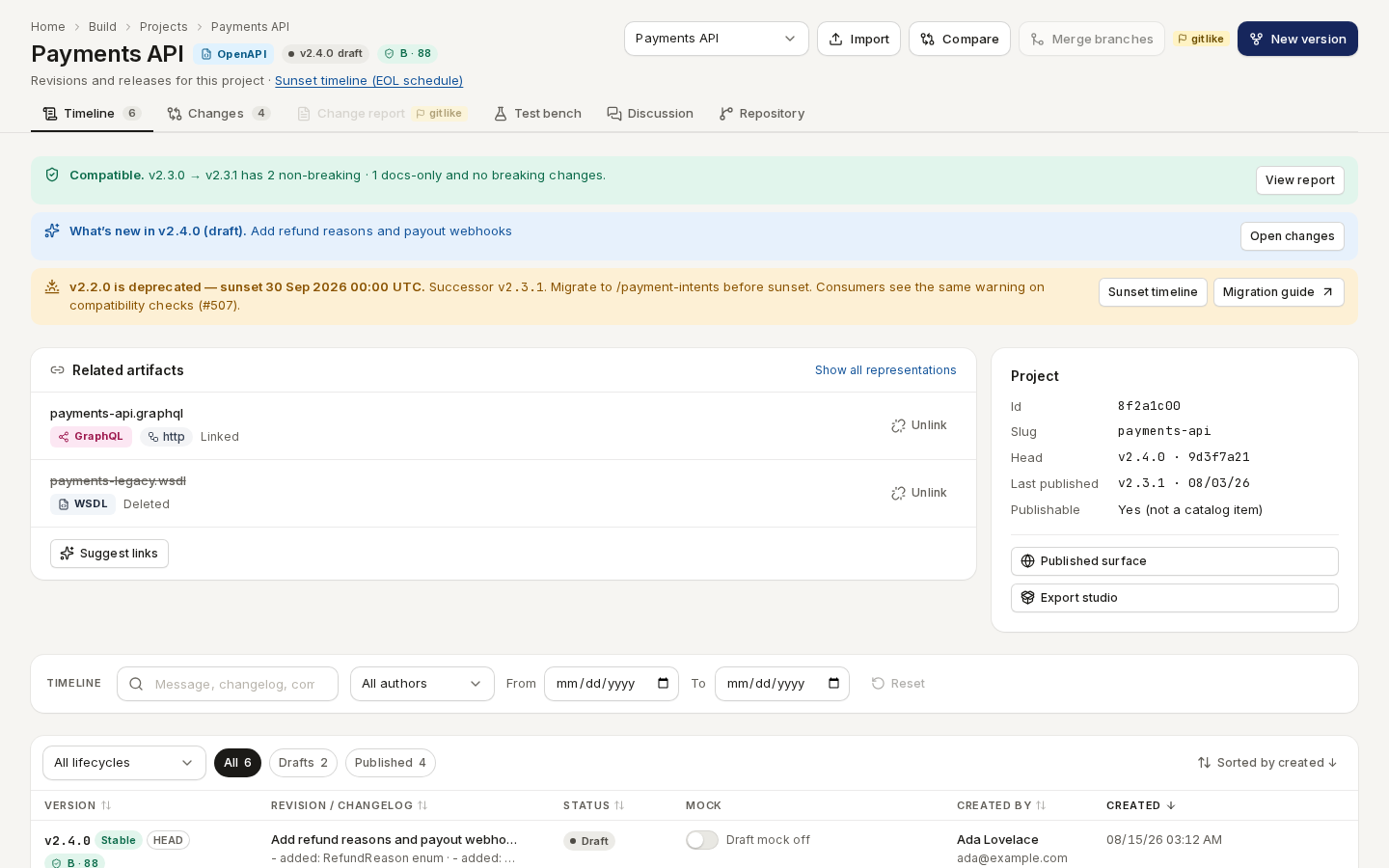
/ade/dashboard/versionsCut a version
- Click “New version”.
- Under Copy source, keep Copy from version to start from the latest version, or choose Create blank version.
- Under Version, keep Auto-generate version and pick a Bump strategy — minor is the
default — or choose Manual entry and type a Version ID such as
1.1.0. - Under Describe the release, write a Message (for example
First public release). External reference and Changelog are optional. - Click “Create version”. The new draft appears at the top of the timeline.
Publish it
- On the draft's row, click the “Publish” lock button, or open the row's Actions menu and choose “Publish”.
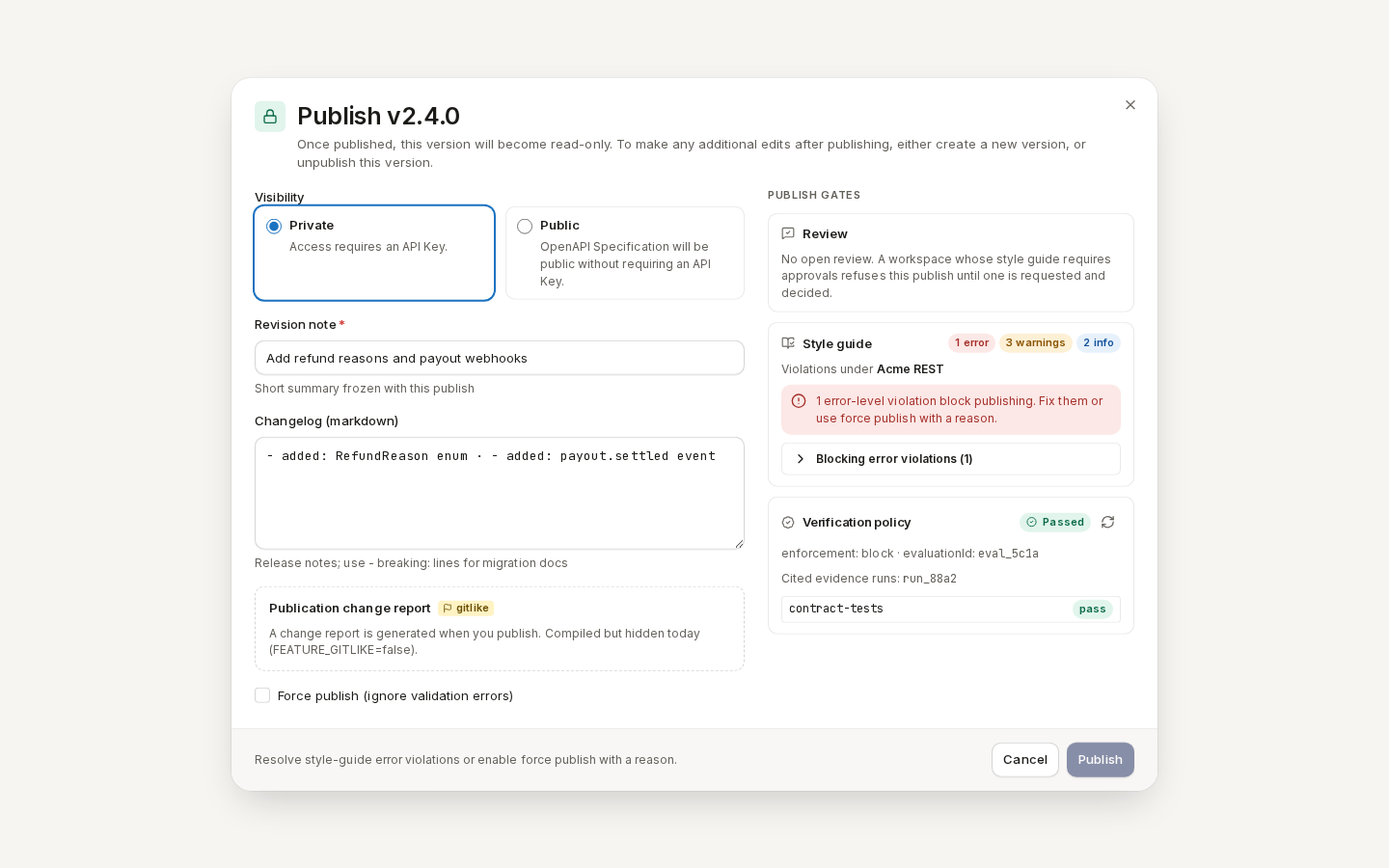
- Choose the Visibility:
- Private (the default) — readers need an API key;
- Public — anyone can read the spec without a key.
- Enter a Revision note — one line that stays with this publish — and, if you like, a Changelog.
- Check Publish gates on the right. Review, Style guide, Breaking changes and Verification policy each say whether they pass. While one blocks, the footer says why and “Publish” stays disabled: fix the finding (see Lint and check quality), or tick Force publish (ignore validation errors) and give a reason.
- Click “Publish”.
/ade/dashboard/versionsThe version is now read-only. To change it, cut a new version — or choose Unpublish from its Actions menu.
With the CLI or the API
- REST:
POST /v1/versions/{tenant}/{project}cuts a version;POST /v1/versions/{tenant}/{project}/{version}/publishpublishes it. See Cut a version, Publish a version and the API reference.