Import your first project
The quickest way to a project is to import a specification you already have. OpenAPI and Swagger become a project you can version and publish; other formats become a catalog item (see Import a specification).
To follow along, use the sample apiome-ui/examples/openapi/30-openapi-3.0-petstore.yaml from the
Apiome repository.
Open the import wizard
On Home, click “Import a spec” (or press I). The same wizard opens from Import on the Projects page. (The Catalog has its own wizard for other formats — see the Import wizard.)
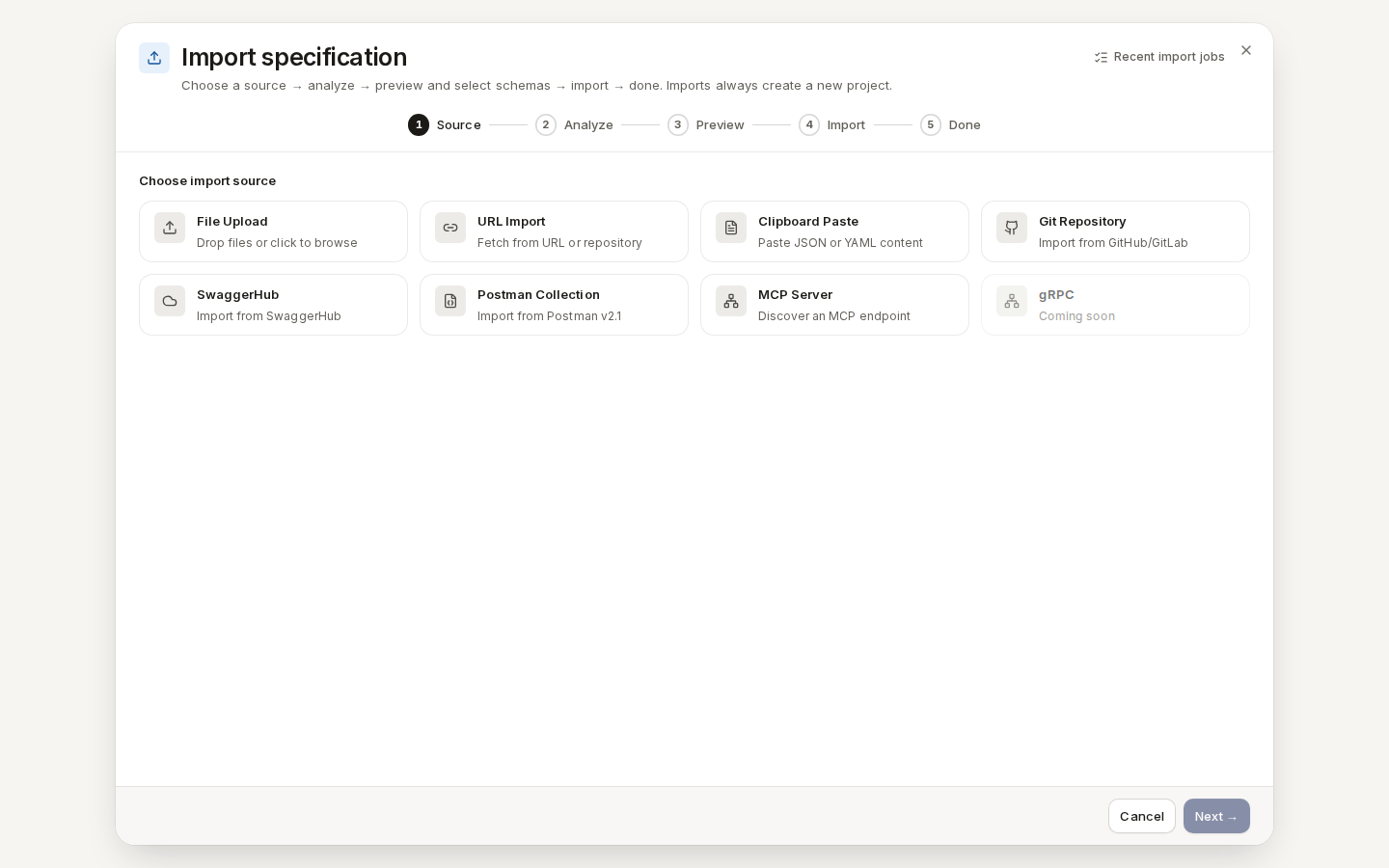
/ade/dashboard/catalogShown with every source. Opened from Home or Projects, the wizard offers File Upload, URL Import, Clipboard Paste, Git Repository and SwaggerHub.Import a file
-
Source. Pick where the specification comes from:
- File Upload — drop a file or click “Browse files”;
- URL Import — a link to the file;
- Clipboard Paste — paste JSON or YAML;
- Git Repository — a file in GitHub or GitLab;
- SwaggerHub — an API published on SwaggerHub.
Choose File Upload, select the petstore file and click “Analyze →”.
-
Analyze. Apiome detects the format and checks the document.
-
Preview. Review the schemas Apiome found and select the ones to keep, then click “Next →”.
-
Import. Click “Import →”. The import runs as a job — you can close the dialog and it keeps running.
-
Done. The new project is ready. Click “Done”.
If the import fails, the wizard lists the failures and nothing is saved — fix the specification or choose another source and try again.
Every import creates a new project. Open it from Build → Projects: clicking a project opens its versions.
With the CLI or the API
- CLI:
apiome import openapi ./30-openapi-3.0-petstore.yaml— see the CLI quick-start. - REST:
POST /v1/tenants/{tenant}/imports— see the API reference.