Versions
/ade/dashboard/versions
Versions is one project's history: every version, its status, its mock, and what changed. Open it by clicking a project on Projects; the project selector at the top switches to another one.
The header holds Import, Compare (needs two versions) and “New version”. The dialogs they open are on Version dialogs.
Timeline
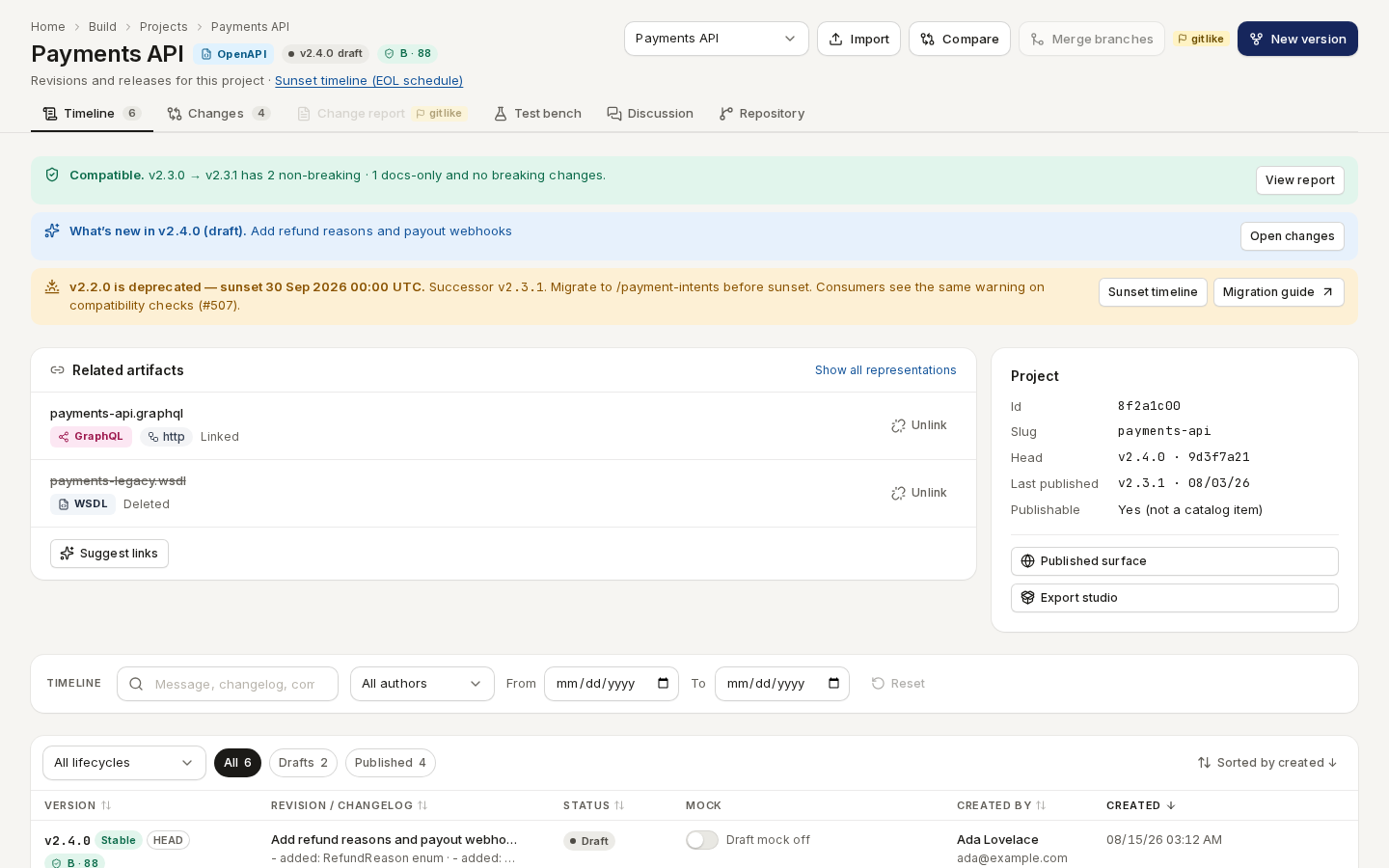
/ade/dashboard/versionsCaptured from a development build, which also draws git-like controls marked gitlike; production builds hide them.From top to bottom:
- Banners — whether the latest change is compatible (“View report”), What's new in the draft (“Open changes”), and any version nearing its sunset (“Sunset timeline”, “Migration guide”).
- Project — id, slug, head version, last publish, and links to Published surface and Export studio.
- Filters — search the message and changelog, pick an author, a date range, a lifecycle (Stable, Beta, Deprecated, Archived), and All / Drafts / Published.
- The list — Version, Revision / changelog, Status, Mock, Created by, Created and actions. Badges mark the HEAD version, Published (read-only) and Locked versions.
The mock switch
Each row's Mock switch serves that version from Apiome's hosted mock. A published version's mock reads Mock on or Mock off; a draft's mock is private and needs an API key (Draft mock off until you turn it on). When it is on, the cell shows the mock URL with a copy button, the Scenarios and Correlation editors and 30 days of usage. See One mock engine.
Row actions
The row's quick buttons are Publish (or Unpublish) and Edit or Schedule sunset (EOL). Its Actions menu holds:
| Item | Does |
|---|---|
| View spec | Opens the generated OpenAPI document (JSON or YAML) to copy or download |
| Export to another format… | Opens the export dialog — see Export |
| Schedule sunset (EOL)… | Deprecates the version and sets its end-of-life date |
| Edit | Changes lifecycle, notes and sunset metadata |
| Publish / Unpublish | Publishes the version, or takes it back after a confirmation |
Git-like actions (branch, fork, tag, freeze, lock, delete) also live here when Flag offFEATURE_GITLIKE is on — it is off in every shipped build. See Git-like
features.
Changes
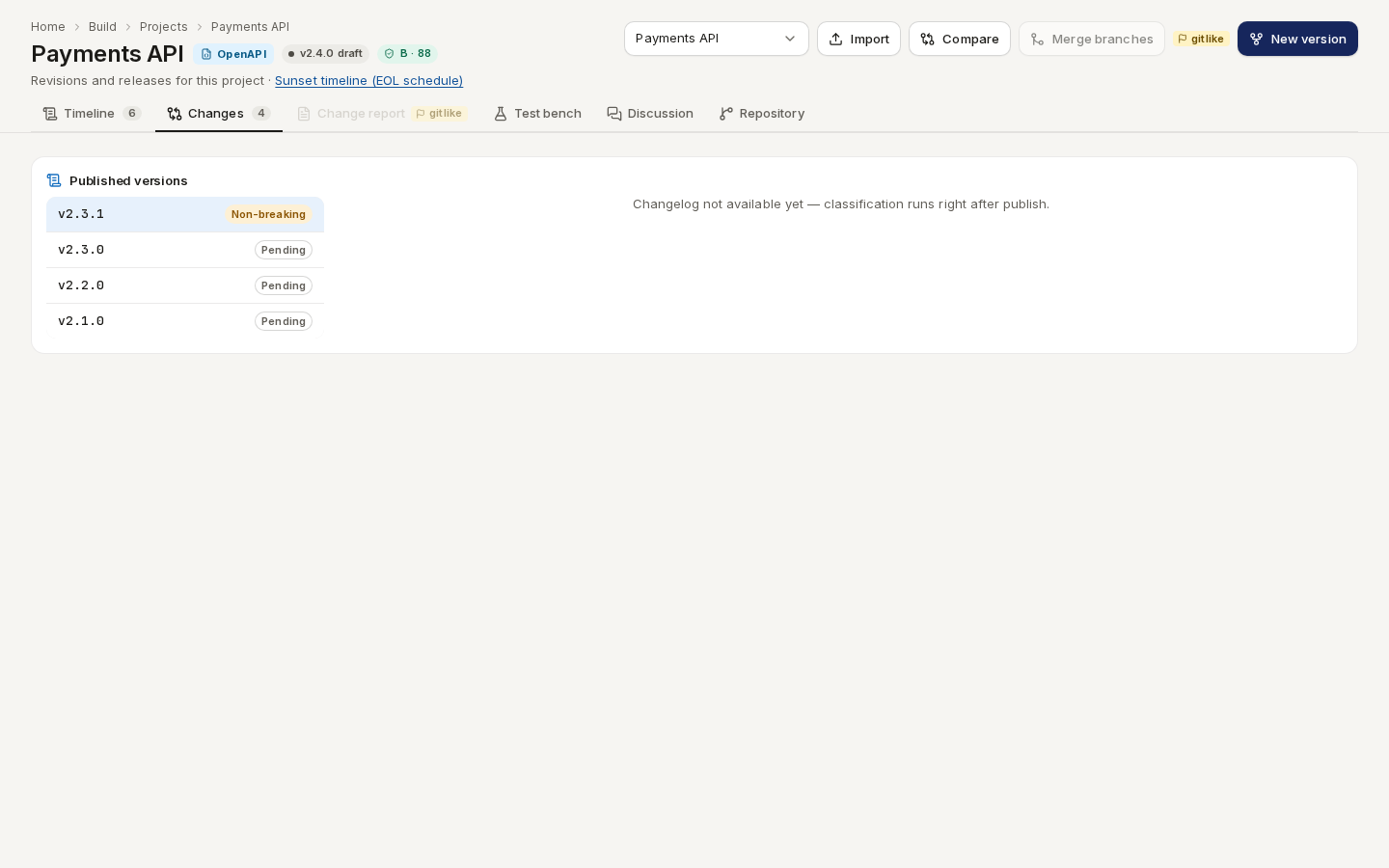
The Changes tab lists each published version's classified changelog — breaking, non-breaking and docs-only changes — which Apiome writes right after a publish.
/ade/dashboard/versionsTest bench
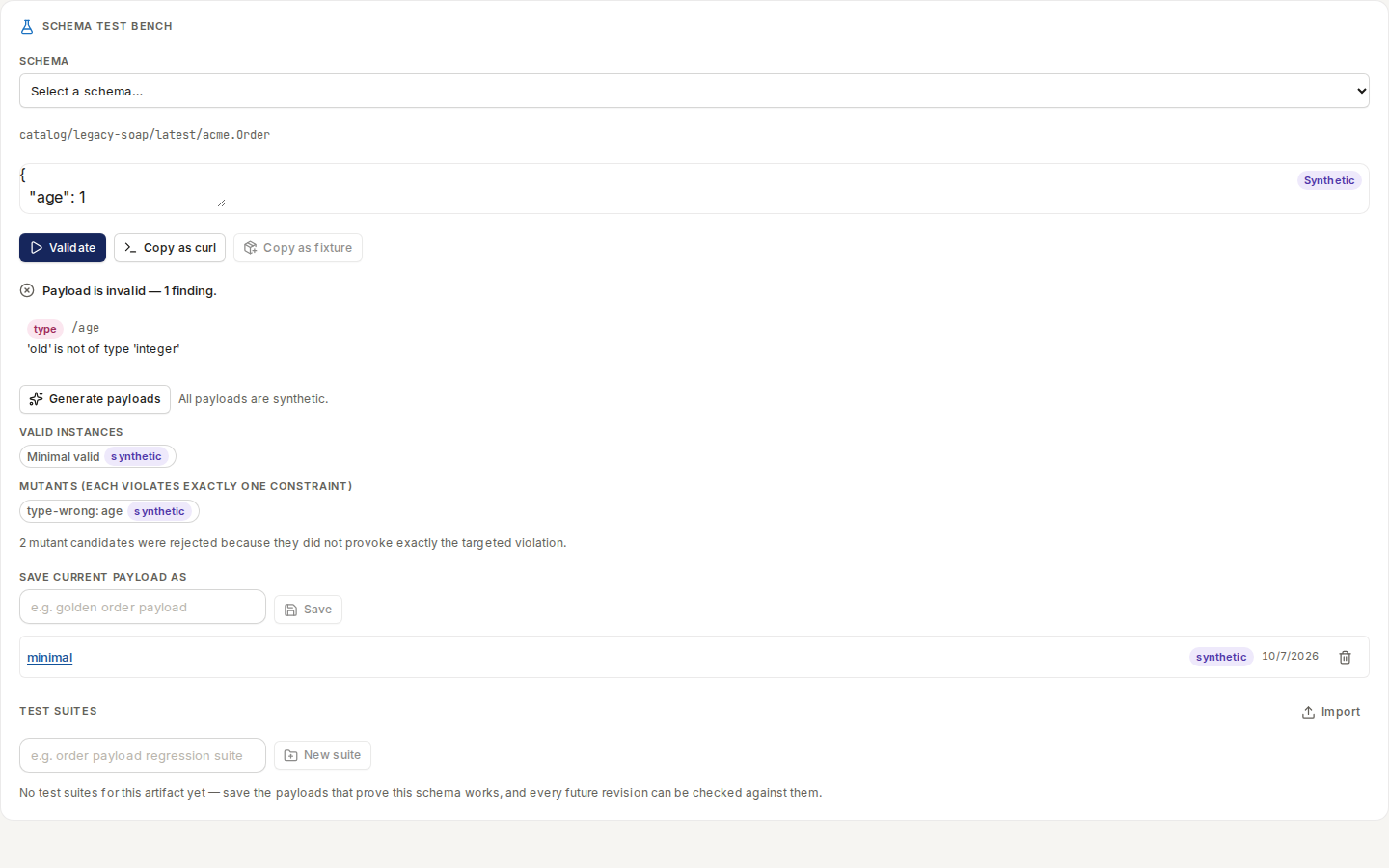
The Test bench tab checks a payload against any schema in the project: pick a schema, paste or generate a payload, and click “Validate”. Findings point at the line that failed; saved payloads become a test suite. It needs a project with a slug.
/ade/dashboard/versionsDiscussion
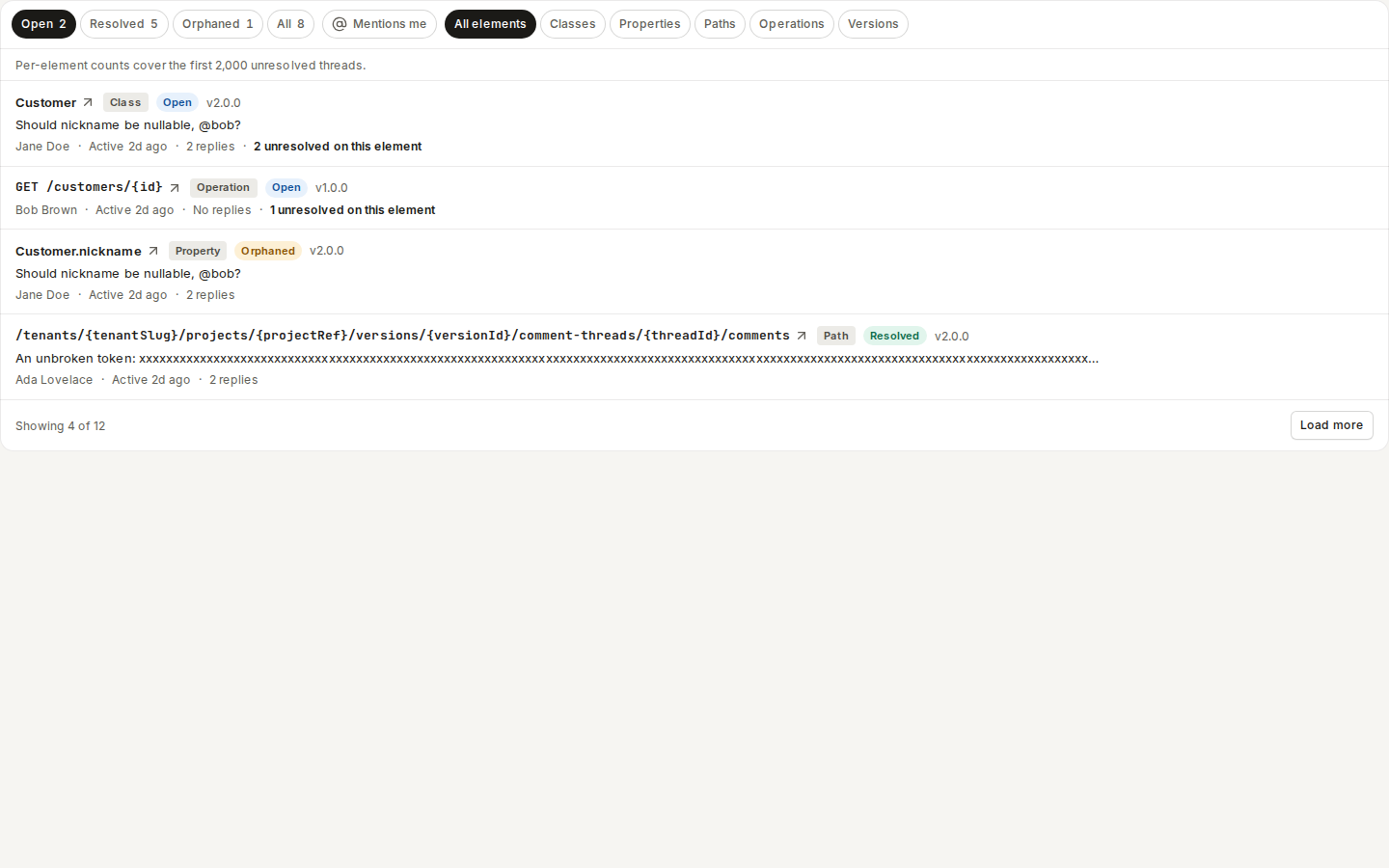
The Discussion tab collects comment threads on the project's classes, properties, paths and operations — Open, Resolved, Orphaned or All, filtered by kind of element. Its count is the number of unresolved threads.
/ade/dashboard/versionsRepository
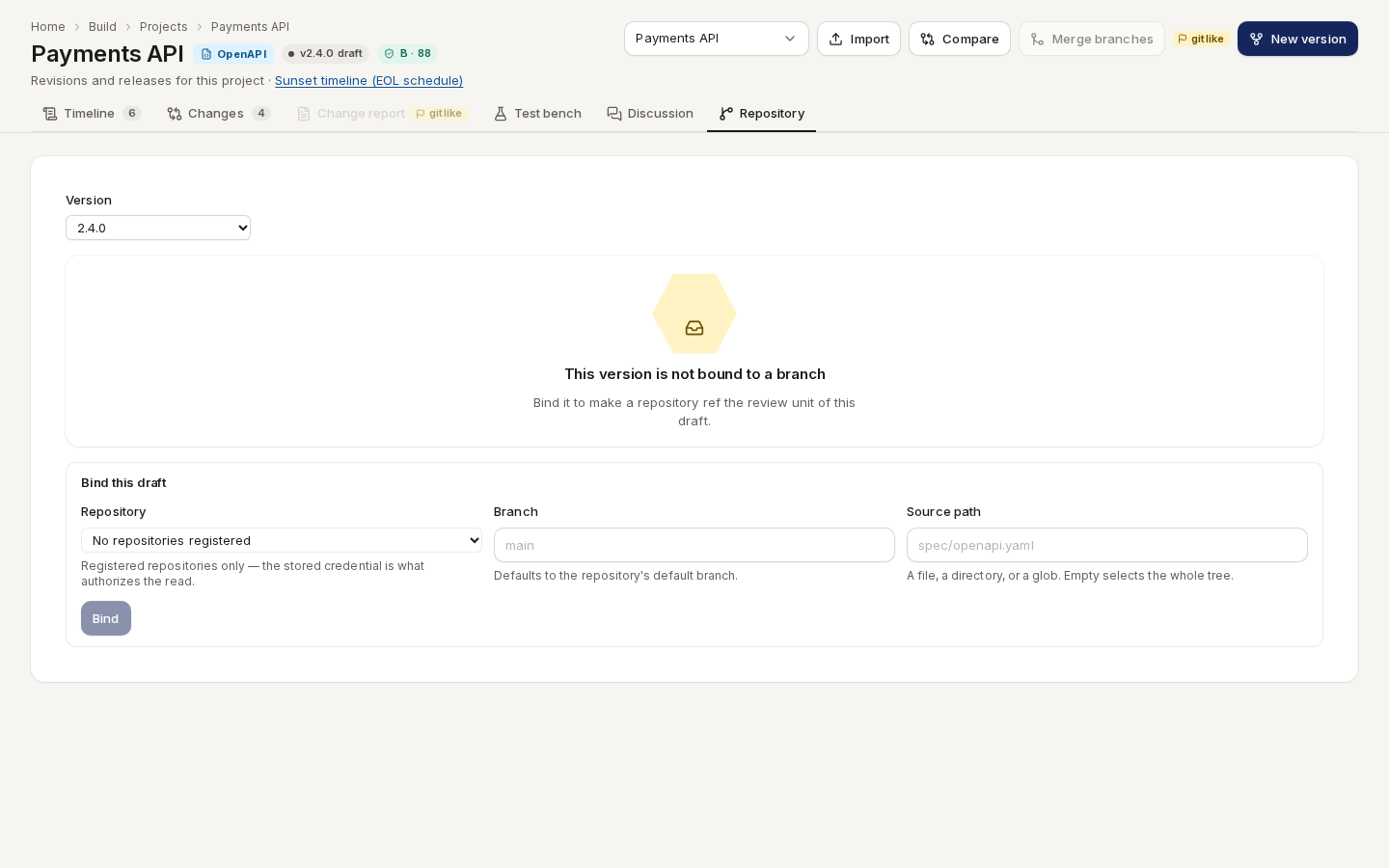
The Repository tab binds a draft version to a branch of a registered repository. Pick the Version, then under Bind this draft choose the Repository, a Branch and a Source path, and click “Bind”. Register repositories first under Bring in → Repositories.
/ade/dashboard/versionsConversion
When the project was created by converting a catalog item, a Conversion tab shows its conversion history — every projection and the evidence behind it. Other projects do not have this tab.
Change report Flag offFEATURE_GITLIKE
A Change report tab with the publication change report and its templates appears only when
FEATURE_GITLIKE is on and NEXT_PUBLIC_CHANGE_REPORT_UI is not 0. FEATURE_GITLIKE is a
constant in apiome-ui/lib/feature-flags.ts and is false, so shipped builds do not show it.
With the CLI or the API
- CLI:
apiome versions list|get|publish|unpublish,apiome mock status|enable|disable— see the CLI quick-start. - REST:
GET/POST /v1/versions/{tenant}/{project},PUT /v1/versions/{tenant}/{project}/{version},…/publish,…/unpublish,PUT …/mock,GET /v1/versions/{tenant}/sunset-timeline— see the API reference.