Projects
/ade/dashboard/projects
A project is one API: its classes, paths and every version of it. Go to Build → Projects to see them all. The header sums them up — for example 2 projects · avg quality 83 · 2 active.
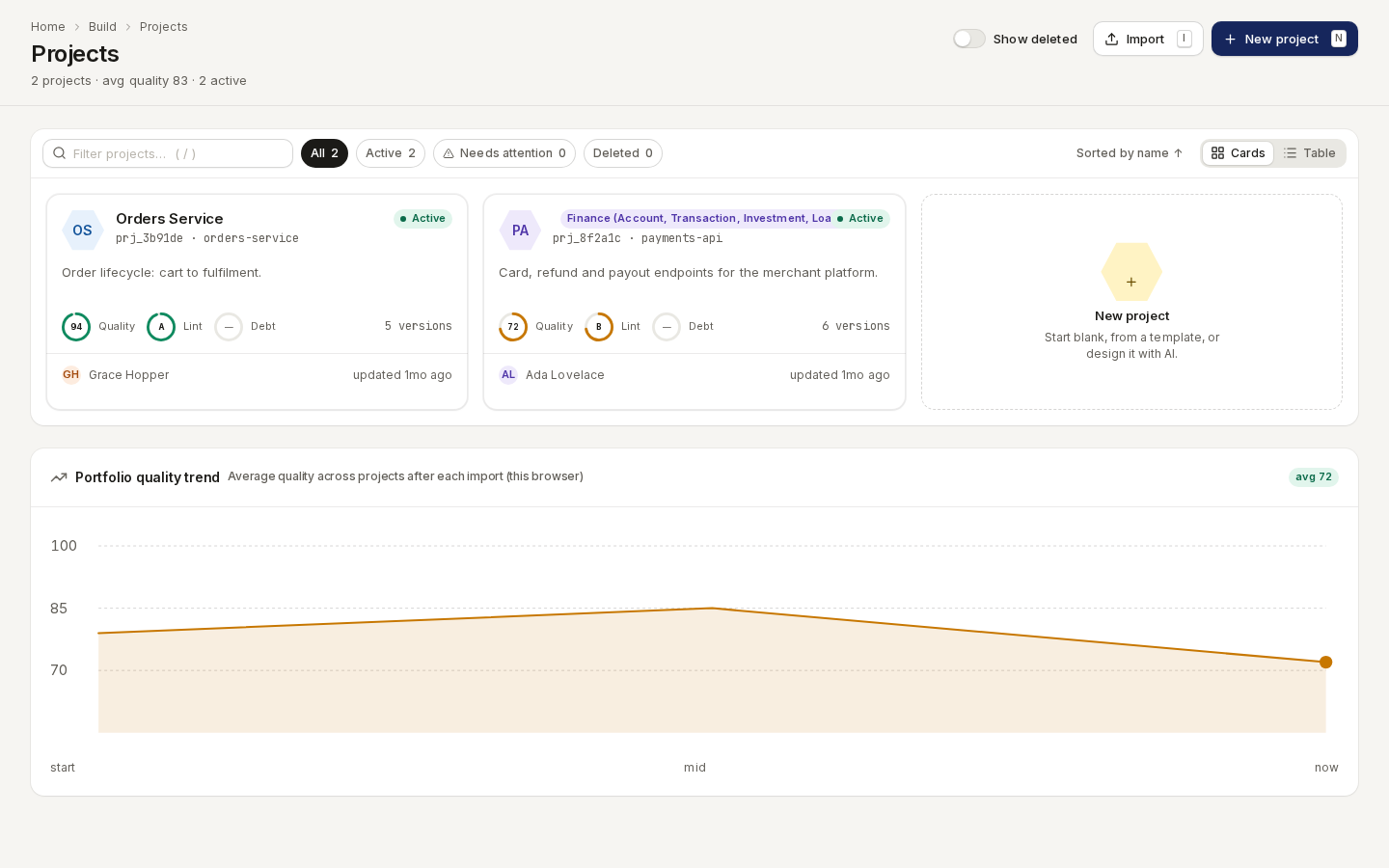
/ade/dashboard/projectsFind a project
- Search with the filter box (/ focuses it).
- Filter with All, Active, Needs attention and Deleted. Deleted works once Show deleted is on.
- Sort with Sorted by name ↑.
- Switch views with Cards (the default) and Table.
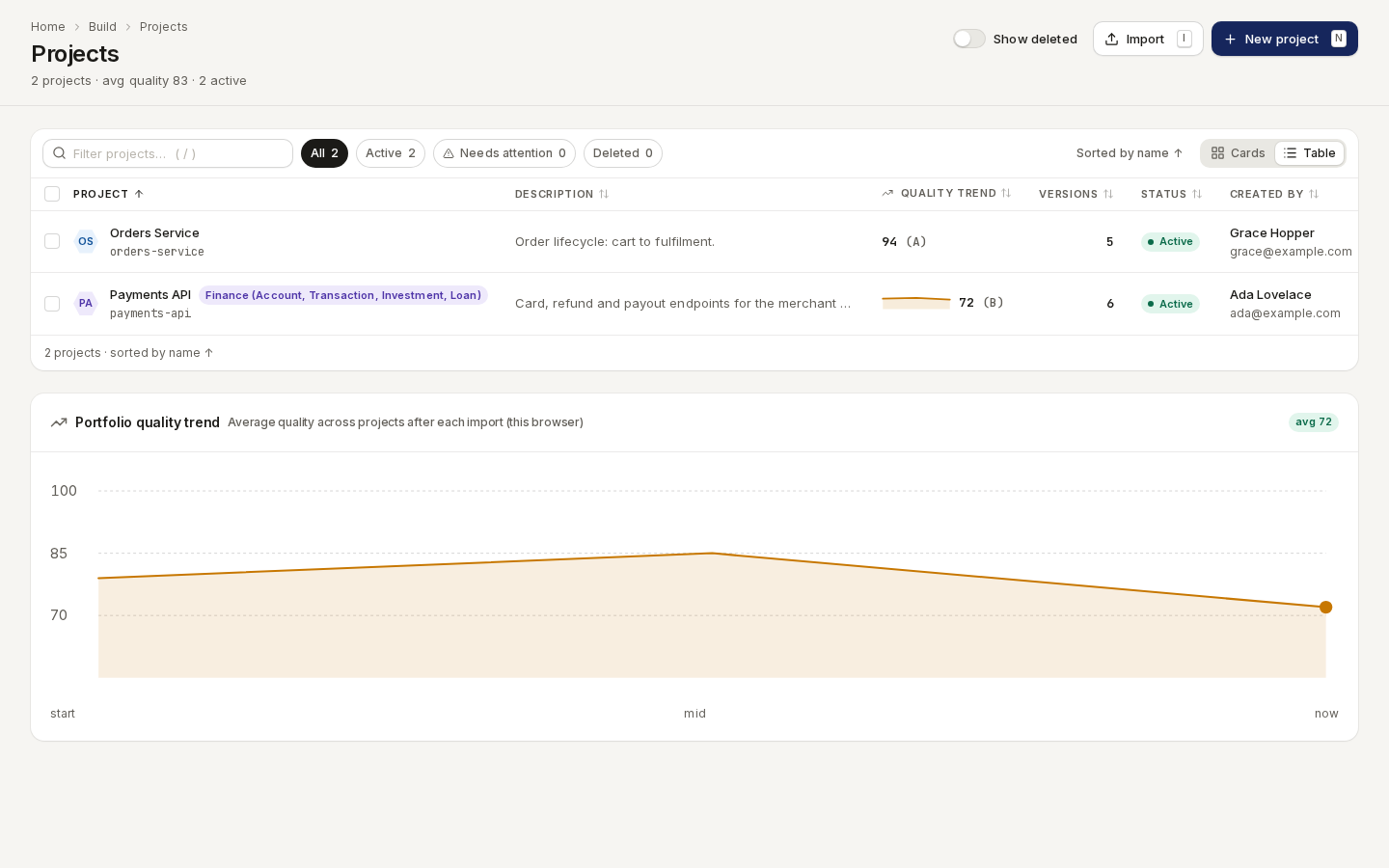
/ade/dashboard/projectsThe table shows Project, Description, Quality trend, Versions, Status, Created by and Updated. Portfolio quality trend under the list plots average quality across projects after each import.
Click a project to open its versions.
Create a project
- Click “New project” (or press N).
- On Create manually, choose a Starting template — Blank starts empty.
- Enter a Project name (for example
Payments API); the Slug (payments-api) is suggested from it. Description and Domain category are optional. - Fill in API metadata (OpenAPI info) if you know it — API summary, contact and licence.
It becomes the spec's
infoblock, and you can change it later. - Click “Create project”.
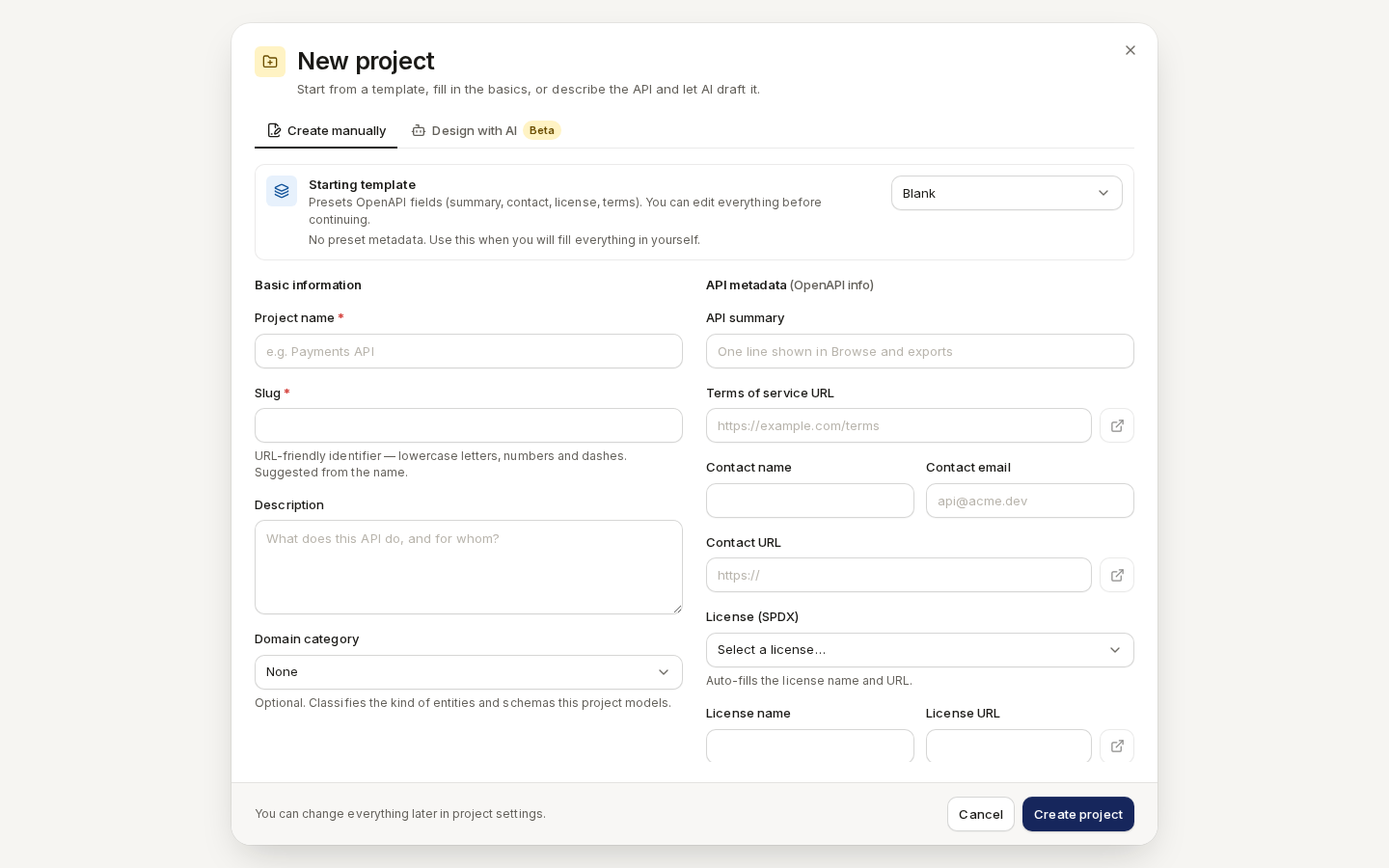
/ade/dashboard/projectsDesign with AI (marked Beta) drafts a project from a description instead. To start from a file you already have, click “Import” — see Import your first project.
Edit, delete and restore
Open a project's menu (⋯ on a card or row):
| Item | Does |
|---|---|
| Open versions | Opens the project's Versions (table view) |
| Consumers | Who depends on this API — see below |
| Edit project | Changes the name, description and API metadata; “Save changes” |
| Delete project | Moves it to Deleted. Turn on Show deleted to find it again |
| Undelete project | Brings a deleted project back |
| Permanently delete | Removes it for good — type the slug, then “Delete everything” |
In the table, tick rows to Delete or Undelete several at once.
Consumers
Route/ade/dashboard/projects/[projectId]/consumers
Consumers lists the teams and services that depend on the API, and which operations and fields each one uses. “Register consumer” adds one by hand; “Import Pact file” adds one from a consumer contract.
With the CLI or the API
- CLI:
apiome projects list,apiome projects get <id-or-slug>— see the CLI quick-start. - REST:
GET/POST /v1/projects/{tenant},GET/PUT/DELETE /v1/projects/{tenant}/{project},POST /v1/projects/{tenant}/{project}/restore— see the API reference.