Repositories
/ade/dashboard/repositories
Register a Git repository and Apiome scans it for API specifications you can import — one at a time or many at once — and keeps them refreshed. Go to Bring in → Repositories. The tabs across the top are Repositories, Discovered specs, Quota & rate limits and Webhook IP allowlist.
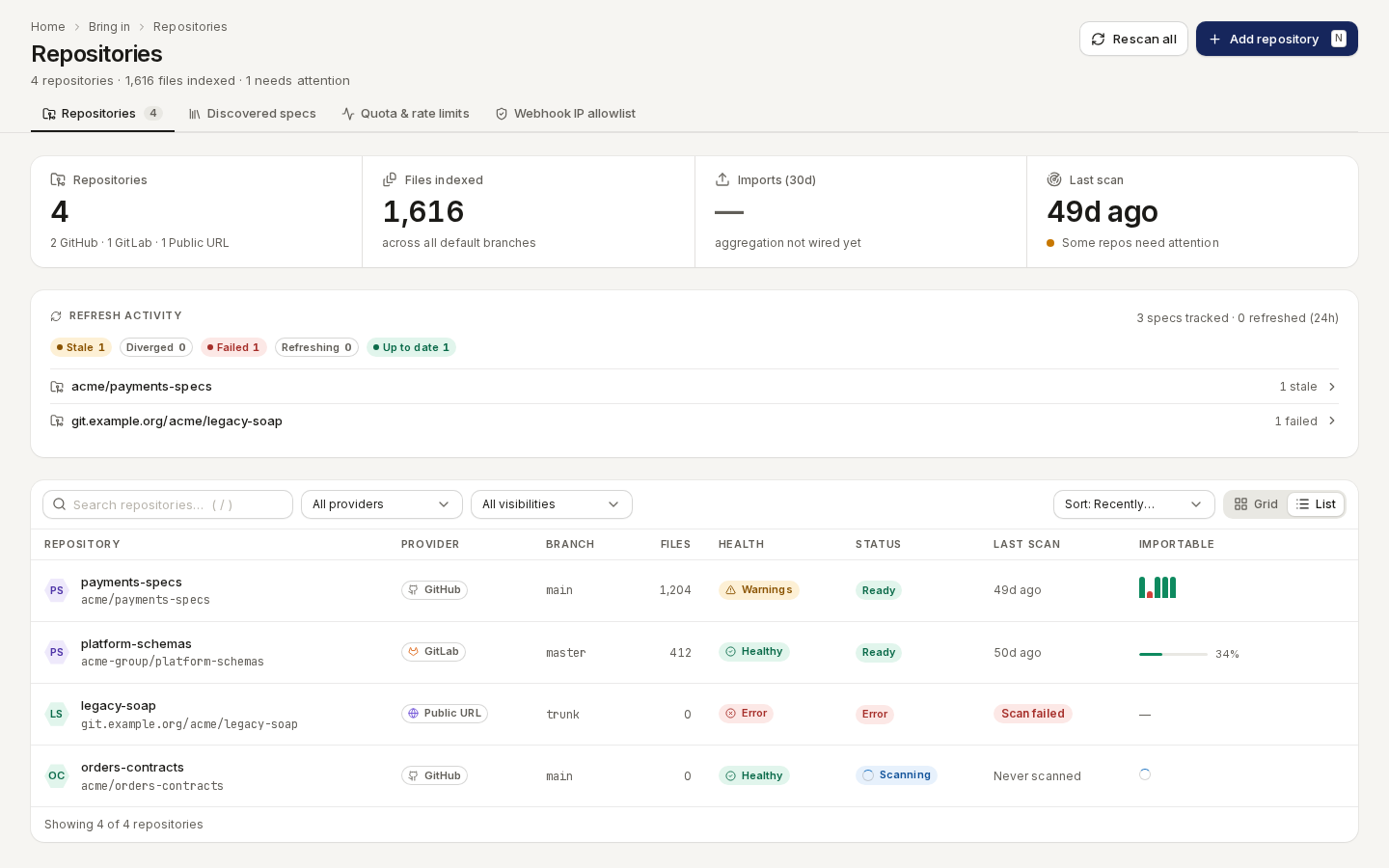
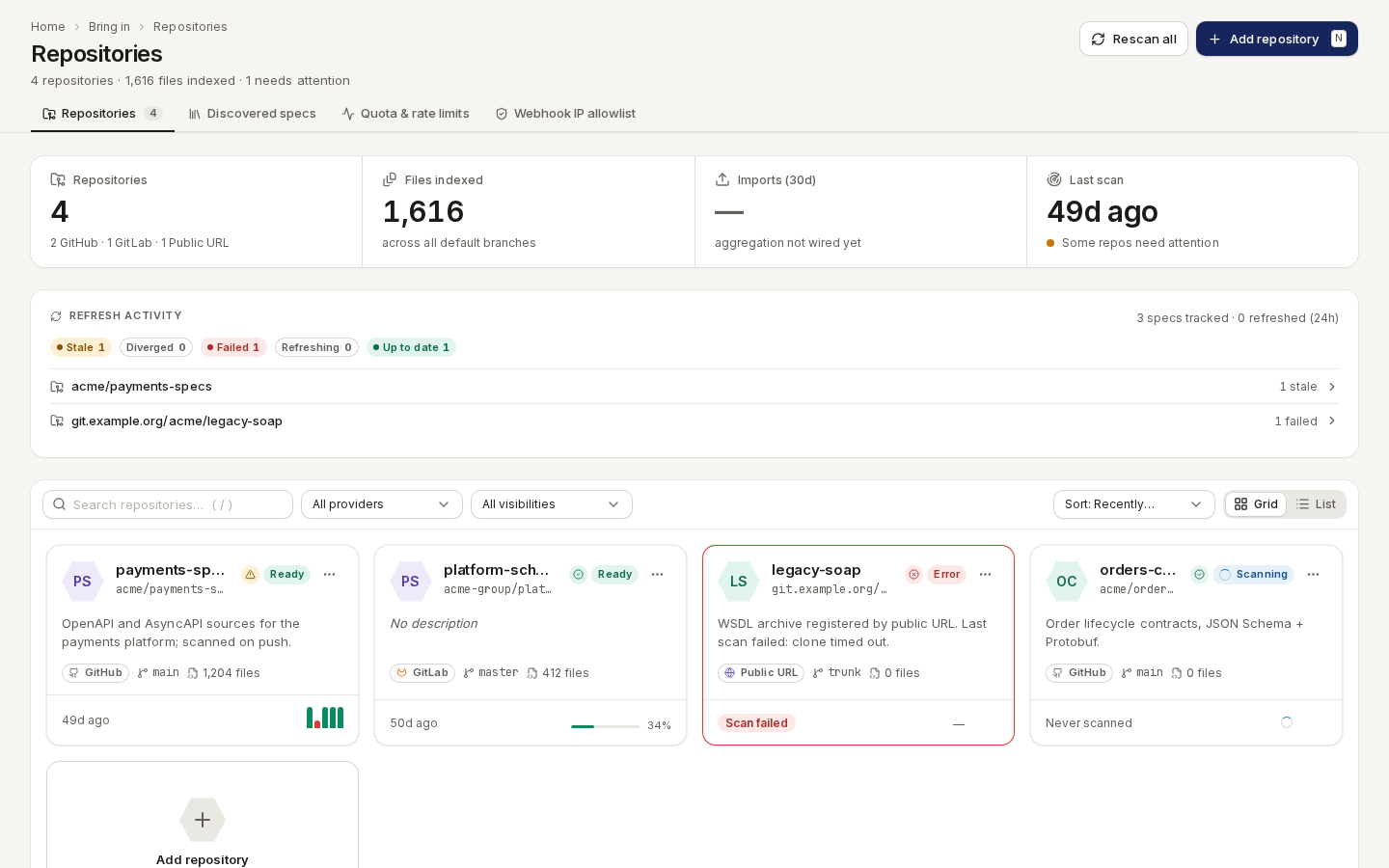
/ade/dashboard/repositoriesThe list shows each repository's Provider, Branch, Files, Health, Status, Last scan and how many files are Importable. Filter by provider and visibility, sort by most recently scanned or by name, and switch between Grid and List. A row's menu has Open detail and Remove from list.
/ade/dashboard/repositoriesAdd a repository
Route/ade/dashboard/repositories/new
- Click “Add repository” (or press N).
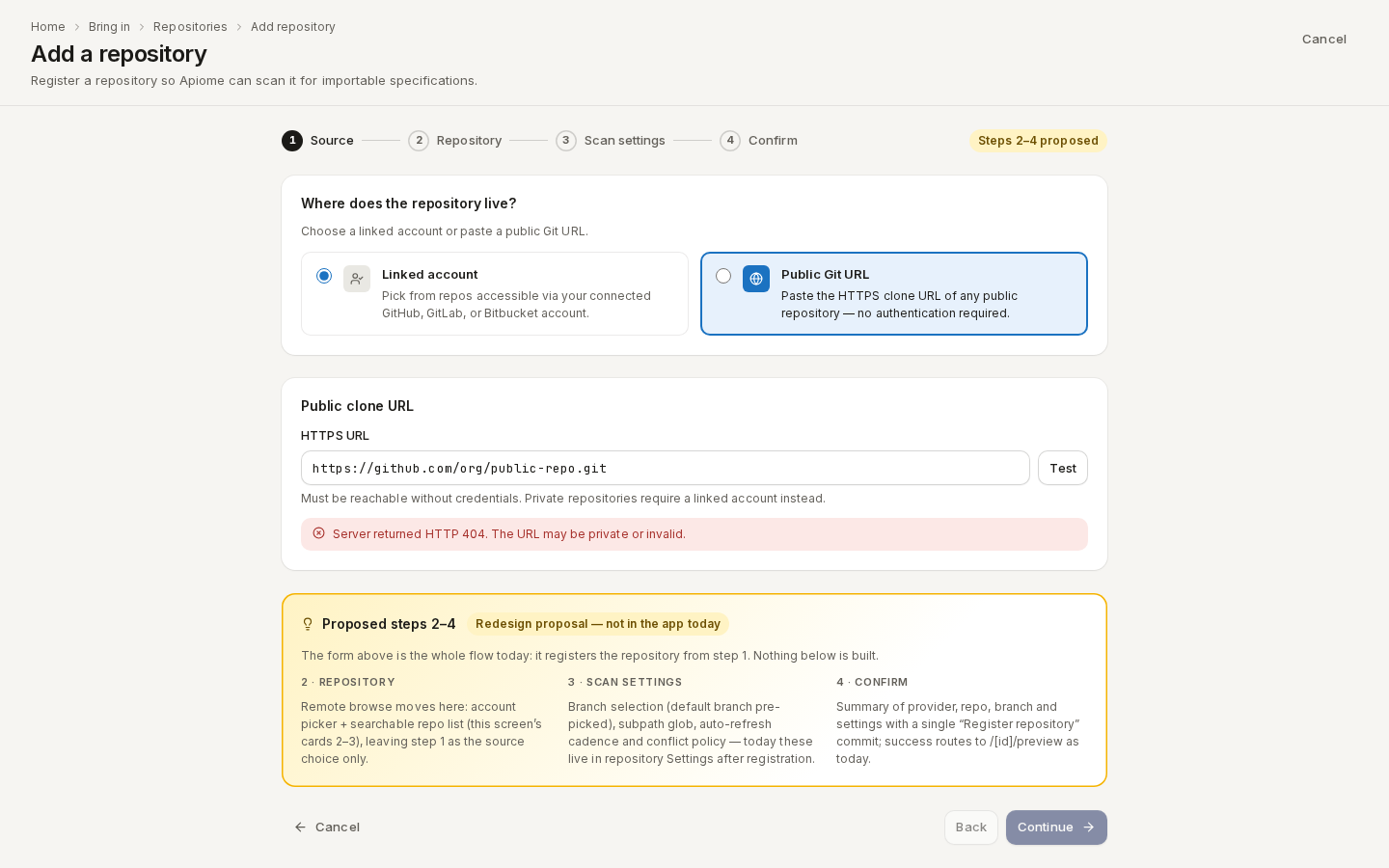
- Under Where does the repository live? choose:
- Linked account — pick from your connected GitHub, GitLab or Bitbucket account. Browsing a provider's repositories works for GitHub only; Manage linked accounts → connects one.
- Public Git URL — paste an HTTPS URL such as
https://github.com/apiome/apiome.gitand click “Test”.
- Click “Continue”. Apiome says Repository registered. and starts its first scan.
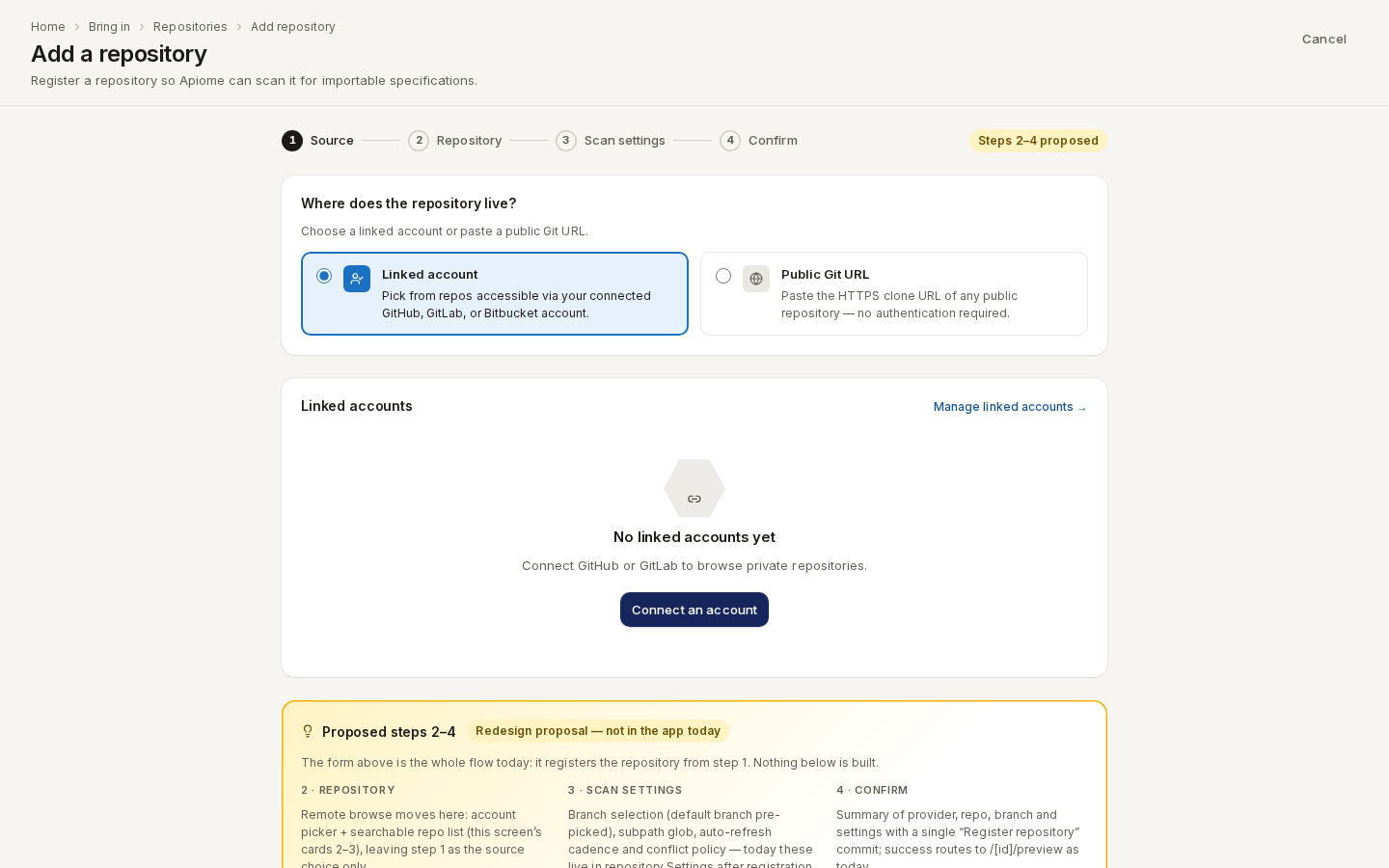
/ade/dashboard/repositories/newThe page also shows a Proposed steps 2–4 card marked Redesign proposal — not in the app today: it describes planned steps (browse, scan settings, confirm) that are not part of the product yet.
/ade/dashboard/repositories/new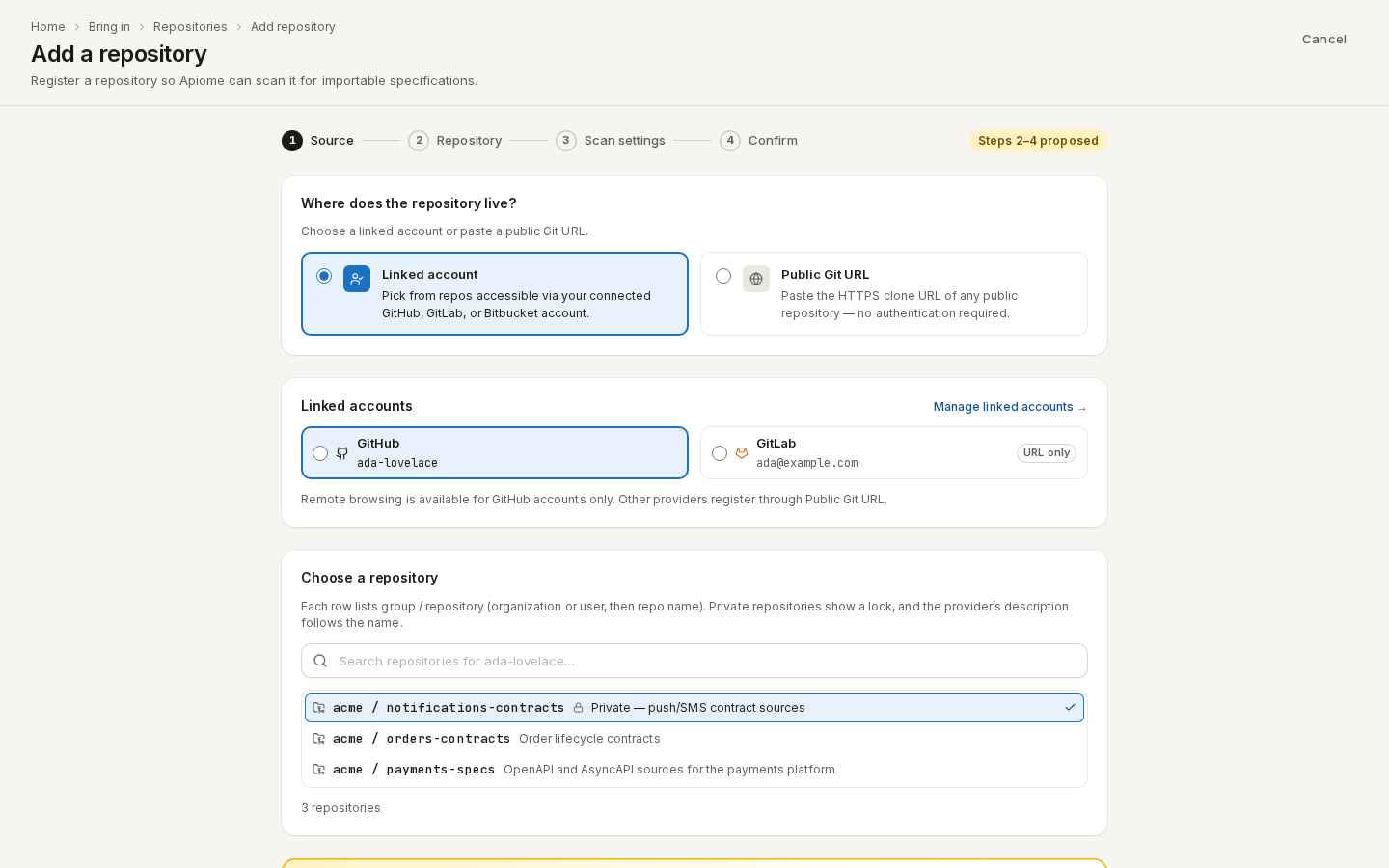
/ade/dashboard/repositories/newA repository's page
Route/ade/dashboard/repositories/[id]
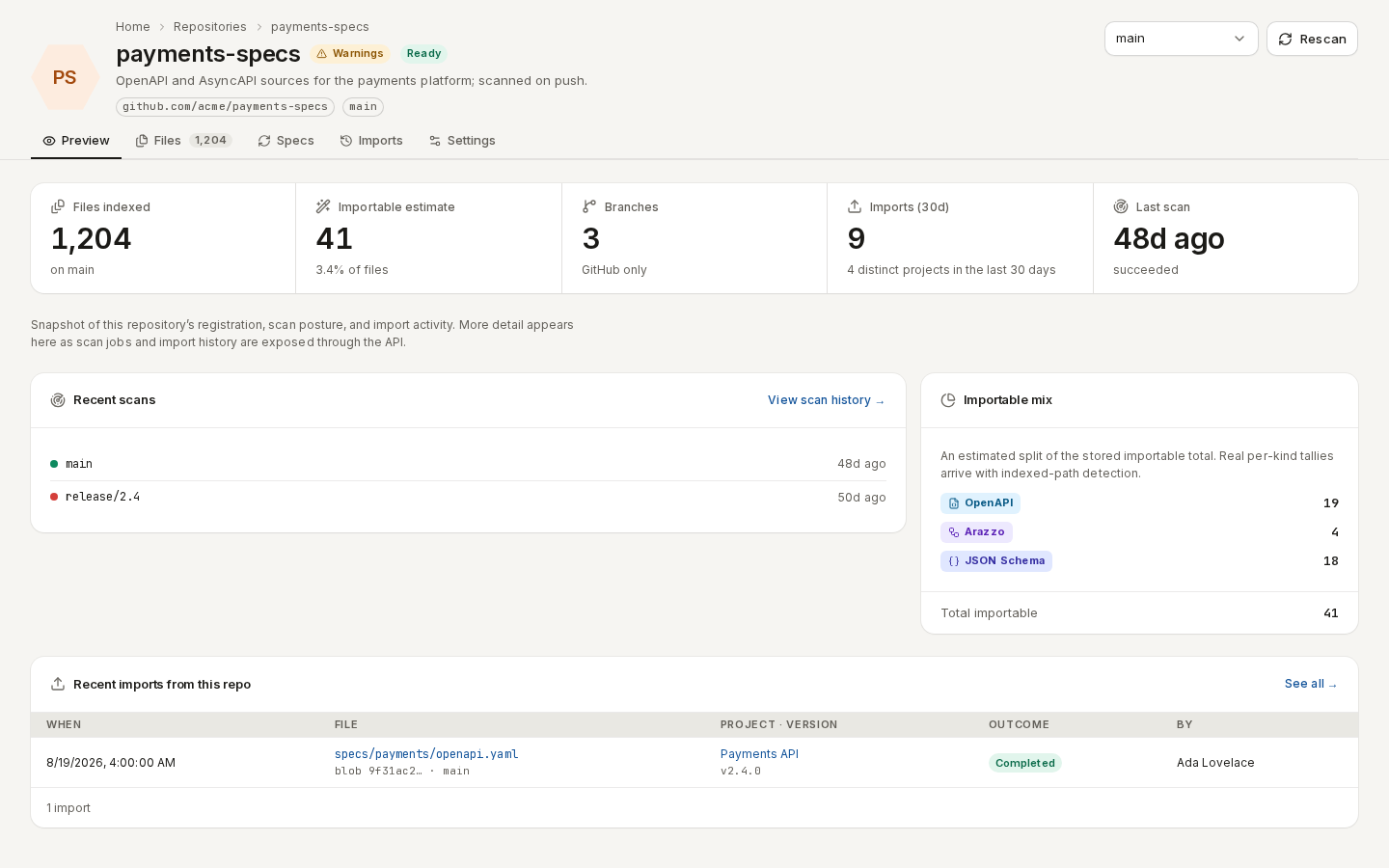
Click a repository. Five tabs:
- Preview — files indexed, the importable estimate, branches, recent scans and recent imports.
- Files — every file Apiome indexed on the branch. Hide non-importable narrows the list to specifications; a file's menu has View details, Import…, Open on provider and Copy path.
- Specs — the specs imported from this repository; “Refresh now” re-reads them.
- Imports — the import history.
- Settings — the source, Scan cadence (Auto-refresh), what happens on a refresh conflict (Hold for review, Overwrite or New branch), and Remove repository.
/ade/dashboard/repositories/[id]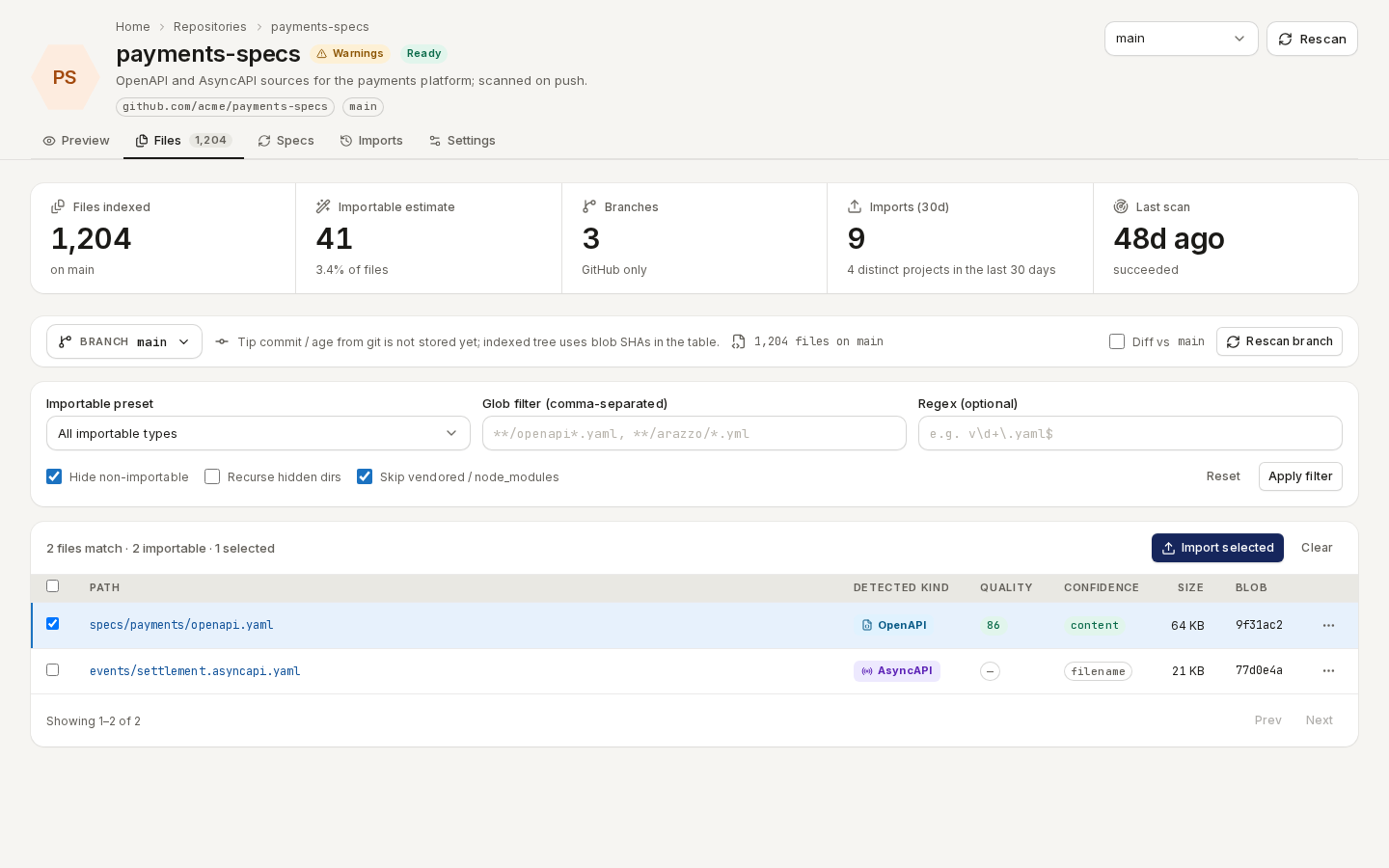
/ade/dashboard/repositories/[id]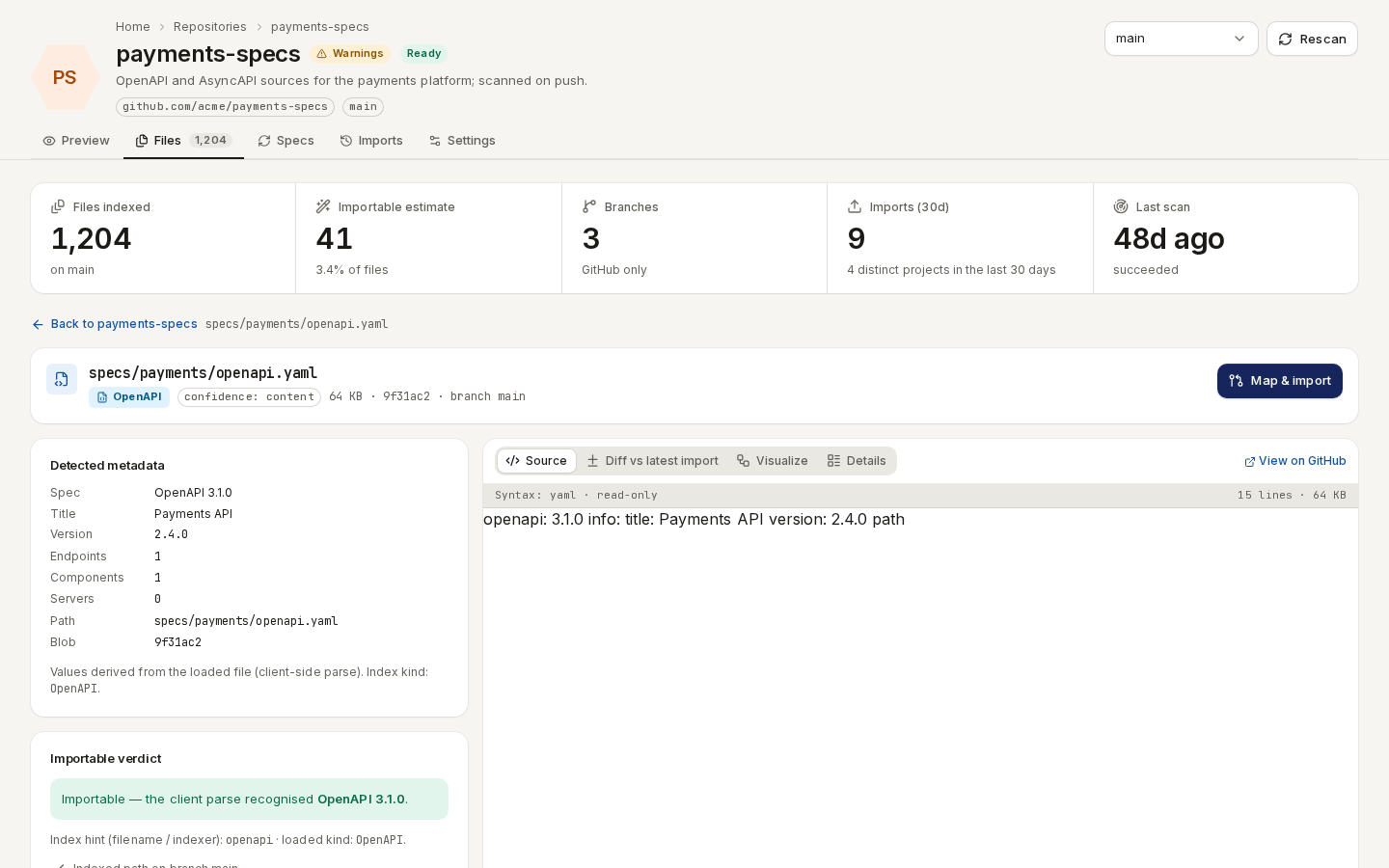
/ade/dashboard/repositories/[id]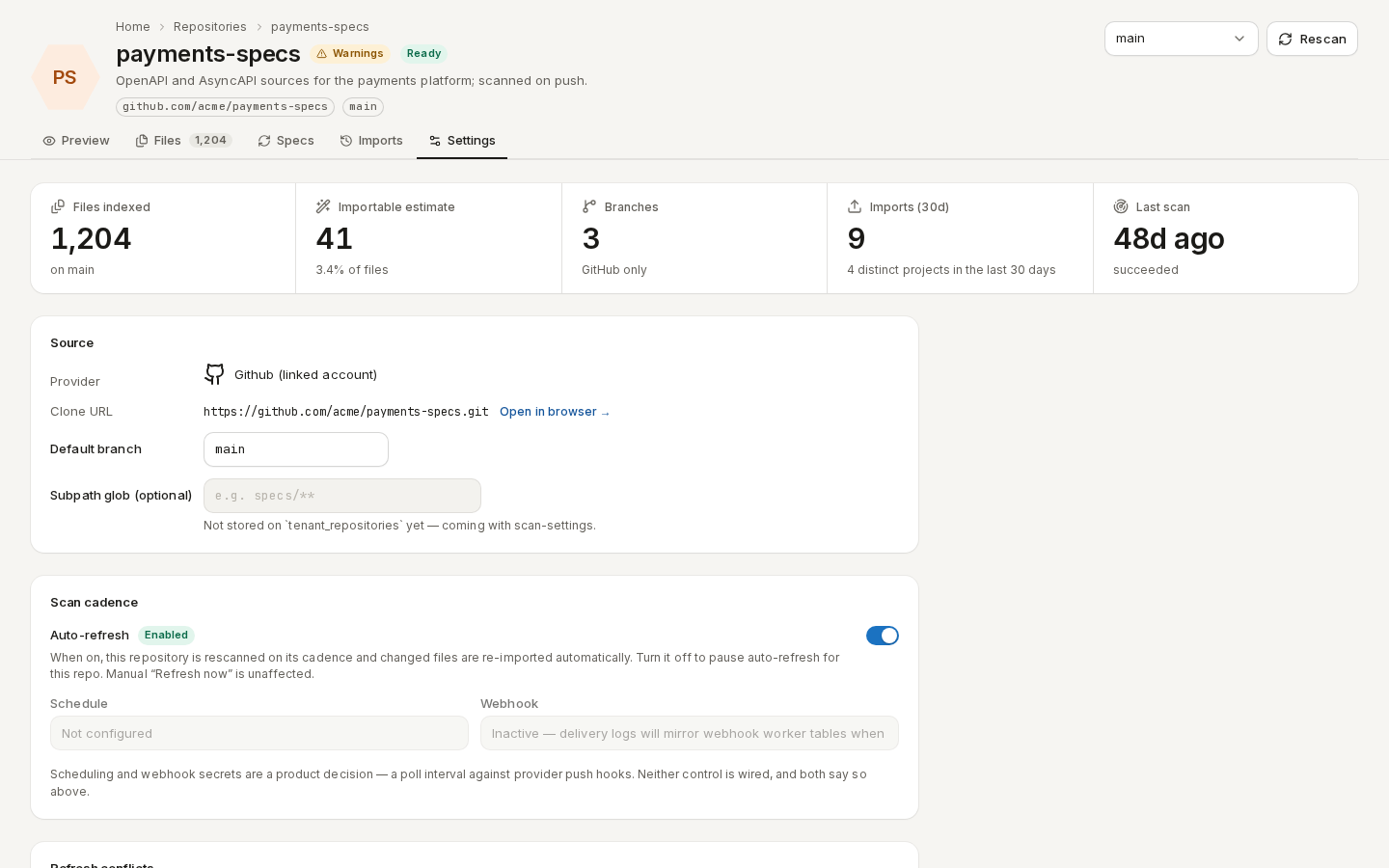
/ade/dashboard/repositories/[id]Import from a repository
- On Files, tick the specifications to import and click “Import selected”.
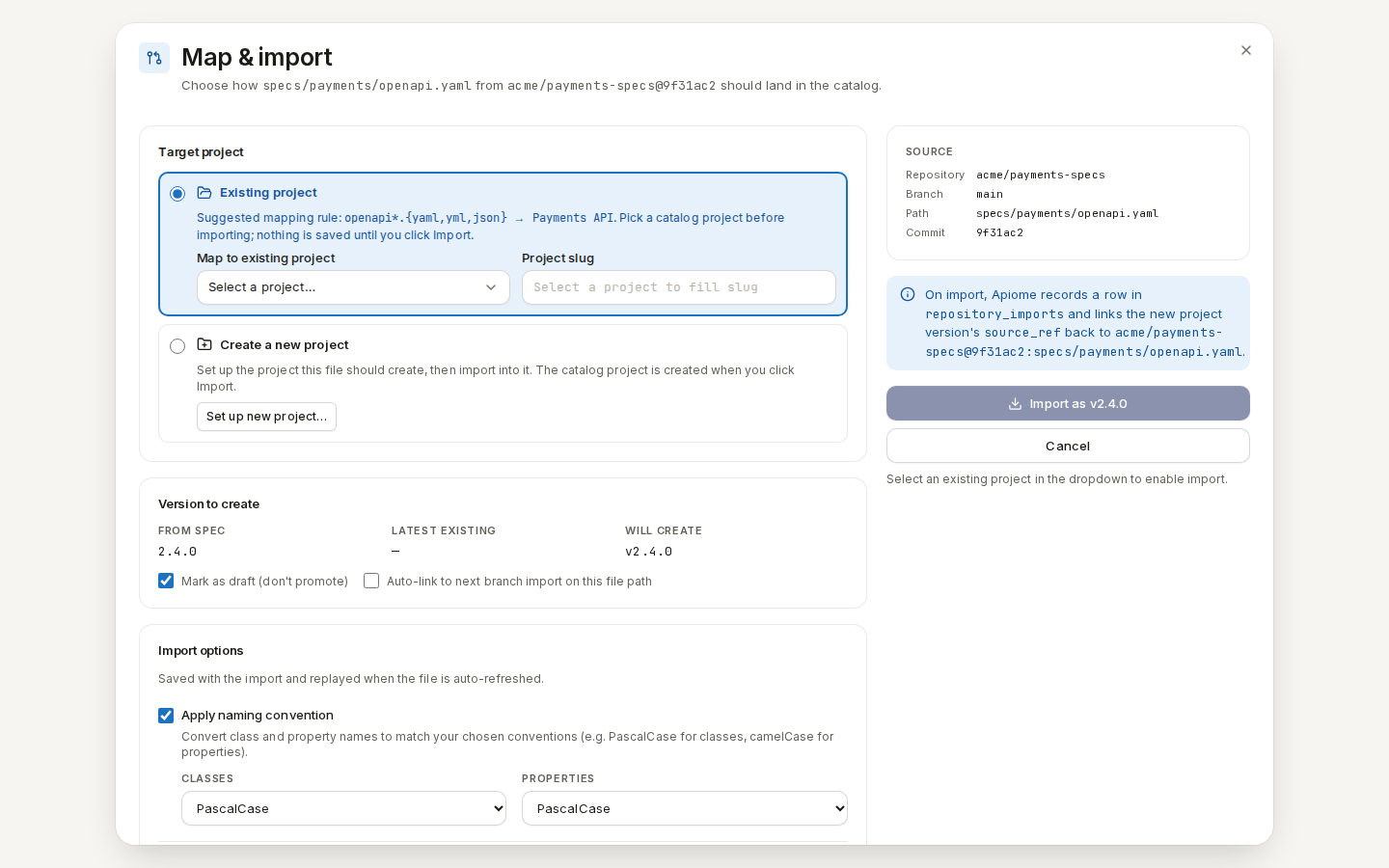
- One file opens Map & import: choose an Existing project or Create a new project, and the version to create, then import.
- Several files open Import N selected files: Review each file's target (a new version of an existing project, or a new project), Verify, then “Import N specs”. Each spec becomes its own import job.
/ade/dashboard/repositories/[id]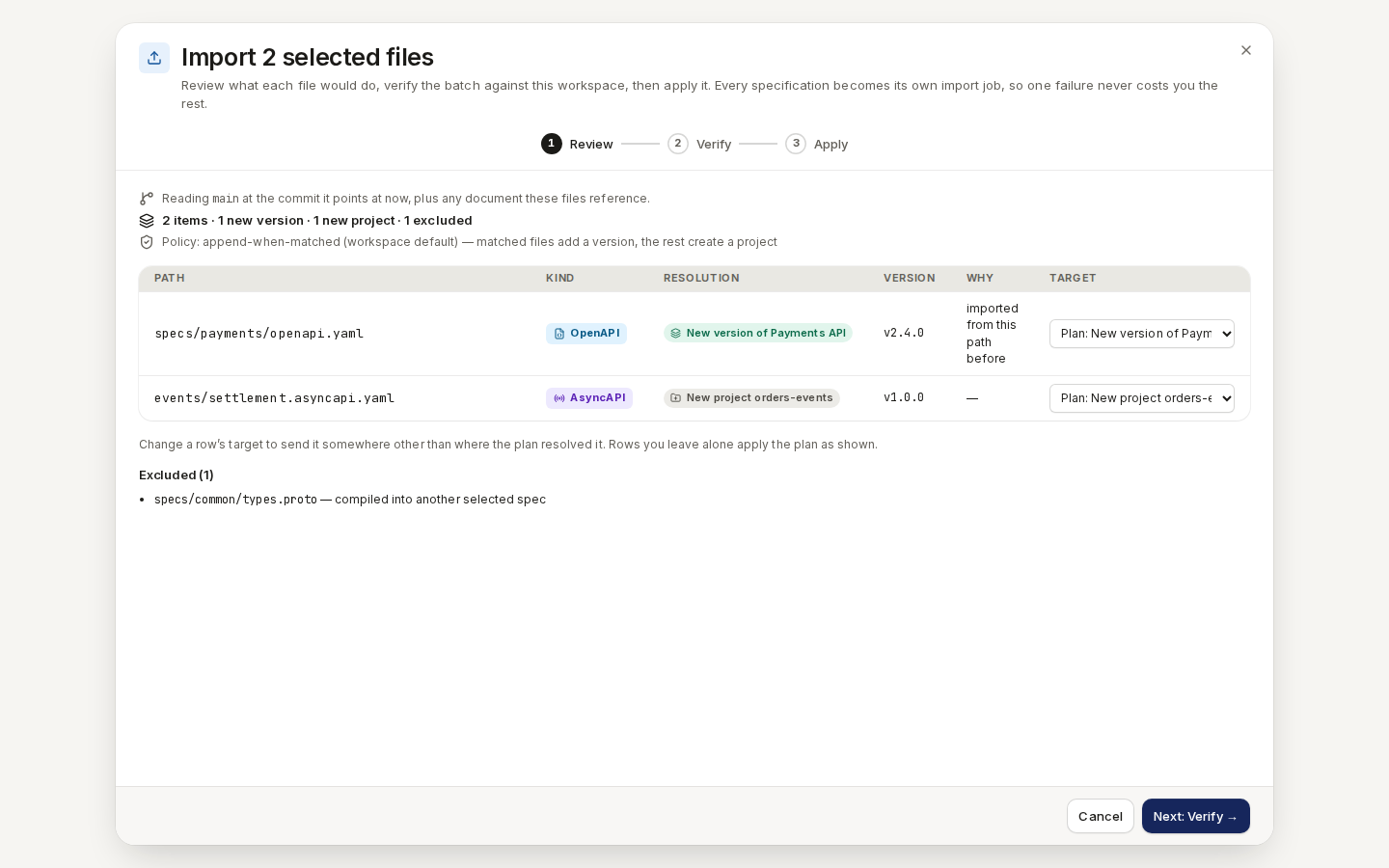
/ade/dashboard/repositories/[id]Discovered specs
Route/ade/dashboard/repositories/catalog
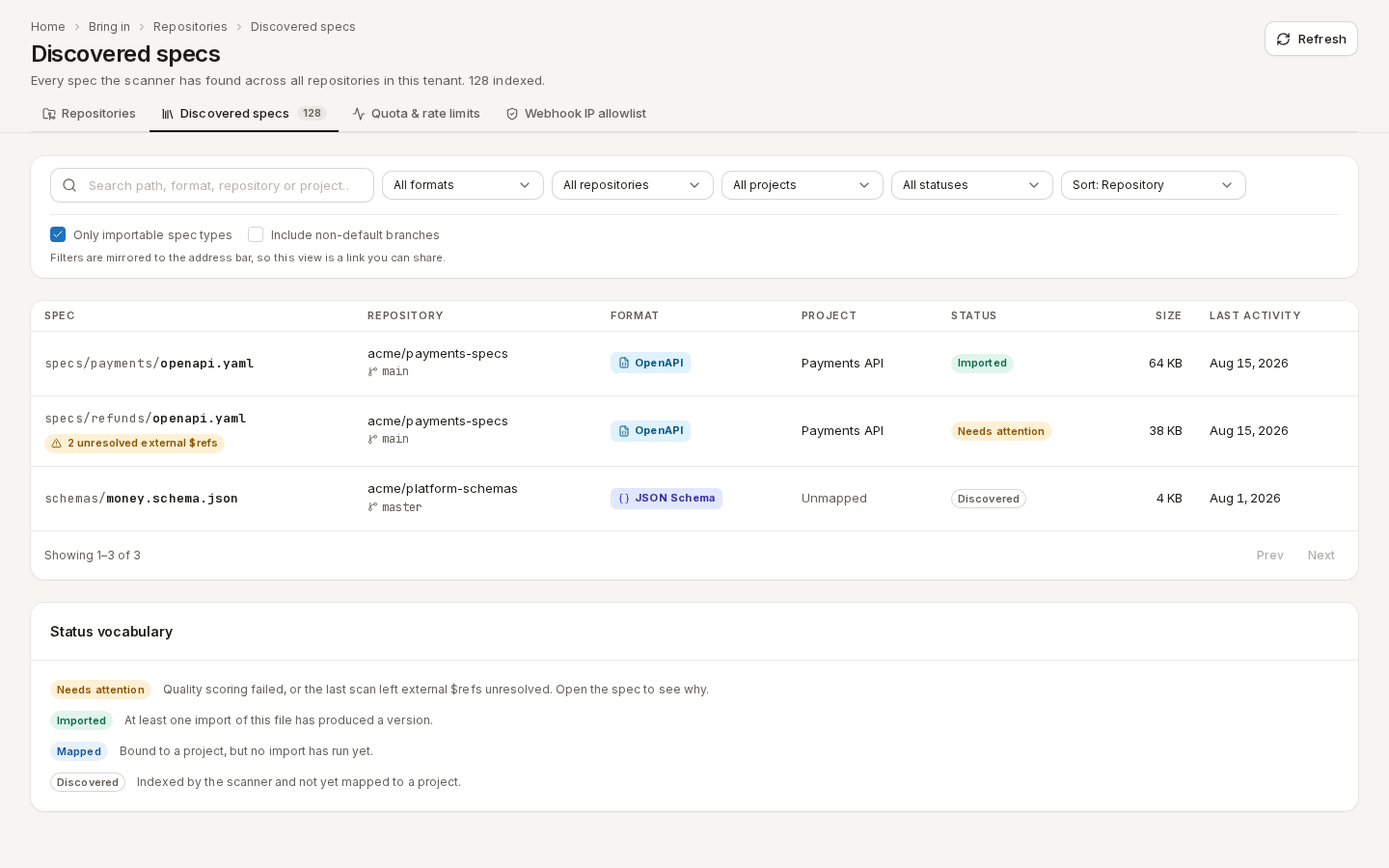
Discovered specs lists every specification the scanner found across all repositories, with its Status: Discovered, Mapped (bound to a project), Imported or Needs attention.
/ade/dashboard/repositories/catalogQuota & rate limits
Route/ade/dashboard/repositories/telemetry
Repositories are polled within an hourly quota. Quota & rate limits shows how much of it this workspace uses — polls, repositories and files deferred, and content scanned — over 7d, 30d or 90d.
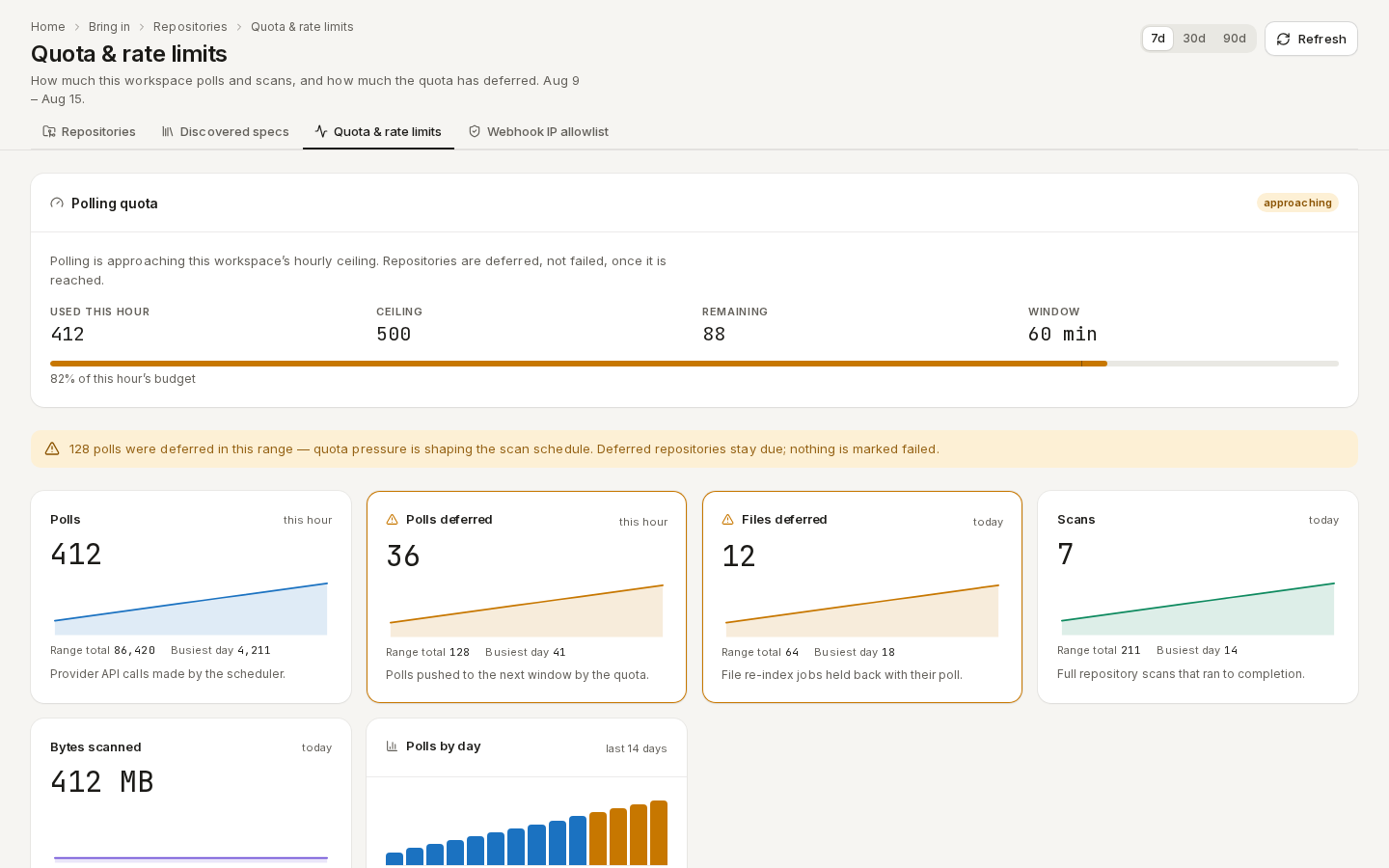
/ade/dashboard/repositories/telemetryWebhook IP allowlist
Route/ade/dashboard/repositories/webhook-ip-allowlist
Provider webhooks are only accepted from the provider's published address ranges, refreshed daily.
To allow a self-hosted Git server, add its range under Additional ranges for this workspace —
Address or CIDR (for example 203.0.113.0/24) and Why — and click “Allow range”.
Bypass allowlist turns enforcement off with a stated reason. Only workspace administrators can
change it.
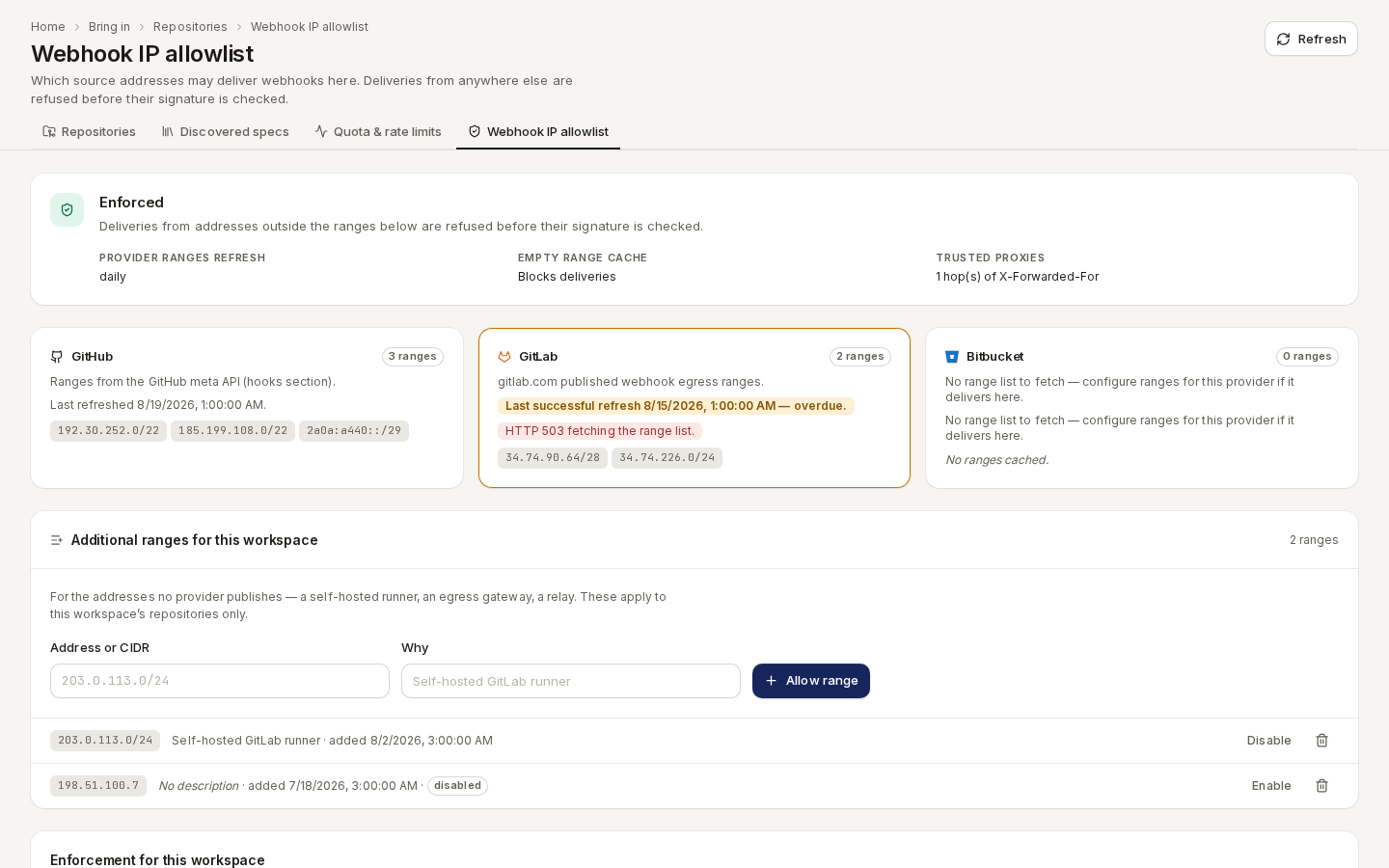
/ade/dashboard/repositories/webhook-ip-allowlistWith the CLI or the API
- CLI:
apiome repos add --url https://github.com/apiome/apiome.git,apiome repos list,apiome repos files <repo>,apiome repos import <repo> --files "**/openapi*.yaml" --new-project— see the CLI quick-start. - REST:
GET/POST /v1/tenants/{tenant}/repositories,GET …/repositories/{repo}/files,POST …/repositories/{repo}/refresh,GET …/repository-quota-telemetry,GET …/repository-webhook-ip-allowlist— see the API reference.