MCP servers
/ade/dashboard/mcp
MCP servers catalogs the Model Context Protocol servers your workspace uses: Apiome discovers each server's tools, resources and prompts, lints them and grades the server. Go to Bring in → MCP servers. Its tabs are Servers, Analytics (Preview), Capabilities, Compare and Agent access; the middle three appear once you have a server.
This page is about servers you bring in. To let an MCP host read your published specs, see Connect an MCP host.
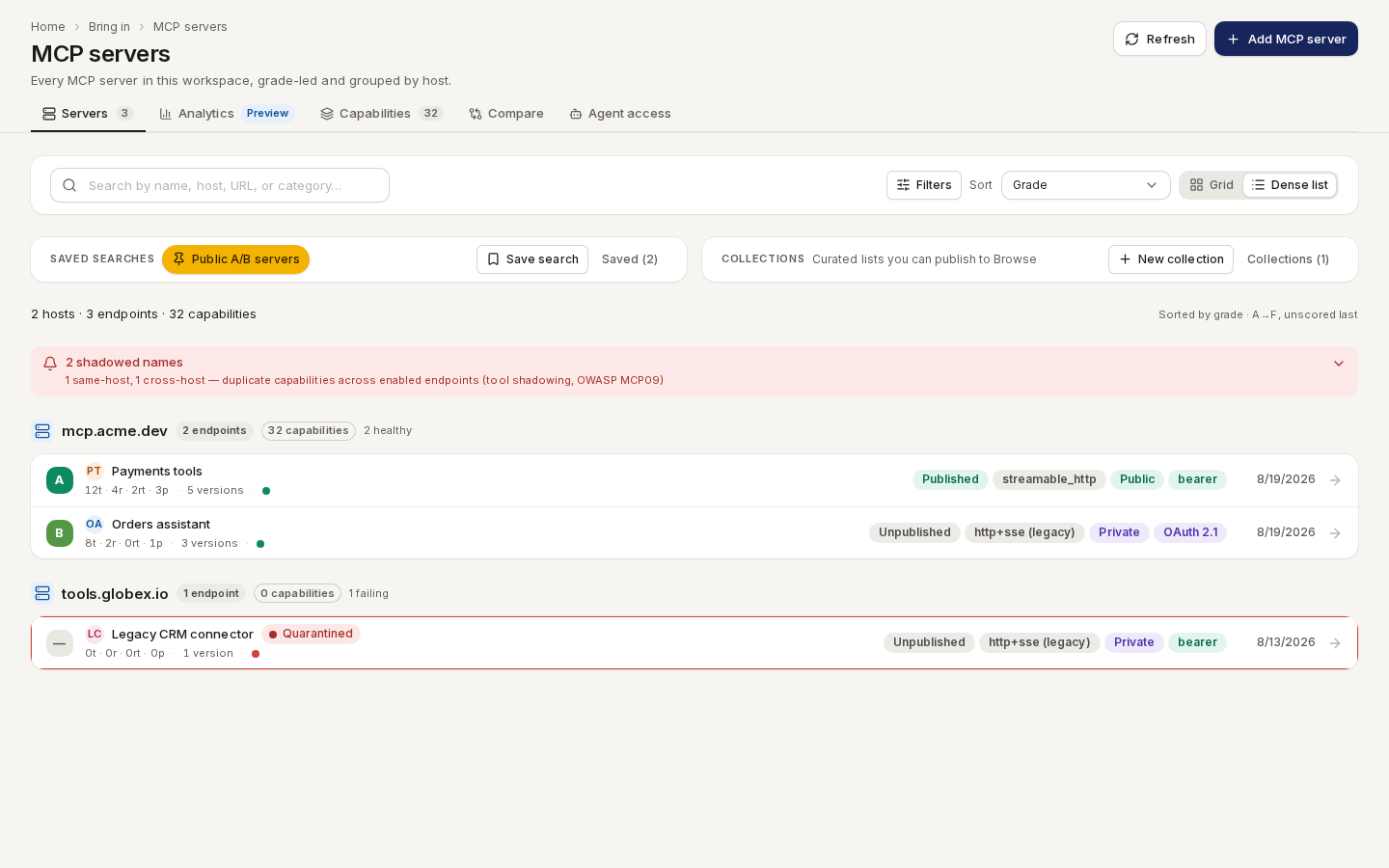
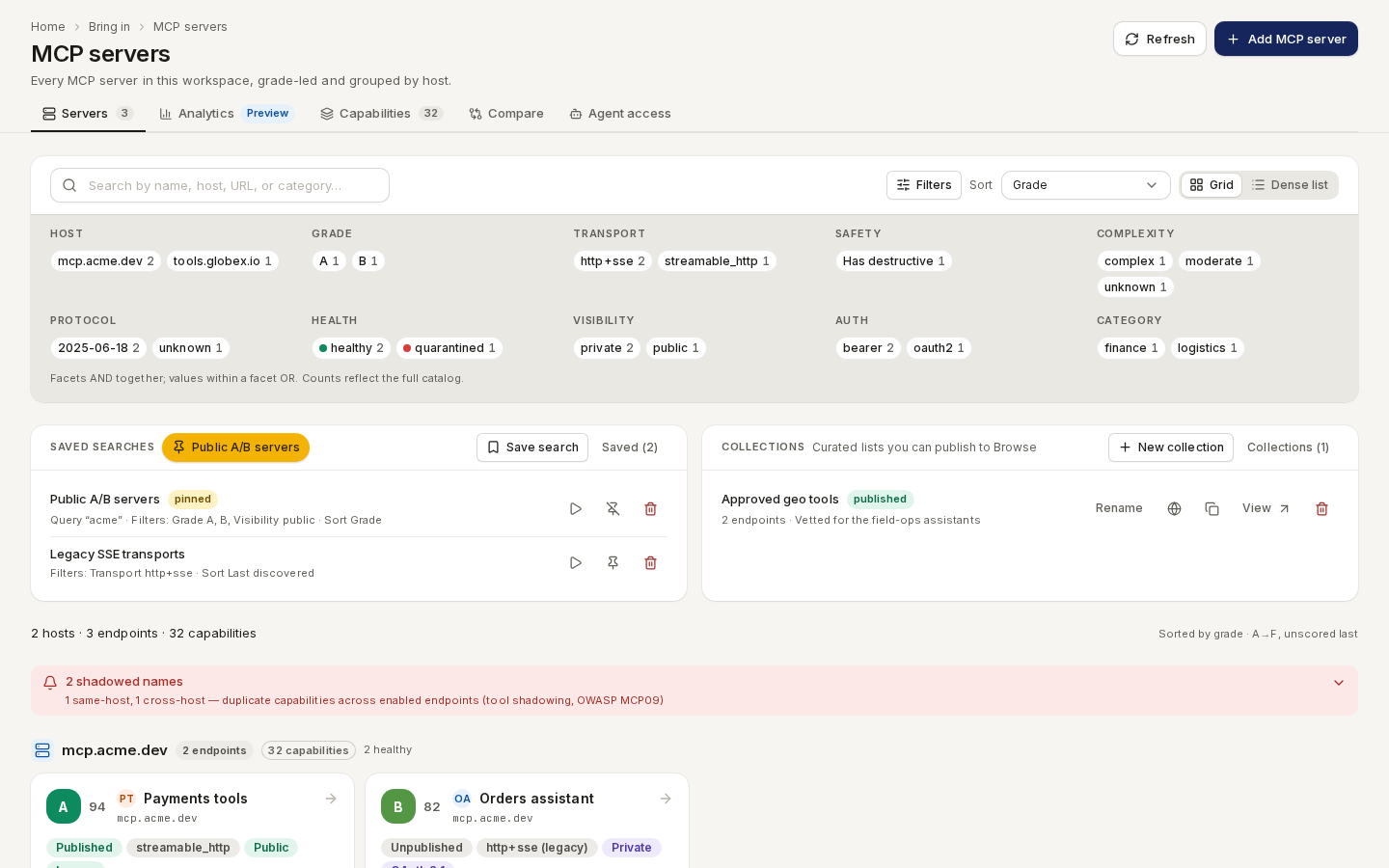
/ade/dashboard/mcpSearch by name, host, URL or category; Filters narrows by host, grade, transport, safety, complexity, protocol, health, visibility, auth and category. Sort by grade (the default), name, last discovered, capabilities or health, and switch between Grid and Dense list.
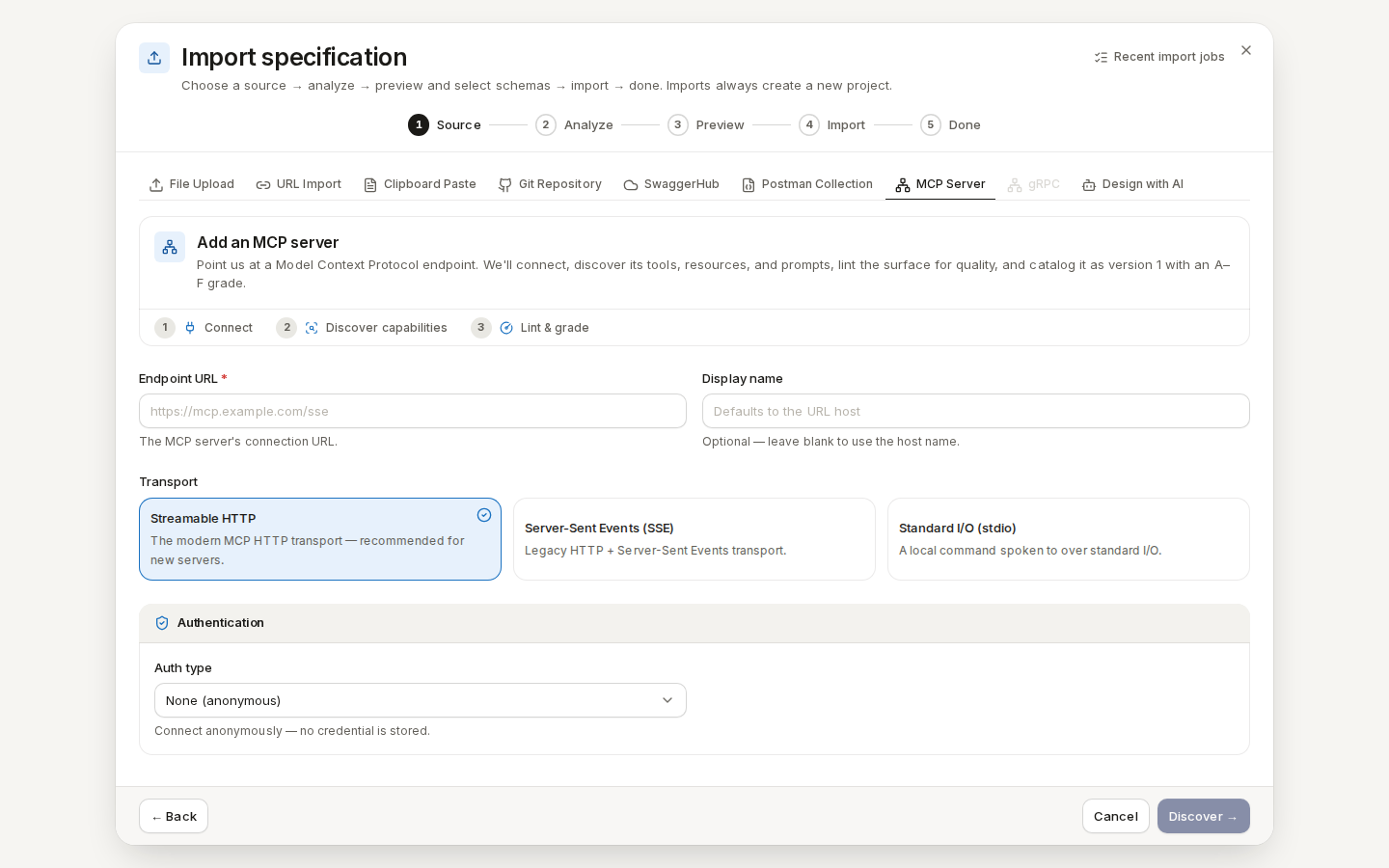
/ade/dashboard/mcpAdd an MCP server
The steps are Connect → Discover capabilities → Lint & grade. To try it on the local stack, use Apiome's own MCP server.
- Click “Add MCP server”.
- Enter the Endpoint URL —
http://localhost:8765/mcpon the local stack — and, optionally, a Display name (Apiome specs). - Choose the Transport: Streamable HTTP (the default; right for the example), Server-Sent Events (SSE) or Standard I/O (stdio).
- Choose the Auth type: None (anonymous), Bearer token, Custom header or OAuth 2.1 access token. Secrets are stored encrypted and never shown again.
- Click “Discover →”. When it finishes, the dialog says the server is cataloged — click “View endpoint”.
If discovery fails, read the reason, then “Discard” or “Add this server anyway”.
/ade/dashboard/catalogAn endpoint's page
Route/ade/dashboard/mcp/[endpointId]
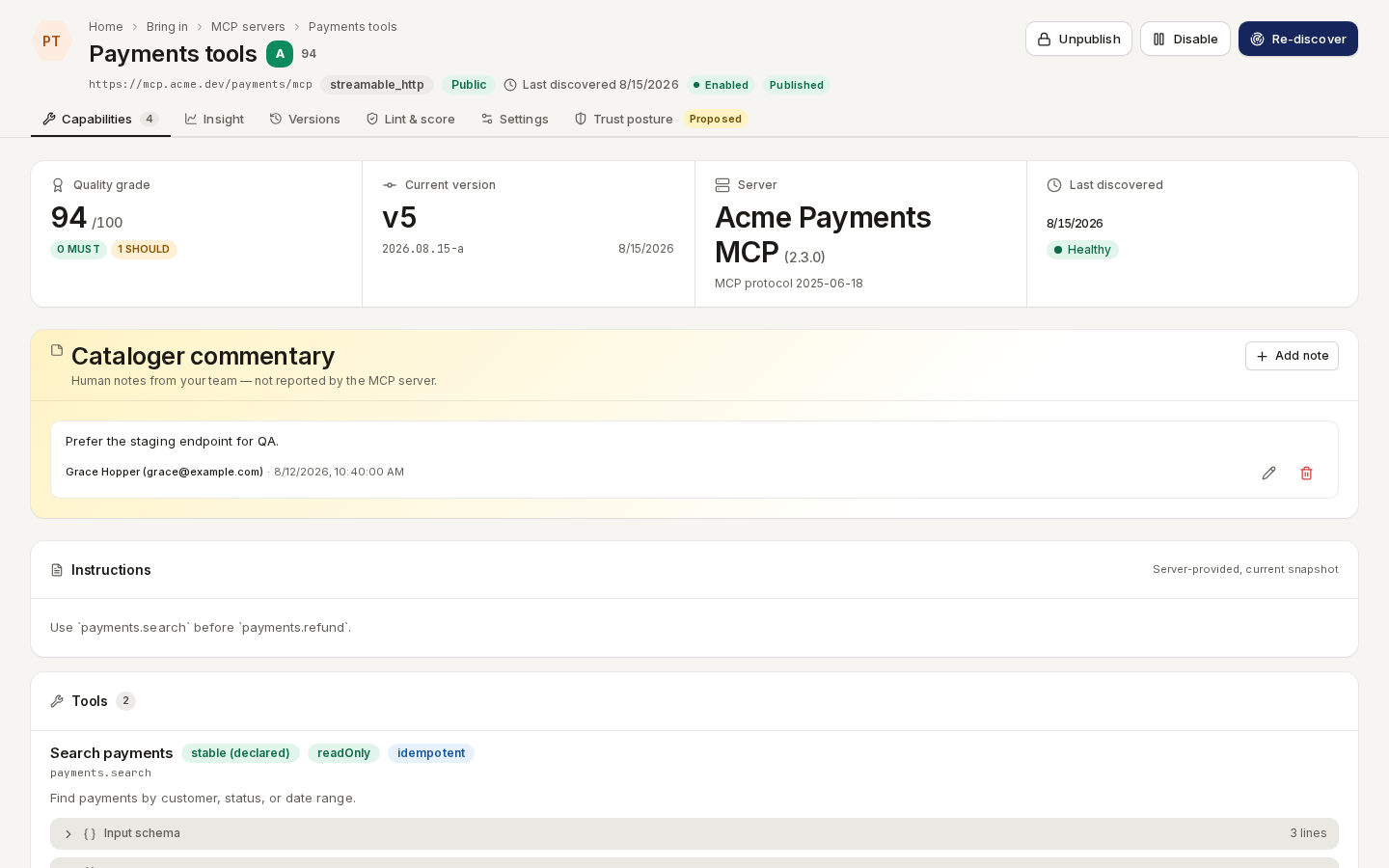
Click a server. The header shows its grade and has Publish / Unpublish, Enable / Disable and “Re-discover”. Tabs:
| Tab | Shows |
|---|---|
| Capabilities | Every tool, resource and prompt, with its schema and annotations |
| Insight | How the server is used |
| Versions | Each discovery; pick a Base version and Target version to see what changed, Side-by-side or Unified |
| Lint & score | The grade and findings — see MCP surface lint rules and MCP conformance rules |
| Settings | Name, URL, transport, visibility and Discovery cadence; Delete endpoint |
| Trust posture | Proposed — see MCP trust-posture rules |
/ade/dashboard/mcp/[endpointId]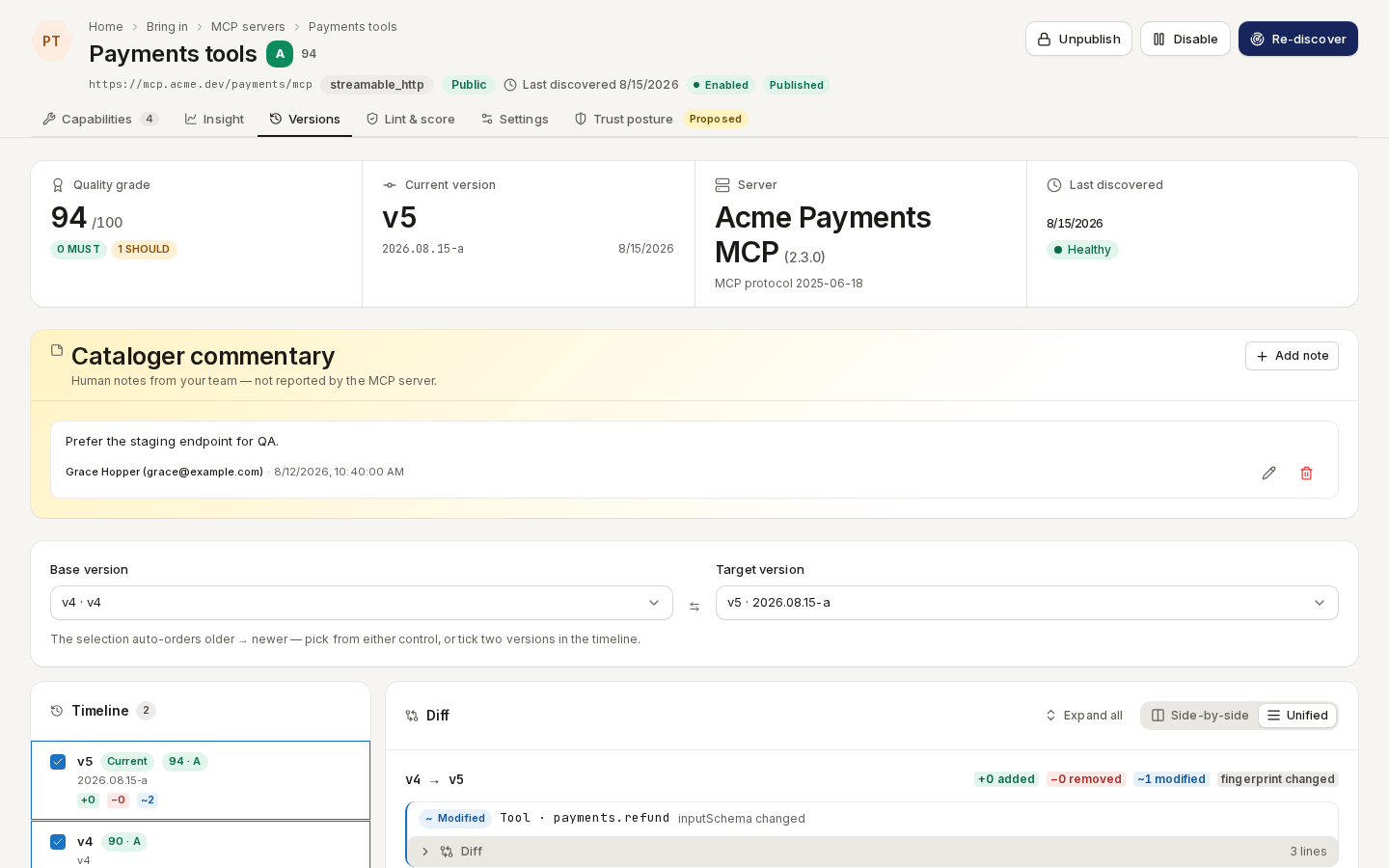
/ade/dashboard/mcp/[endpointId]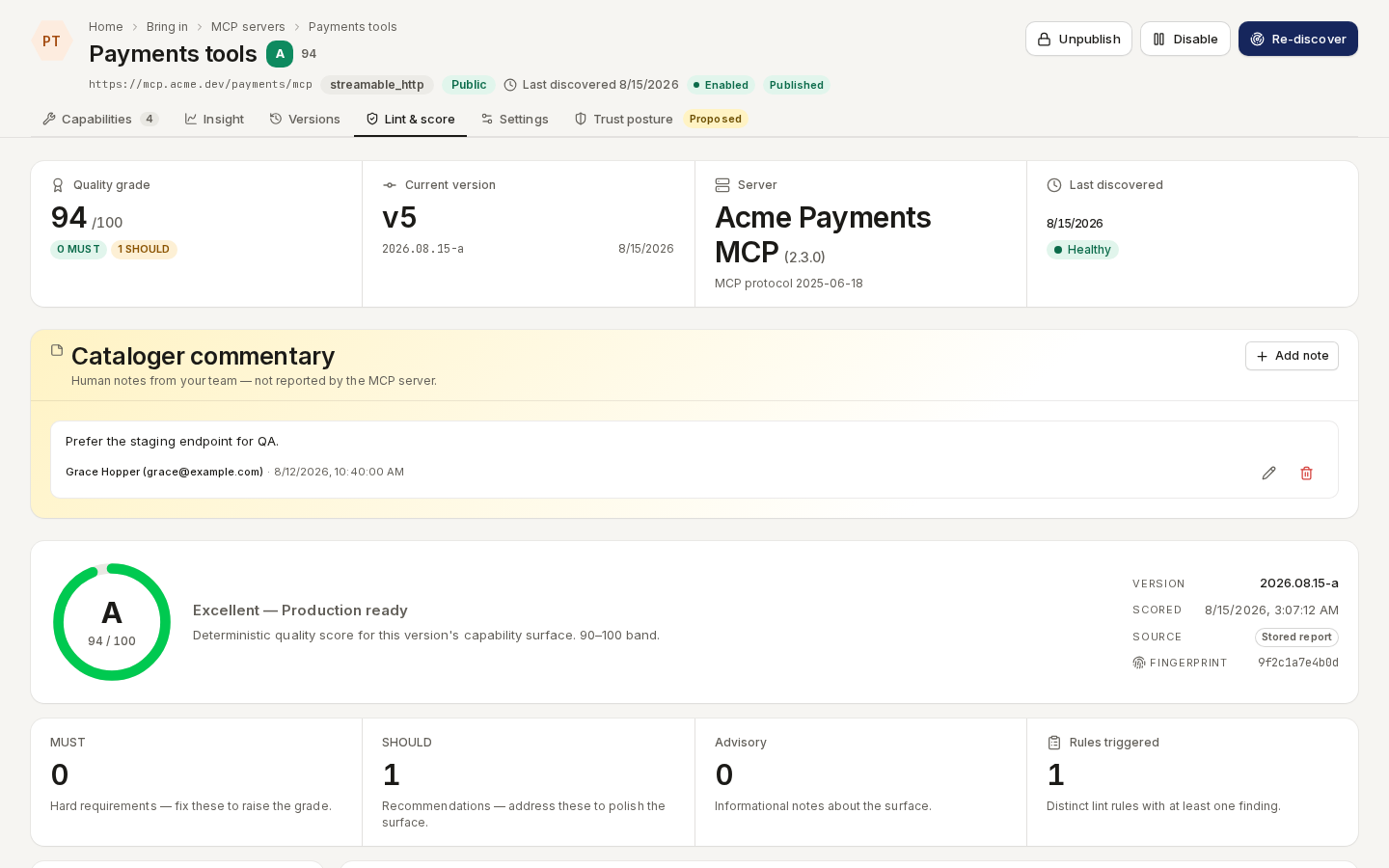
/ade/dashboard/mcp/[endpointId]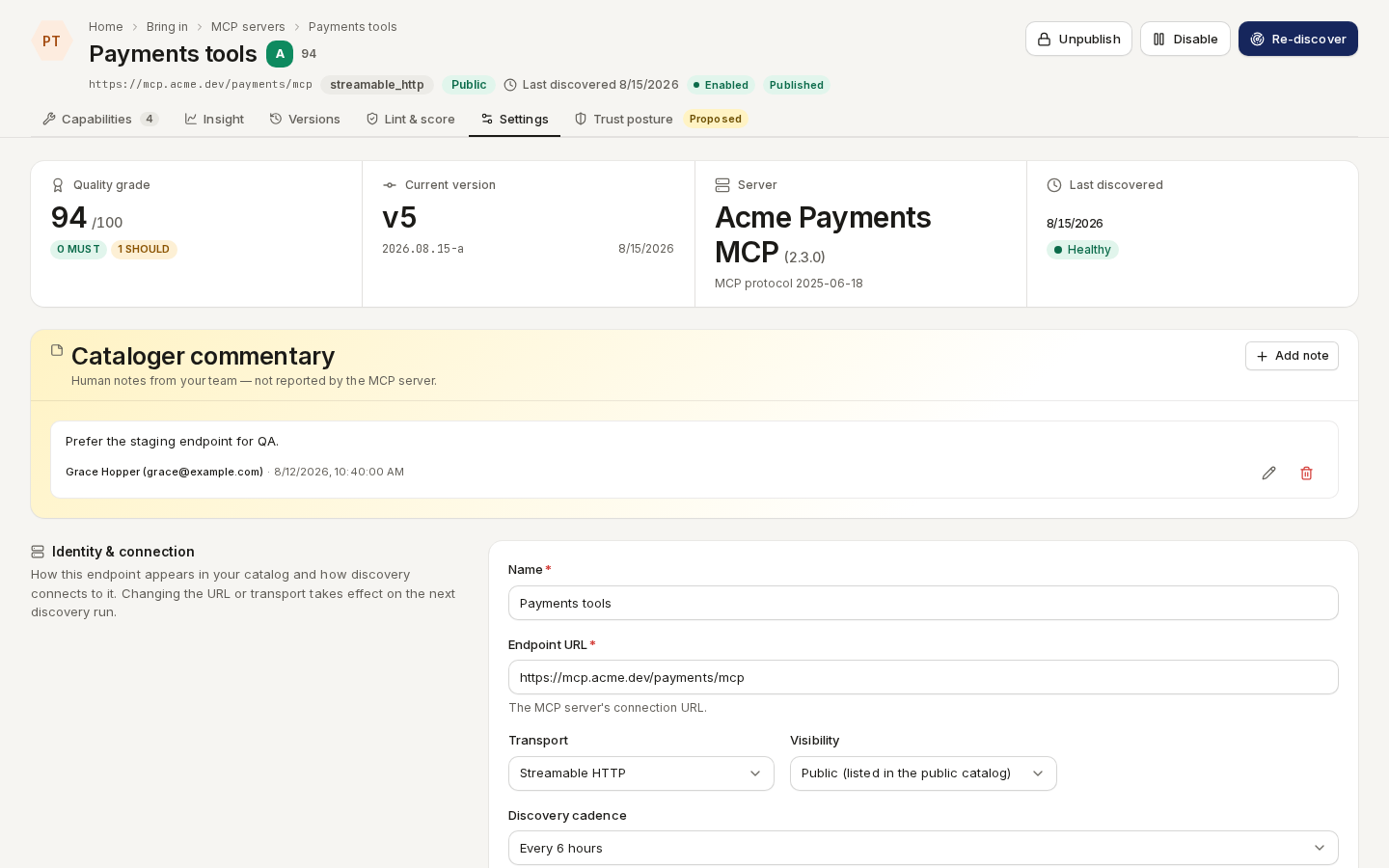
/ade/dashboard/mcp/[endpointId]Analytics
Route/ade/dashboard/mcp/analytics
Catalog analytics (Preview) breaks the catalog down by category, transport, protocol version, grade and health, with tool counts and change frequency. “Export CSV” downloads it.
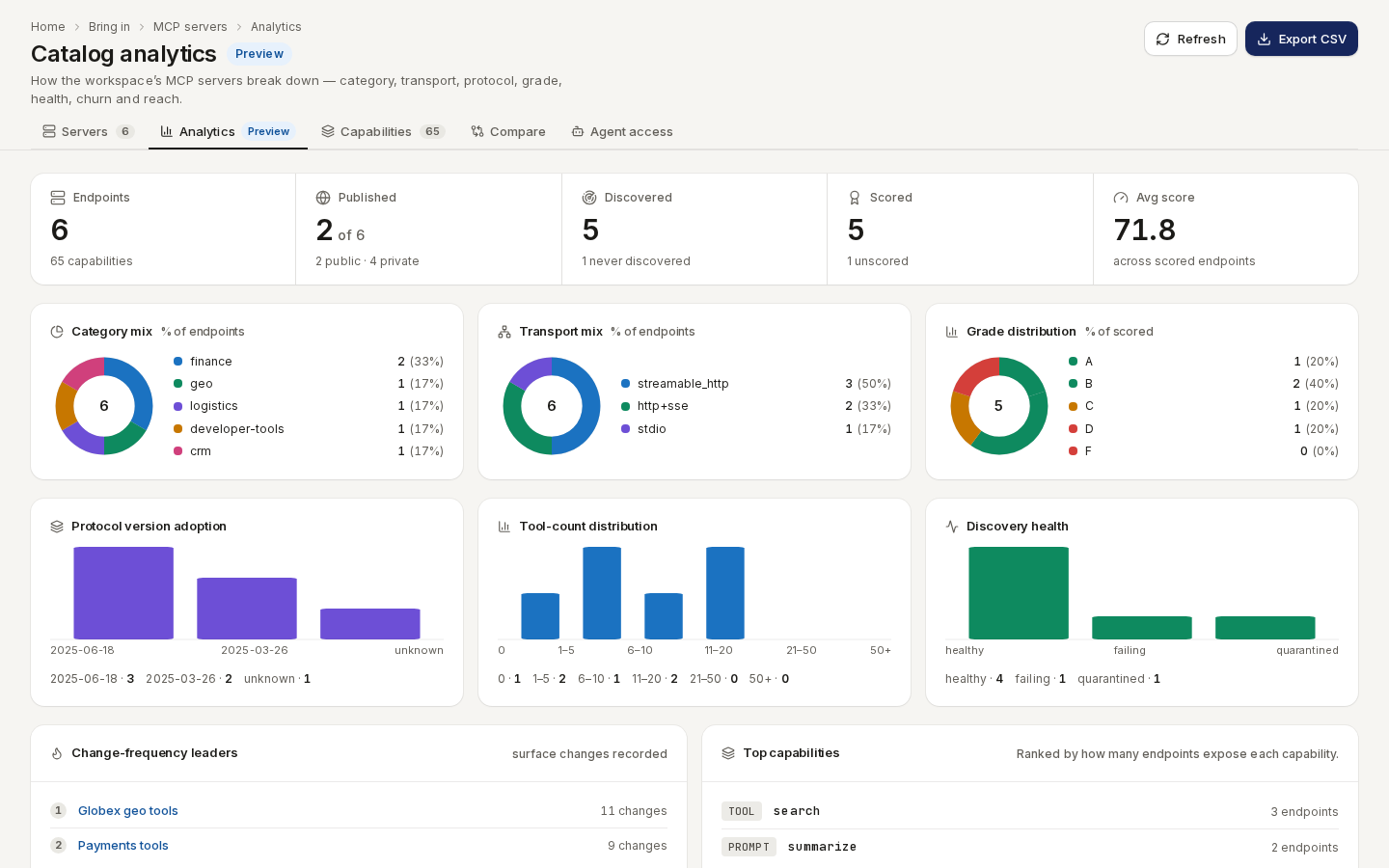
/ade/dashboard/mcp/analyticsCapabilities
Route/ade/dashboard/mcp/capabilities
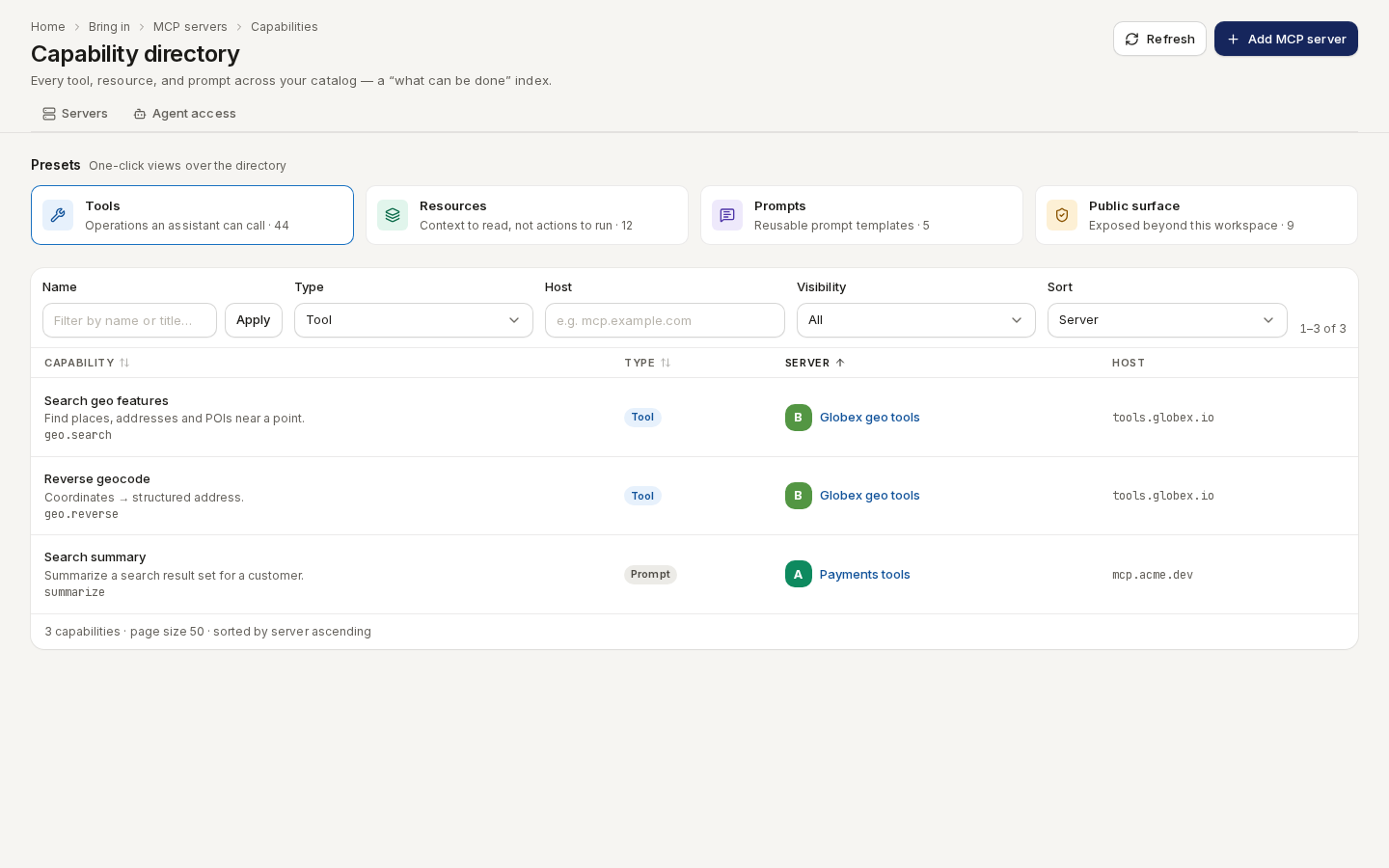
The Capability directory answers what can be done here? — every tool, resource and prompt across the catalog. Start from a preset (Tools, Resources, Prompts, Public surface) and filter by name, type, host or visibility.
/ade/dashboard/mcp/capabilitiesCompare
Route/ade/dashboard/mcp/compare
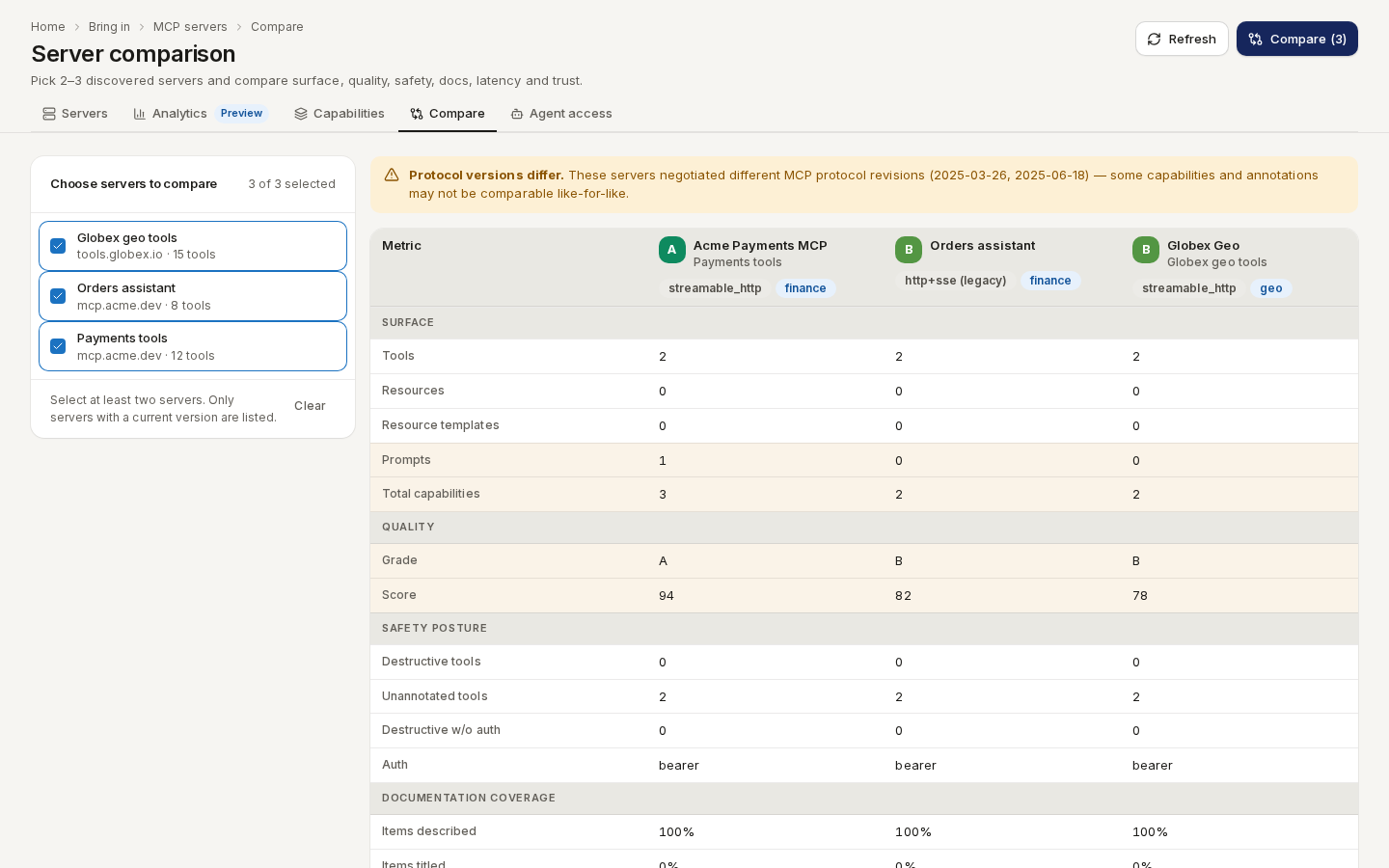
Server comparison puts two or three servers side by side — surface, quality, safety, docs, and latency. Pick the servers and click “Compare”.
/ade/dashboard/mcp/compareWith the CLI or the API
- CLI:
apiome mcp register --name "Apiome specs" --url http://localhost:8765/mcp,apiome mcp list|show|discover|lint|conformance— see the CLI quick-start. - REST:
GET/POST /v1/mcp/{tenant}/endpoints,POST …/endpoints/{endpoint}/discover,GET …/endpoints/{endpoint}/versions,GET /v1/mcp/{tenant}/browse,GET /v1/mcp/{tenant}/capabilities,GET /v1/mcp/lint/rules— see the API reference.