Connectors
/ade/dashboard/connectors
A connector points Apiome at somewhere your APIs already live — an API gateway, a schema registry, a URL — and keeps the Catalog in step with it. Each API the connector finds becomes a catalog item, and each new revision of that API becomes a new revision of the item.
Connectors are refreshed by the same engine as Repositories: one cadence, one quota, one audit trail. Go to Bring in → Connectors to see them.
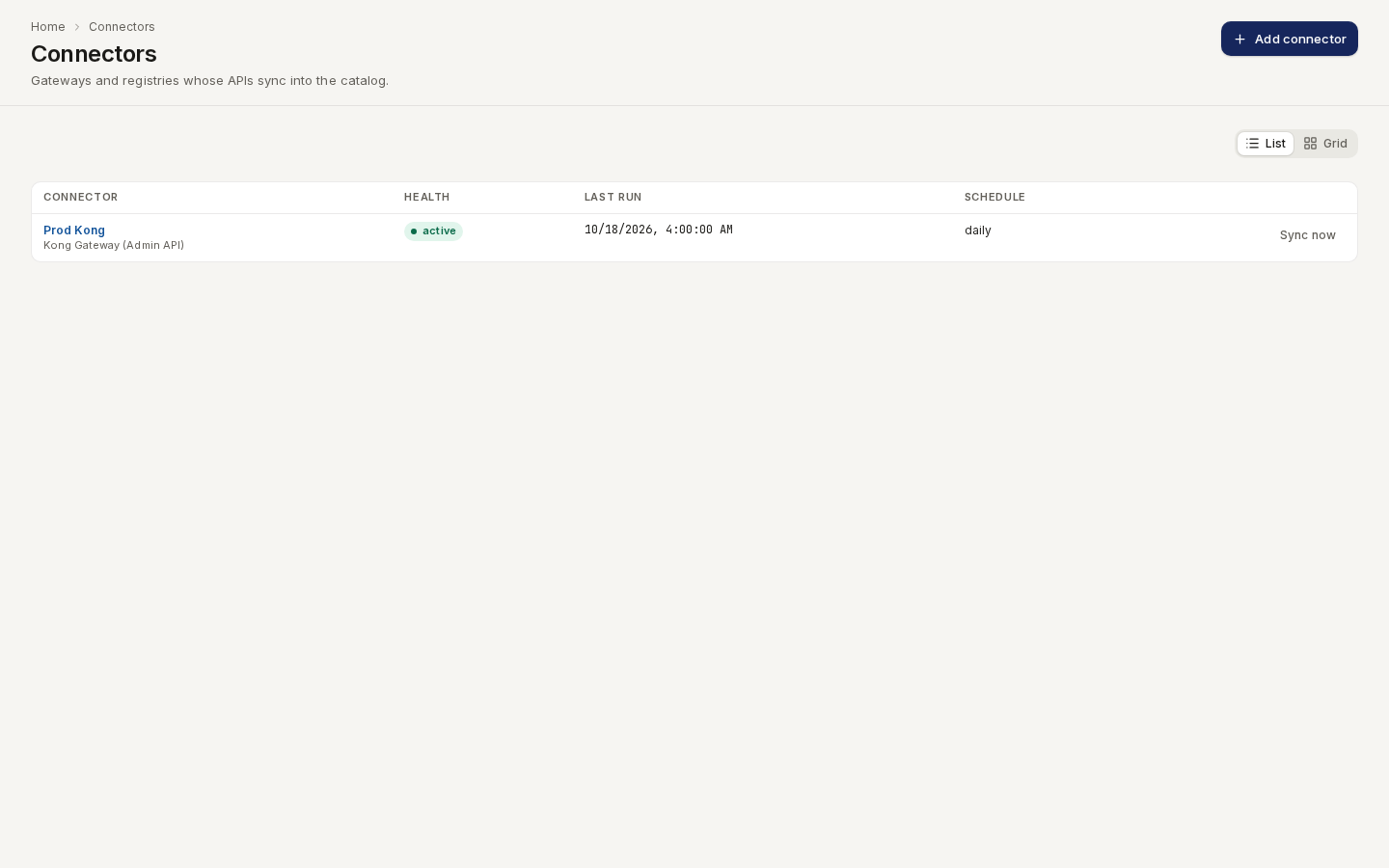
/ade/dashboard/connectorsThe list shows each connector's kind, Health (active, failing or paused), Last run and Schedule. Switch between List and Grid. Sync now runs one sync and reports what it imported. Govern → Shadow APIs shows what your connectors found that the catalog does not describe.
Each kind needs a source before it can sync. The two Kong kinds, AWS API Gateway, Azure API Management, Apigee, the schema registry and the MCP registry sync today; the URL source follows. A kind your deployment cannot sync yet is shown as Not available on this deployment when you add a connector.
Source kinds
| Kind | Where the APIs come from |
|---|---|
kong-konnect | Kong Konnect control planes |
kong-admin | A Kong Gateway Admin API |
aws-apigateway | Amazon API Gateway, by region and account |
azure-apim | Azure API Management, by resource group |
apigee | Apigee, by organization and environment |
url | A specification published at a URL |
schema-registry | A Confluent, Karapace or Apicurio schema registry. Its subjects become schema subjects with their version history |
mcp-registry | An MCP registry: the official registry, Azure API Center, a Kong registry or another Apiome workspace. Its servers become MCP servers, not catalog items |
registry | A registry of artifacts, crawled by protocol: an A2A agent registry, a CNCF xRegistry, or a FHIR server's /metadata. Every artifact becomes its own catalog item. See Registry crawl |
A connector has a name, an optional base URL (the control-plane or admin address), a
scope (the kind's coordinates: control-plane ids, region and account, resource group, org and
environment), a refresh interval and a conflict policy (hold-for-review, overwrite or
new-branch, the same choices as a repository).
Add a connector
-
Go to Bring in → Connectors and click Add connector.
-
Kind: choose where your APIs live, for example Kong Gateway (Admin API), and click Continue.
-
Credentials: enter what the kind needs, such as an admin token. Apiome never shows a stored credential again.
-
Scope: enter the Base URL when the kind has one, and the kind's coordinates (workspace, region, organization and environments, …). A required field you leave empty is named under the form, and Continue stays disabled until it is filled.
-
Dry run: click Run the dry run. Apiome asks the provider once what the connector would sync and shows how many APIs it found, with the first few by name. Nothing is stored yet.
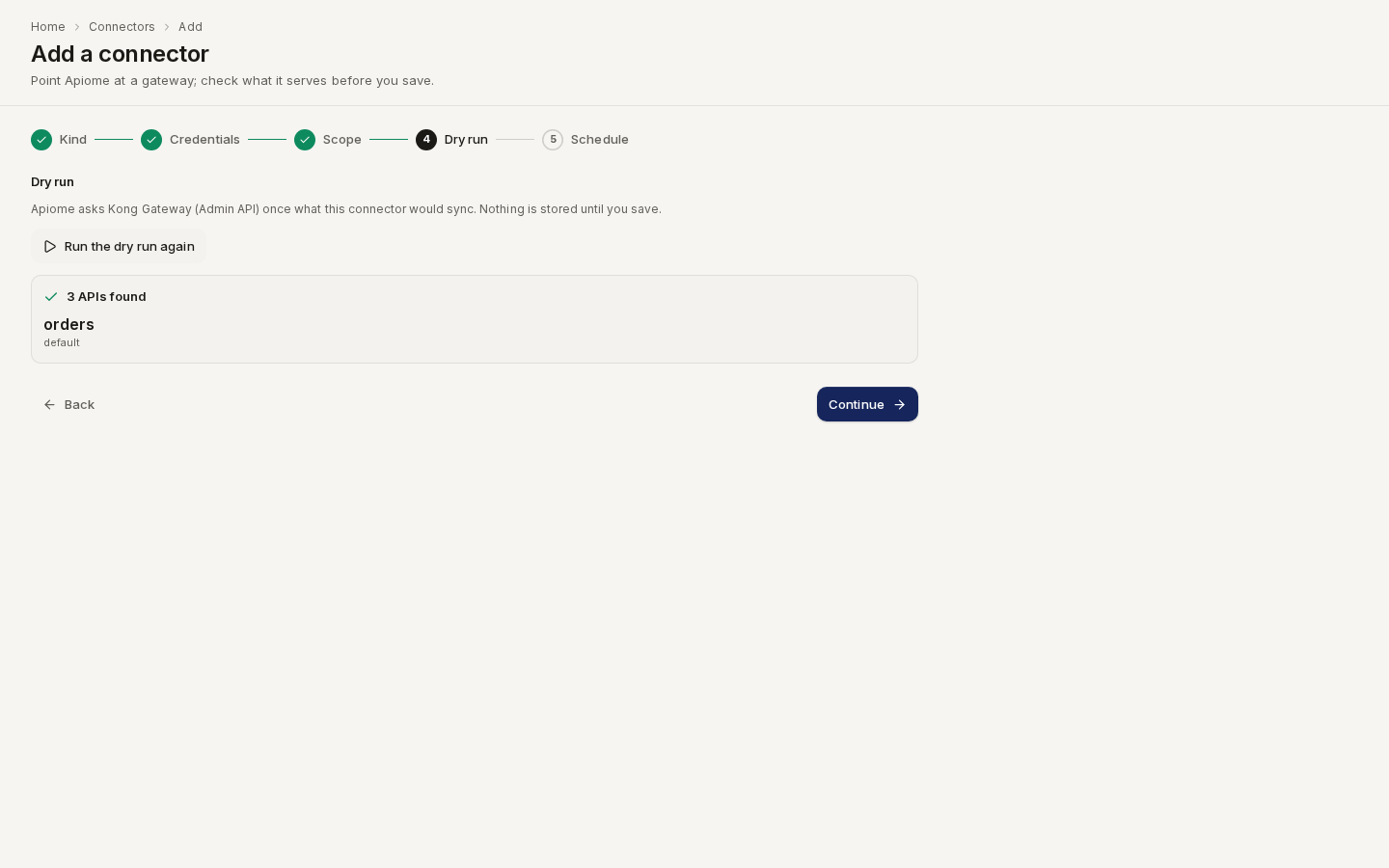
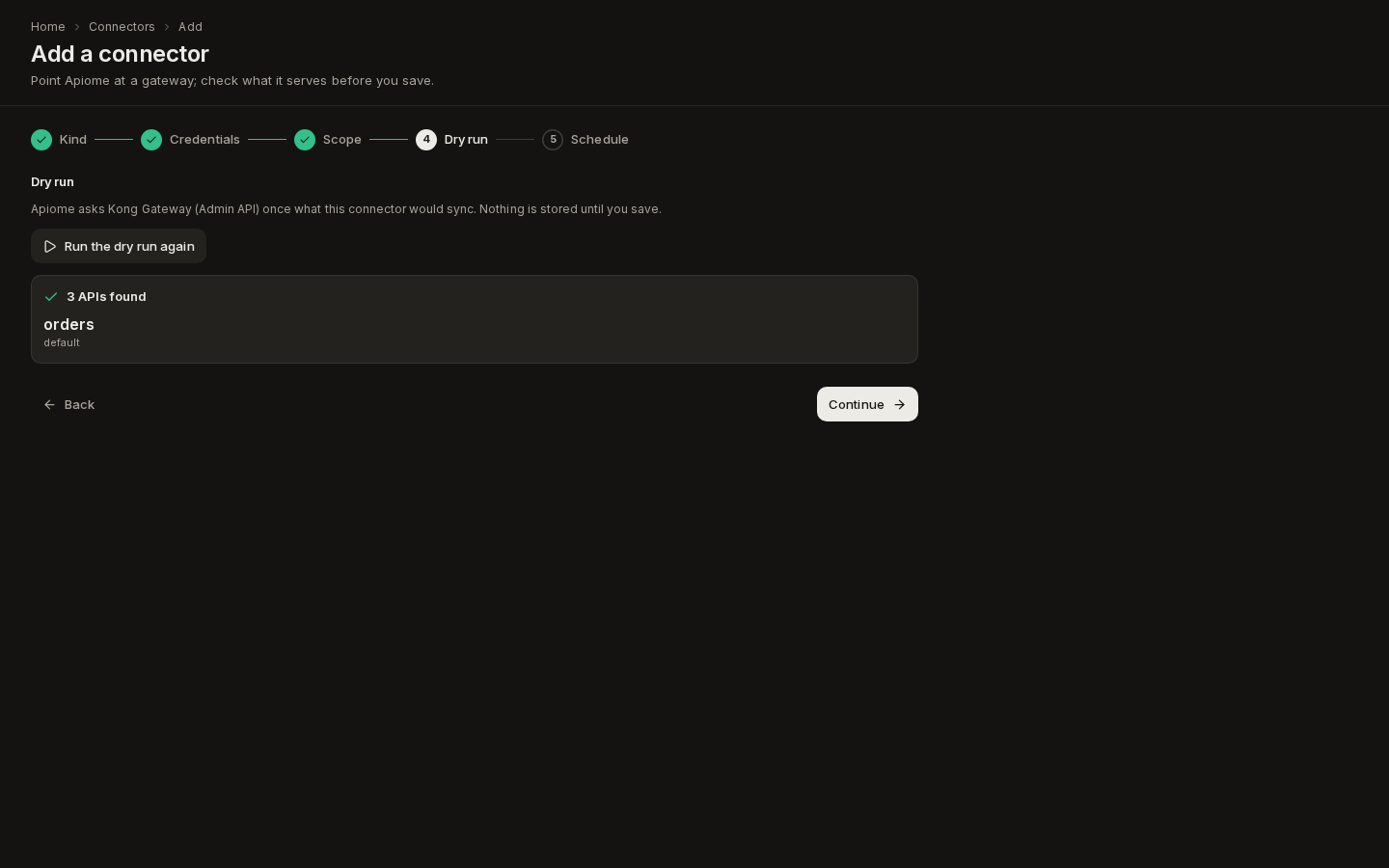
Route /ade/dashboard/connectors/newIf the provider refuses, the dry run shows its reason, for example The dry run failed (auth, HTTP 401): invalid credentials, and you cannot continue until a dry run succeeds. Going back and changing any credential or scope field clears the dry run, so the one you save is always of the current settings.
-
Schedule: give the connector a Name, choose how often it syncs under Refresh (or keep the deployment default), and choose what happens When a synced API was edited in Apiome: the same conflict policies as a repository. Click Save connector.
Apiome registers the connector, stores its credential and opens the connector's page.
You need the Imports permission: View to read connectors, Create to add one (and run a dry run), Edit to change, sync or set credentials, and Delete to remove one.
A connector's page
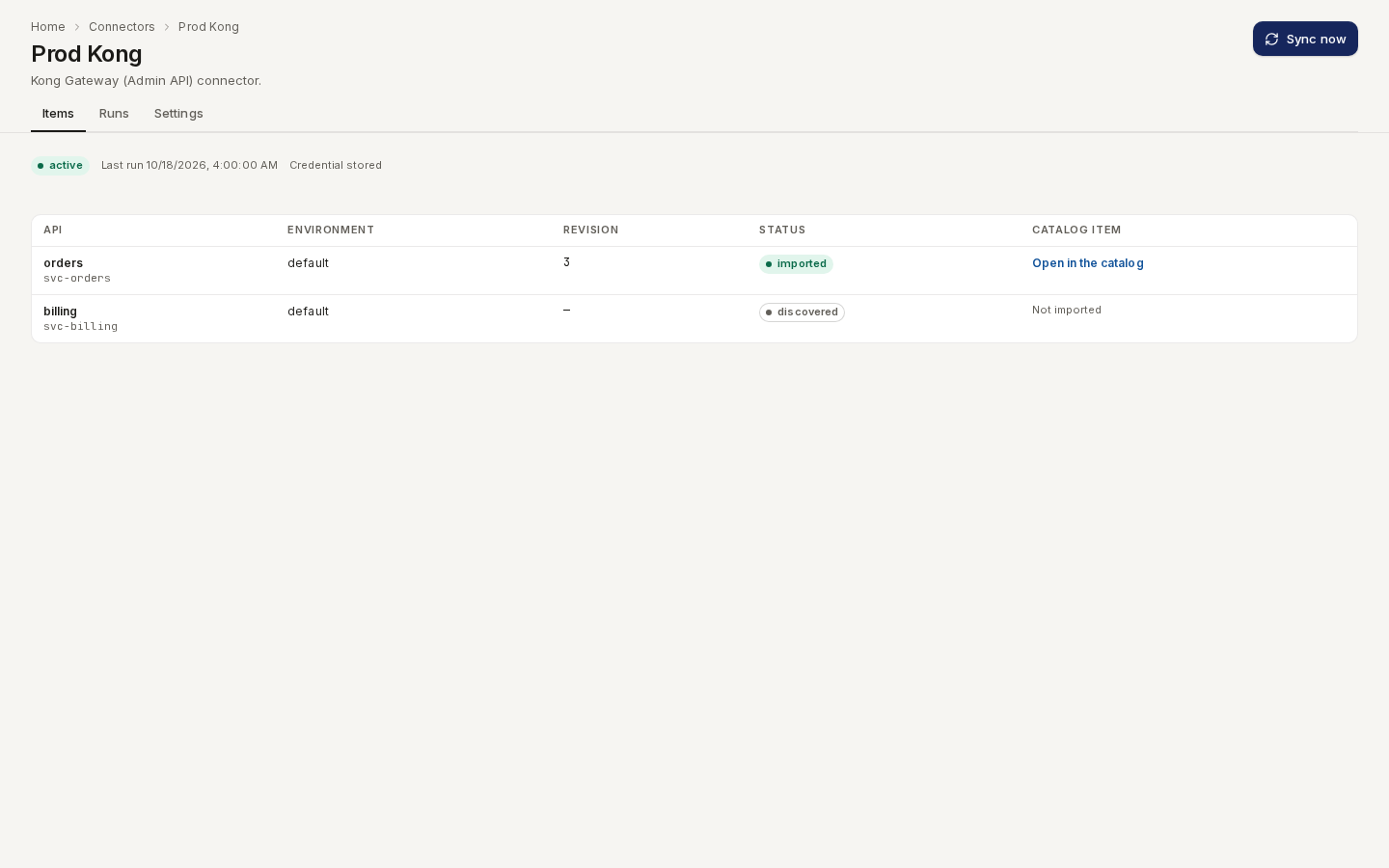
The header shows the connector's health, its last run and whether a credential is stored. Sync now runs a sync; the tabs below fill in as soon as it finishes, without a reload.
/ade/dashboard/connectors/c1-
Items lists every API the connector has seen, with its environment, revision and status. Open in the catalog opens the catalog item an imported API became.
-
Environments lists one gateway config per environment the connector's syncs found, with how many APIs it serves and its auth and rate limits.
-
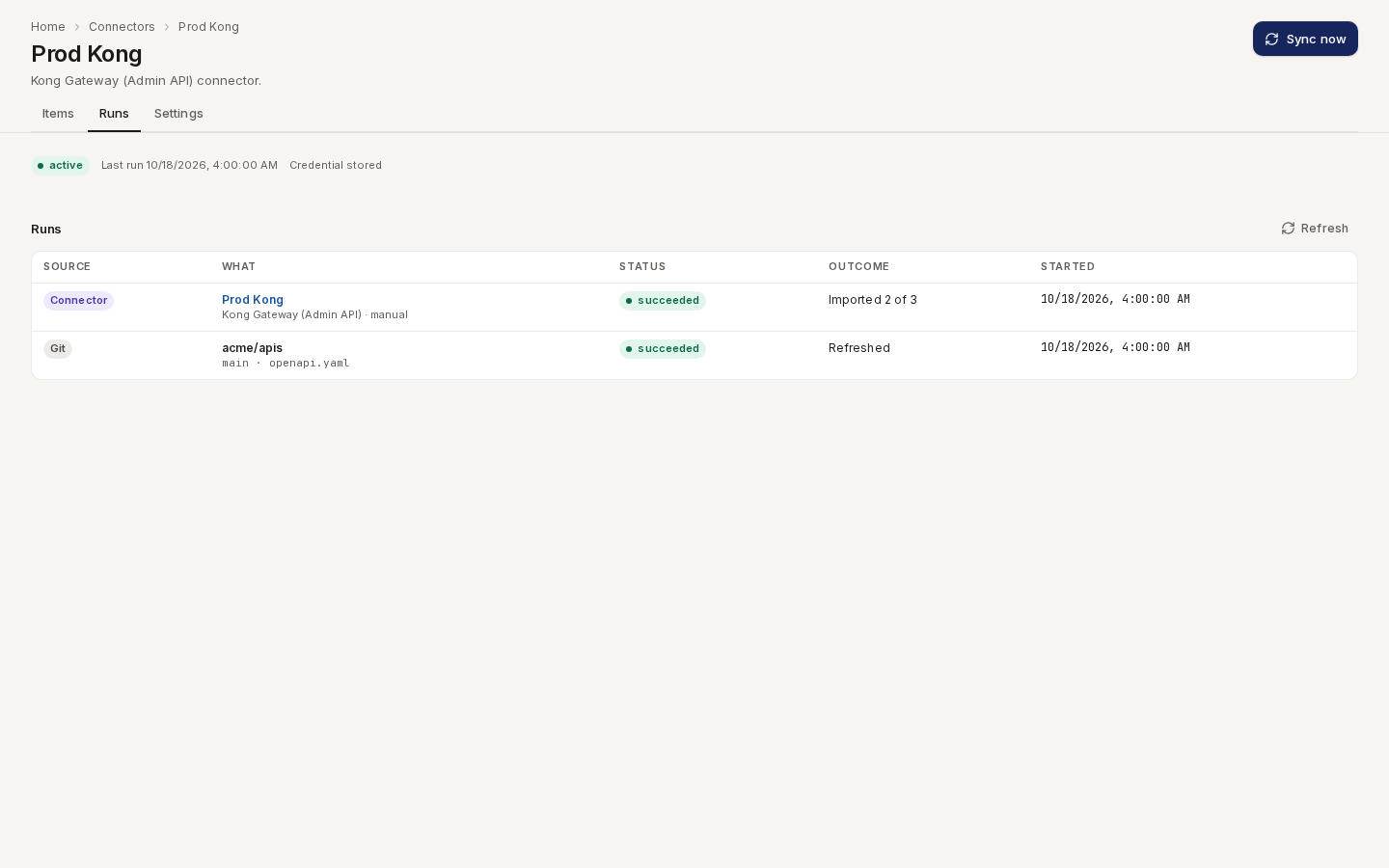
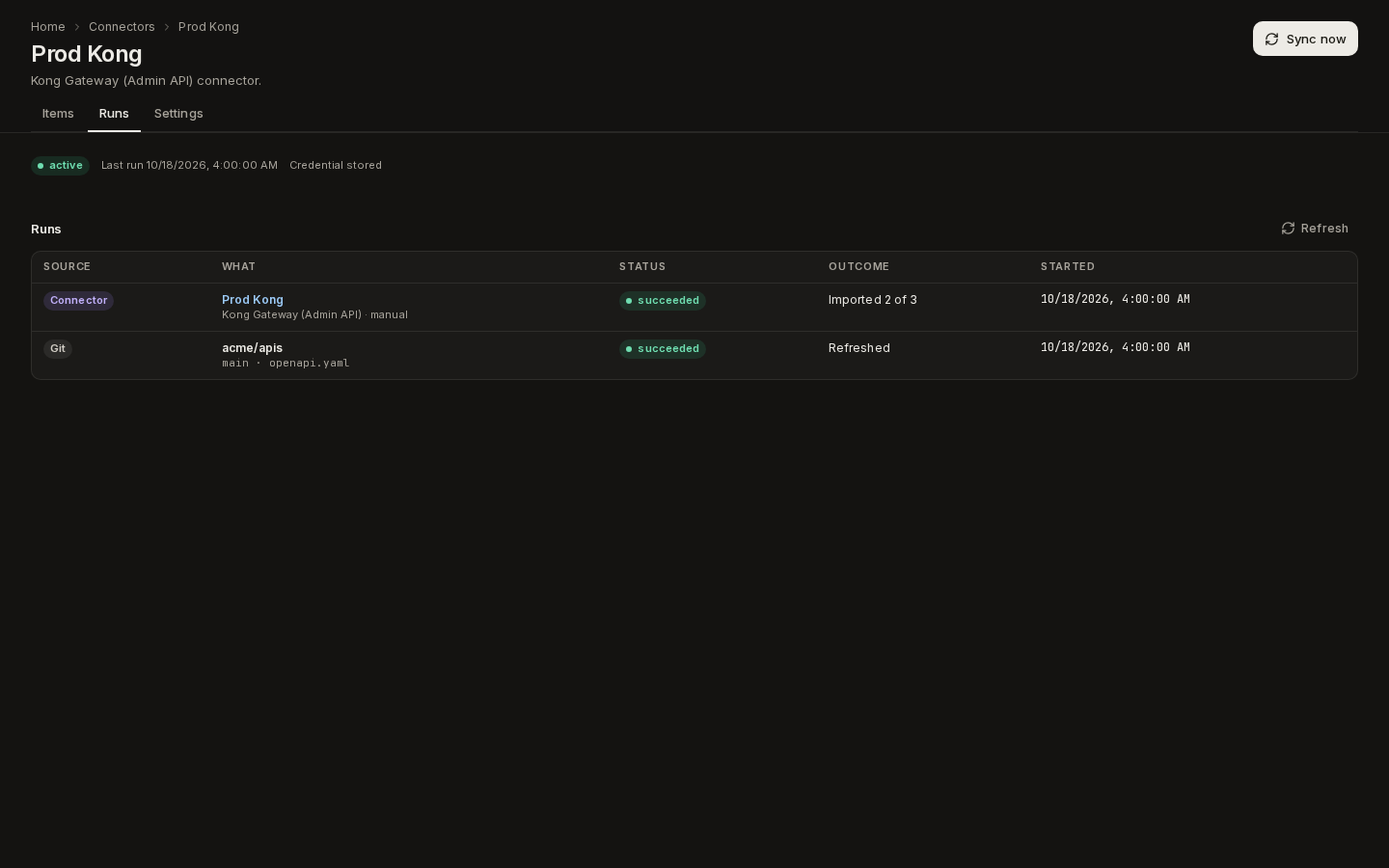
Runs lists this connector's runs, newest first, with their outcome, for example Imported 2 of 3 or Failed: auth (HTTP 401).
Route /ade/dashboard/connectors/c1 -
Settings changes the name, base URL, scope, refresh and conflict policy, replaces the credential, pauses or resumes scheduled syncs, and deletes the connector. Deleting stops its syncs and destroys its credential; the catalog items it imported stay.
The same runs table, unfiltered, is at the bottom of Bring in → Repositories as Recent runs. Git refreshes and connector runs are listed together, newest first, each with a Git or Connector badge.
With the CLI
apiome connectors add --kind kong-admin --name "Prod gateway" \
  --base-url https://kong-admin.example.com --scope '{"workspace": "default"}' \
  --credentials-file kong-token.json
apiome connectors list
apiome connectors sync <id> --wait
apiome connectors items <id> --status imported
apiome connectors runs <id>
apiome connectors remove <id> --yes
add runs the dry run first and saves nothing if it fails. The credential comes from a JSON file
(or - for standard input), never from the command line. sync --wait exits 0 when the run
succeeded and 7 when it failed, so a pipeline can gate on it. Every command takes --format json.
See the apiome connectors reference.
Register with the API
-
Check it (optional):
POST /v1/tenants/{tenant}/connectors/dry-runwith the samekind,baseUrlandscopeyou will create, plus thecredentials. It returnsitemCount, a sample of up to 20itemsand anyfindings, and stores nothing. A refused dry run is a422withdetail.codeconnector-check-failedand the provider's reason indetail.message. -
Create it:
POST /v1/tenants/{tenant}/connectorswithkind,nameand, when the kind has one,baseUrlandscope. For example:{"kind": "kong-admin","name": "Prod gateway","baseUrl": "https://kong-admin.example.com","scope": { "workspace": "default" },"refreshIntervalSeconds": 3600} -
Store its credential:
PUT /v1/tenants/{tenant}/connectors/{id}/credentialswith the fields the kind needs, for example{"credentials": {"token": "…"}}. -
Sync it:
POST /v1/tenants/{tenant}/connectors/{id}/sync. The response is the finished run.
Credentials
A credential is write-only. Apiome encrypts it as soon as it arrives. No response, log line or
audit entry ever contains it, and the API only reports hasCredentials and the names of the
stored fields. To change a credential, send the whole credential again; there is no partial edit.
Deleting a connector destroys its credential.
Secrets do not belong in scope: a scope key that looks like one (token, password, apiKey,
clientSecret, …) is refused.
An AWS API Gateway connector stores no credential at all: Apiome assumes a
role in your account instead. Sending it one is refused with connector-credentials-refused.
An Azure API Management connector stores its application's client secret as
{"credentials": {"clientSecret": "…"}}, or nothing at all when it uses a federated credential.
An Apigee connector stores a Google service-account key, or a workload identity federation
configuration, as {"credentials": {"credentialJson": "…"}}.
A schema registry connector stores {"credentials": {"username": "…", "password": "…"}}
for basic auth, {"credentials": {"token": "…"}} for a bearer token, or nothing for an open registry.
Base URLs and private networks
Apiome calls the base URL itself, so it must be http or https, carry no user:password@, and
resolve only to public addresses. A URL that resolves to a private, loopback or link-local address
is refused with the reason private-address. For a gateway that only listens inside your
network, an operator can allow its range with APIOME_CONNECTOR_PRIVATE_NETWORK_ALLOWLIST, a
comma-separated list of CIDRs such as 10.20.0.0/16.
What a sync does
Each sync is a run:
- It lists the connector's inventory: every API the source can see.
- It records what it saw under
GET …/connectors/{id}/items, with each API's environment, hosts, base path, remote revision and, for gateways, itsdeploymentdetails. - It skips what has not changed. An API whose remote revision or update time is not newer than the last import is not fetched.
- It fetches and imports the rest into the catalog. The document always becomes a catalog item, even when it is OpenAPI. To make it a Project, convert it.
- It writes a change report whenever it adds a revision to an item that already had one, so you can see which paths and operations changed between the two revisions.
Problems that belong to the connector rather than to one API, such as a gateway route that is not
attached to any service, are listed as findings in the run's summary.findings.
| Item status | Meaning |
|---|---|
| discovered | Seen in the inventory, not imported yet (or, like a non-current Azure API revision, not imported by design). An MCP registry server Apiome cannot reach, or a schema registry subject Apiome cannot mirror, stays here with its discoveredReason |
| imported | Imported; catalogItemId is its catalog item (mcpEndpointId, its MCP server, for an MCP registry) |
| ignored | Never fetched. Ignored from Shadow APIs, with a reason |
| missing | No longer in the inventory |
Environments (gateway configs)
Route/ade/dashboard/connectors/environments/[slug]
Every sync turns each environment the connector reports — a Kong control plane, an AWS stage, an Azure APIM instance, an Apigee environment — into a gateway config: an entity of its own in the catalog and the dependency graph. Open a connector, click “Environments” and click an environment to see its page.
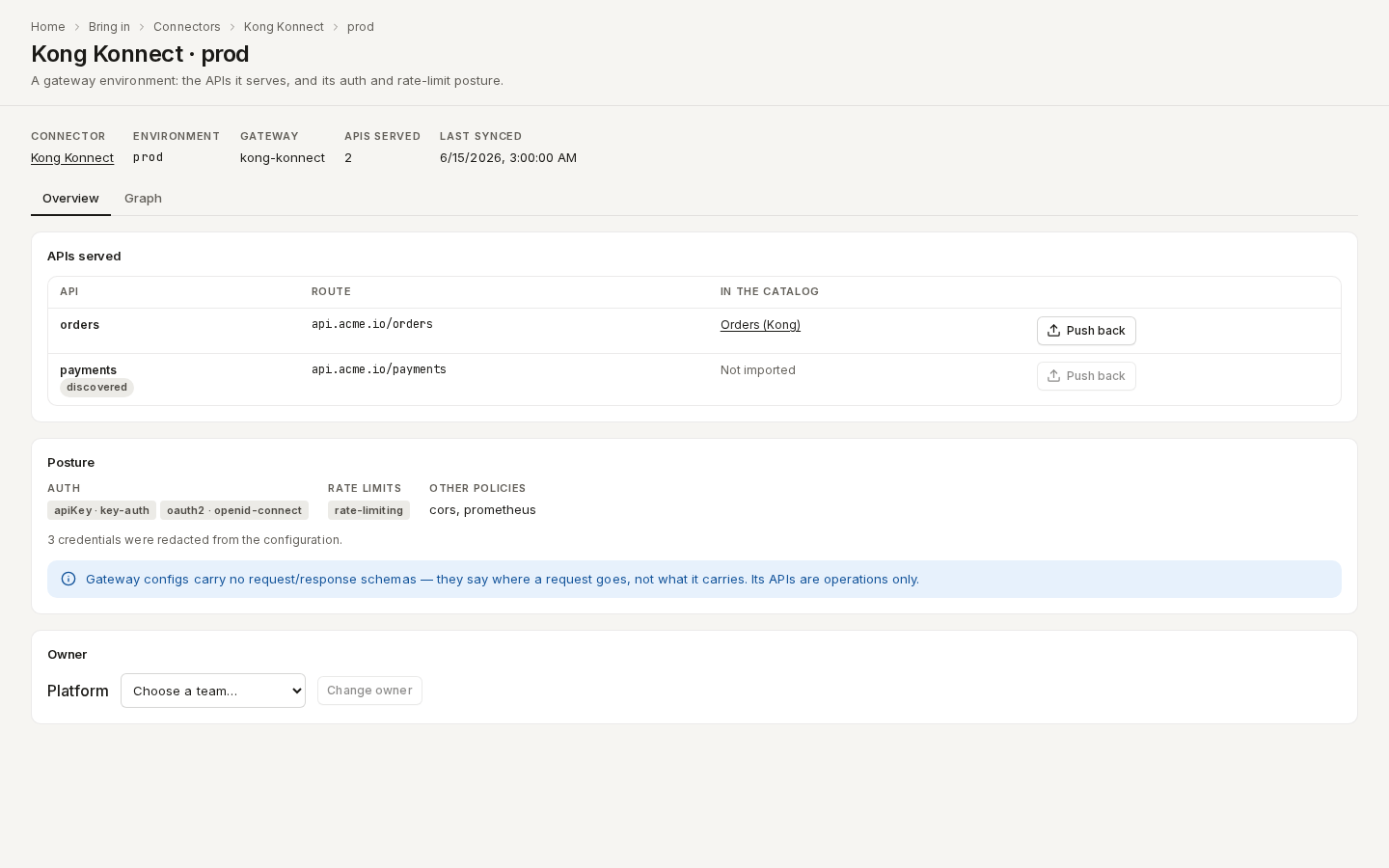
/ade/dashboard/connectors/environments/kong-konnect-prod- APIs served — every API the last sync saw in the environment, its route, and the catalog item or Project it was imported as (Not imported when it was only discovered).
- Posture — the Auth schemes and the plugin or policy that enforces each, the Rate limits and the Other policies (CORS, transforms, …), read from the imported configuration. Only names and schemes are kept: credentials are redacted at import, and the page says how many were.
- Declared loss — Gateway configs carry no request/response schemas: a gateway configuration says where a request goes, not what it carries, so its APIs are operations only. Supply schemas and convert the catalog item to promote it.
- Owner — the owner team; choose a team and click “Assign owner”.
- Graph — the APIs
deployed_onthis environment.
An environment the connector no longer reports disappears on the next sync. A gateway config's
deployed_on edges come from its APIs, so the blast radius and the
graph show where each API runs.
Push a catalog item back to the gateway
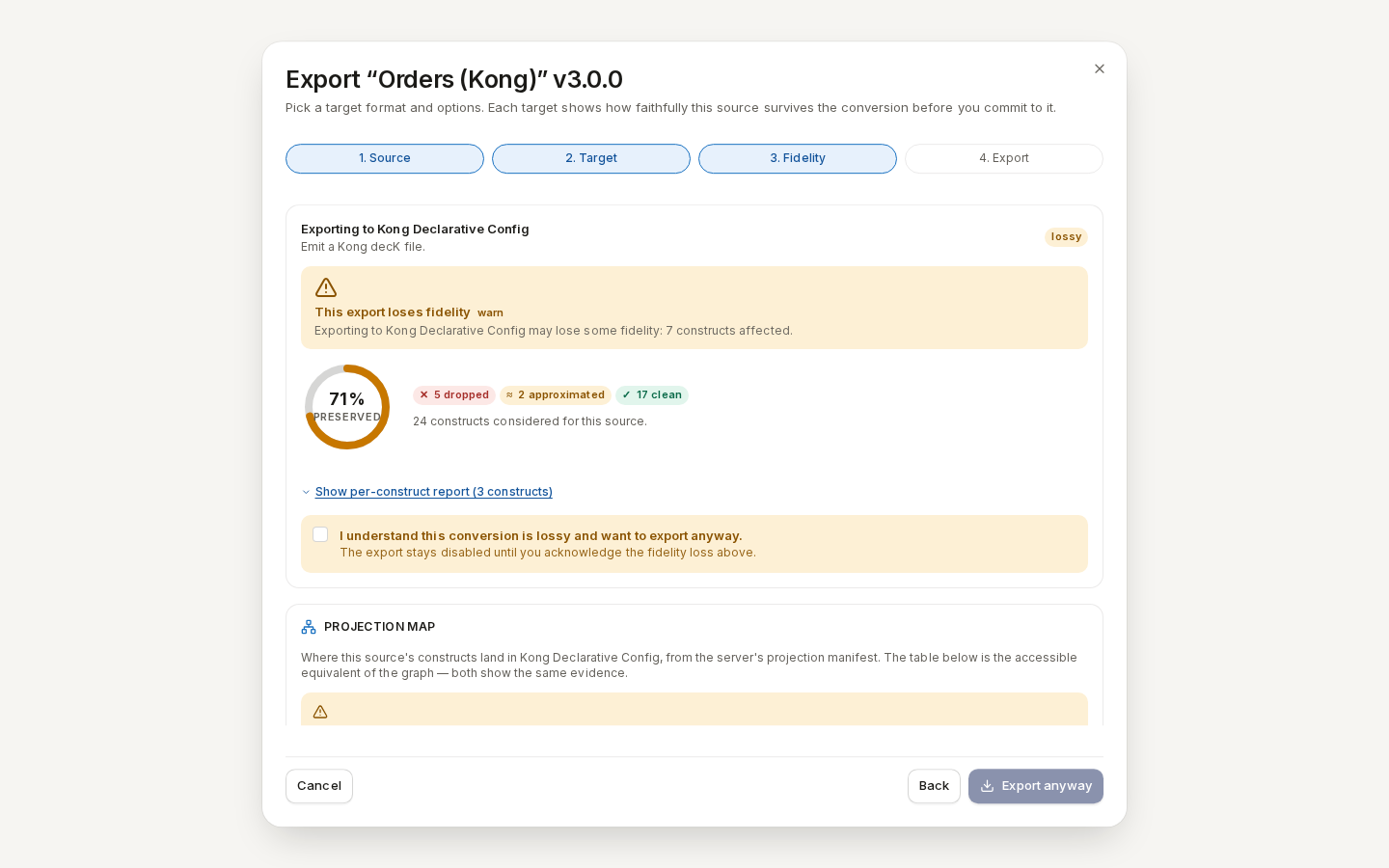
Click “Push back” on an imported API to export the governed catalog item back to the gateway's own format. The export opens on that format's fidelity report — what is preserved, approximated and dropped — before anything is exported; acknowledge a lossy conversion to continue.
/ade/dashboard/connectors/environments/kong-konnect-prod| Connector | Push back to |
|---|---|
| Kong (Konnect or Admin API) | Kong Declarative Config (decK) |
| AWS API Gateway | AWS API Gateway — an OpenAPI 3.0 definition with an integration on every operation |
| Azure API Management | Azure API Management — the OpenAPI definition with its policy XML |
| Apigee | Apigee API proxy — an apiproxy/ bundle |
How the fidelity report is worked out is in Understand export fidelity; what each gateway export writes is in Export to an API gateway.
With the API: GET /v1/tenants/{tenant}/gateway-configs (?connector= for one connector) and
GET /v1/tenants/{tenant}/gateway-configs/{slug} — see Gateway configs.
pushBack.target names the export target (kong, aws-apigateway, azure-apim or apigee) to use
with POST /v1/export/{tenant}/preview.
What never changes on a refresh
- Nothing is deleted. An API that disappears from the inventory becomes missing. Its catalog item, and every revision of it, stays in the catalog.
- Ignored APIs stay ignored, even when they leave and come back.
- A converted item is not written to. Once a catalog item has been converted, the next sync creates a new catalog item instead of changing the old one.
Runs and failures
A connector's Runs tab, and GET …/connectors/{id}/runs, list runs, newest first, with their
status, trigger (manual or scheduled), counts and, for a failure, errorClass and
httpStatus. GET /v1/tenants/{tenant}/refresh-runs lists every connector run and Git refresh
together, each with its source (connector or git); ?connector= and ?source= filter it.
A run that could not fetch anything is a failed run, never a success with zero changes. For
example, if a run fetches 0 of 12 APIs because the gateway refused the credential, it fails with
errorClass: "auth" and httpStatus: 401. The connector's status then turns failing
until a run succeeds. The error classes are auth, not-found, rate-limited, unavailable,
credentials-unreadable, import-failed, invalid-configuration (the connector is missing a
token, client secret or base URL it needs, or Apiome has no AWS or Azure workload identity to use), address-refused
(a request was redirected to a private address) and unexpected.
A run also lists, under summary.unchangedItems, every API it did not re-import and why. For
example: "deploymentId rv7b2yhnzn is unchanged since the last import".
Set status to paused to stop scheduled syncs; a manual sync still runs. Scheduled syncs
stop with every other refresh when APIOME_REFRESH_ENABLED is off.
Kong
The two Kong kinds read your gateway configuration live, so you do not need to keep a kong.yaml
in a repository. Each Kong service becomes one catalog item. Its document is the service with
its routes and plugins, written as the Kong declarative file
it is equivalent to, so a synced service imports exactly like that file would.
| Kind | Base URL | Credential | Scope |
|---|---|---|---|
kong-konnect | Optional. Leave it empty to use your region's Konnect API. | {"token": "kpat_…"} or {"token": "spat_…"} | region and controlPlanes |
kong-admin | Required: the Admin API address | {"token": "…"}, optional | workspace and environment, both optional |
Konnect
-
Create a token in Konnect. Use a personal access token (
kpat_…) or the system access token (spat_…) of a system account. The token needs the Viewer role on every control plane you want to sync. The connector only reads, so read-only access is enough. -
Register the connector. Set
regiontous,eu,au,me,inorsg(defaultus). List the ids of the control planes to sync incontrolPlanes. Leave it out to sync every control plane the token can read.{"kind": "kong-konnect","name": "Konnect EU","scope": { "region": "eu", "controlPlanes": ["5f1c2a3b-…"] }} -
Store the token:
PUT …/connectors/{id}/credentialswith{"credentials": {"token": "kpat_…"}}. -
Sync it.
A synced item's environment is its control plane's name.
Admin API
For a self-managed gateway, set the connector's base URL to the Admin API address. When your
Admin API uses RBAC, store a token with read access; Apiome sends it in the Kong-Admin-Token
header. With Kong Enterprise workspaces, set workspace to the workspace to read. Set
environment to label the items; it defaults to the workspace name. If your Admin API only
listens inside your network, an operator has to allow its range (see
Base URLs and private networks).
What a Kong sync records
- Deployment details. Each item's
deploymentlists the control plane id and name (or the workspace), the service's tags and enabled flag, and the protocols, hosts and paths its routes declare. - Suggested owners. A service tag of the form
owner:<team-slug>, such asowner:payments, makes that team a suggested owner of the catalog item (it is also kept underdeployment.suggestedOwners). A suggestion never makes the team the owner until someone confirms it. A tag naming a team that does not exist is a finding, unknown teamxin tag; a malformed owner tag is a finding too. - Plugins. Auth plugins such as
key-authbecome the item's security schemes, labelled inferred. Every other plugin, such asrate-limitingor a custom plugin, is listed in the item's coverage ledger as partially mapped. Its configuration stays in the item's captured source, so nothing is dropped. Plugin settings that hold secrets are redacted before import. - Findings. A route that is not attached to a service has no catalog item to land in, so it is
reported as a
route-without-servicefinding. Consumers and consumer-scoped plugins configure callers, not the API, and are counted as findings but never imported.
A Kong service only gets a new revision when its document changes. If you change one route, the
next sync imports one new revision of that service's item, writes one change report, and leaves
the other items alone. If the token is revoked, the run fails with errorClass: "auth",
httpStatus: 401 and Kong's error message.
AWS API Gateway
The aws-apigateway kind reads the REST and HTTP APIs in one AWS account. Each deployed stage
becomes one catalog item. Its definition is the stage's export with its API Gateway extensions,
imported exactly as an exported file would be.
Apiome never stores AWS keys. You create a read-only role in your account, and Apiome assumes it for each sync. Apiome uses its own AWS identity to do so: the AWS credentials of the deployment it runs on, such as an instance profile, a workload identity or environment variables.
Create the role
-
Choose an external ID, a value only you and Apiome know, such as
apiome-7c1d9a2f. -
Create an IAM role whose trust policy lets Apiome's AWS identity assume it with that external ID. Replace the principal with the identity your Apiome operator gives you:
{"Version": "2012-10-17","Statement": [{"Effect": "Allow","Principal": { "AWS": "arn:aws:iam::111122223333:role/apiome" },"Action": "sts:AssumeRole","Condition": { "StringEquals": { "sts:ExternalId": "apiome-7c1d9a2f" } }}]} -
Attach this permissions policy. It is read-only; the connector never changes anything:
{"Version": "2012-10-17","Statement": [{"Sid": "ApiomeCatalogRead","Effect": "Allow","Action": "apigateway:GET","Resource": ["arn:aws:apigateway:*::/account","arn:aws:apigateway:*::/restapis","arn:aws:apigateway:*::/restapis/*","arn:aws:apigateway:*::/apis","arn:aws:apigateway:*::/apis/*"]}]}
| What a sync calls | IAM action | Resource |
|---|---|---|
AssumeRole | sts:AssumeRole | Your role, from its trust policy |
GetAccount (dry run) | apigateway:GET | arn:aws:apigateway:<region>::/account |
GetRestApis | apigateway:GET | arn:aws:apigateway:<region>::/restapis |
GetStages, GetExport (REST APIs) | apigateway:GET | arn:aws:apigateway:<region>::/restapis/* |
GetApis | apigateway:GET | arn:aws:apigateway:<region>::/apis |
GetStages, ExportApi (HTTP APIs) | apigateway:GET | arn:aws:apigateway:<region>::/apis/* |
Register the connector
Create it with the role, the external ID and the regions to read. There is no base URL and no credential:
{
  "kind": "aws-apigateway",
  "name": "AWS production",
  "scope": {
    "roleArn": "arn:aws:iam::123456789012:role/apiome-catalog",
    "externalId": "apiome-7c1d9a2f",
    "regions": ["eu-west-1", "us-east-1"]
  }
}
Apiome checks the role before it saves the connector. It assumes the role, calls GetAccount,
and lists one REST and one HTTP API in each region. If AWS refuses any call, the connector is not
created. The response is a 422 with detail.code set to connector-check-failed, and
detail.reason names what is missing, for example
apigateway:GET on arn:aws:apigateway:eu-west-1::/account. The same check runs again whenever you
change the scope.
What an AWS sync records
- One item per deployed stage. The item's environment is the stage name, its hosts hold
the stage's invoke URL, and its remote revision is the stage's
deploymentId. - Unchanged stages are skipped. A stage whose
deploymentIdhas not changed since the last import is not exported again. The run lists it undersummary.unchangedItemswith that reason. When a redeploy produces the same definition, the stage is exported but nothing new is imported. - Deployment details. Each item's
deploymentrecords the region, account, API id and type (restorhttp), stage,deploymentId, invoke URL and the API's tags. - Suggested owners. An API tagged
apiome:ownerwith a team slug, such aspayments, gets that team as a suggested owner of its catalog item; a team that does not exist is an unknown team finding. A suggestion never makes the team the owner until someone confirms it. A malformed value is a finding. - Findings. A region with no APIs is a successful run with no candidates and a
region-emptyfinding, so an empty result is visible. A stage with no deployment (stage-not-deployed) and a WebSocket API (websocket-api-not-exported) are findings, because neither can be exported. - Failures name the permission. If AWS refuses the role or a call, the run fails with
errorClass: "auth", and its message names the missing permission, such asMissing permission sts:AssumeRole on arn:aws:iam::123456789012:role/apiome-catalog.
Azure API Management
The azure-apim kind reads the APIs in one Azure API Management (APIM) instance through Azure
Resource Manager. The current revision of each API becomes one catalog item. Each item holds the
API's OpenAPI definition and its policies, the API's and each operation's, imported exactly as an
archive of the same files would be. JWT validation, rate limits,
backends and the other policies are recorded on each operation.
Apiome signs in as a Microsoft Entra ID application (a service principal) that you give read-only access to the instance.
Give Apiome read access
-
Register an application in Microsoft Entra ID (App registrations → New registration). Note its Application (client) ID and your Directory (tenant) ID.
-
Give it a credential, one of:
- a client secret (Certificates & secrets → New client secret). Copy the value now: you store it in Apiome in the next section;
- a federated credential (Certificates & secrets → Federated credentials) that trusts your Apiome deployment's workload identity. Your Apiome operator gives you the issuer and subject. No secret is stored.
-
Assign the role. On the API Management instance, open Access control (IAM) → Add role assignment, choose API Management Service Reader Role, and assign it to the application. The role is read-only: the connector never changes anything.
az role assignment create --assignee <client-id> \--role "API Management Service Reader Role" \--scope /subscriptions/<subscription-id>/resourceGroups/rg-apis/providers/Microsoft.ApiManagement/service/contoso-apim
What a sync calls (api-version=2024-05-01) | Why |
|---|---|
GET …/service/{name} | The instance's gateway URL |
GET …/apis, …/apis/{api}/revisions | Every API and its revisions |
GET …/apis/{api}?export=true&format=openapi+json-link | The definition, downloaded from the link it returns |
GET …/apis/{api}/policies/policy, …/operations/{op}/policies/policy | The API's and each operation's policy |
GET …/products, …/products/{product}/apis | Which products each API is in |
GET …/namedValues, …/backends | The named values and backends the policies refer to. Only names and backend URLs are kept, never a named value's value. |
Register the connector
-
Create it with the application, the subscription, the resource group and the instance name. There is no base URL:
{"kind": "azure-apim","name": "APIM production","scope": {"tenantId": "0a1b2c3d-4e5f-4a6b-8c7d-9e0f1a2b3c4d","clientId": "9a8b7c6d-5e4f-4a3b-8c2d-1e0f9a8b7c6d","subscriptionId": "5f1c3a2e-8d4b-4e6f-9a7c-2b1d0e3f4a5b","resourceGroup": "rg-apis","serviceName": "contoso-apim","authMethod": "client-secret"}}Set
authMethodtofederatedfor a federated credential. SetincludeNonCurrentRevisionstotrueto import every revision, not only the current one. -
Store the client secret (skip this for a federated credential):
PUT …/connectors/{id}/credentialswith{"credentials": {"clientSecret": "…"}}. -
Sync it:
POST …/connectors/{id}/sync.
What an Azure sync records
- One item per current revision. The item's environment is the APIM instance, and its
hosts hold the API's gateway URL. Its revision label is
rev<n>-<digest>. - Other revisions are recorded, not imported. A non-current revision appears in the inventory as
discovered, and the run counts it under
summary.discovered. WithincludeNonCurrentRevisions, it is imported as its own item, named "API (revision n)". - Products become tags. Each product the API is in becomes a tag on its catalog item, named after the product. When the API leaves a product, the tag is removed. Tags you add yourself are never touched.
- Every sync reads every API. A policy change does not change an API's revision number, so each sync fetches each API. An API whose definition and policies are unchanged is not imported again.
- Deployment details. Each item's
deploymentrecords the subscription, resource group, instance, API name, revision, whether it is current and online, its path, version and products. - Findings. A WebSocket, GraphQL or gRPC API cannot be exported as OpenAPI and is listed as an
api-type-not-exportedfinding. An instance with nothing to import gives aservice-emptyfinding. - Failures name the cause. If Microsoft Entra ID refuses the credential, the run fails with
errorClass: "auth", and its message carries Entra ID's error code. For example, an expired client secret givesAADSTS7000222. If Azure Resource Manager refuses a call, the message names its code, such asAuthorizationFailedwhen the role assignment is missing.
Apigee
The apigee kind reads the API proxies of one Apigee X or hybrid organization. Each proxy becomes
one catalog item. Each environment it is deployed to is its own inventory row, with the deployed
revision, and every revision deployed somewhere is a revision of the item. Each revision's bundle is
imported exactly as an uploaded bundle would be.
Give Apiome read access
-
Choose the identity. Either:
- create a service account and a JSON key for it (IAM & Admin → Service accounts → Keys → Add key), or
- create a workload identity federation credential configuration for your Apiome deployment's
external identity (
gcloud iam workload-identity-pools create-cred-config …). No key is stored.
-
Grant the role. Give the identity Apigee Read-only Admin (
roles/apigee.readOnlyAdmin) on the Google Cloud project of the Apigee organization:gcloud projects add-iam-policy-binding acme-prod \--member "serviceAccount:apiome-catalog@acme-prod.iam.gserviceaccount.com" \--role roles/apigee.readOnlyAdmin
Apiome asks for an access token with the https://www.googleapis.com/auth/cloud-platform scope.
| What a sync calls | Why |
|---|---|
GET …/organizations/{org}/apis | The API proxies |
GET …/organizations/{org}/environments | The environments, when the scope names none |
GET …/environments/{env}/deployments | Which revision each proxy runs in each environment |
GET …/apis/{api}/revisions | The latest revision of a proxy deployed nowhere |
GET …/apis/{api}/revisions/{rev}?format=bundle | The bundle of a deployed revision |
Register the connector
-
Create it with the organization and, optionally, the environments to read. There is no base URL:
{"kind": "apigee","name": "Apigee production","scope": { "organization": "acme-prod", "environments": ["test", "prod"] }}Leave out
environmentsto read every environment of the organization. -
Store the credential:
PUT …/connectors/{id}/credentialswith{"credentials": {"credentialJson": "<the key or configuration file's JSON>"}}. -
Sync it:
POST …/connectors/{id}/sync.
What an Apigee sync records
- One item per proxy, one row per environment. A proxy deployed to
testat revision 5 and toprodat revision 3 is one catalog item with two inventory rows, environmentstestandprod, and revisions 5 and 3. A revision both environments run is imported once. - Undeployed proxies are recorded, not imported. A proxy deployed nowhere appears as discovered, with its latest revision.
- Unchanged deployments are skipped. A row whose deployed revision has not changed is not
downloaded again; the run lists it under
summary.unchangedItems. - Declared conditions come with the bundle. A route rule with no target endpoint, or a flow condition that is not a path and verb, is recorded on the item as a declared condition.
- Failures name the cause. A refused credential gives
errorClass: "auth"with Google's error (invalid_grant…). A missing IAM permission is named, for exampleMissing permission apigee.deployments.list. A token without thecloud-platformscope says so (ACCESS_TOKEN_SCOPE_INSUFFICIENT).
Schema registry
The schema-registry kind crawls a registry that speaks the Confluent Schema Registry REST API:
Confluent Platform or Confluent Cloud, Karapace, or Apicurio Registry's compatibility API. Each
subject becomes a schema subject of your workspace, with its
versions, schema ids and compatibility level, and every version becomes a revision of a catalog
item. The connector only reads: nothing is ever written to the upstream registry.
Add a schema registry
-
Go to Bring in → Connectors and click Add connector.
-
Kind: choose Schema registry and click Continue.
-
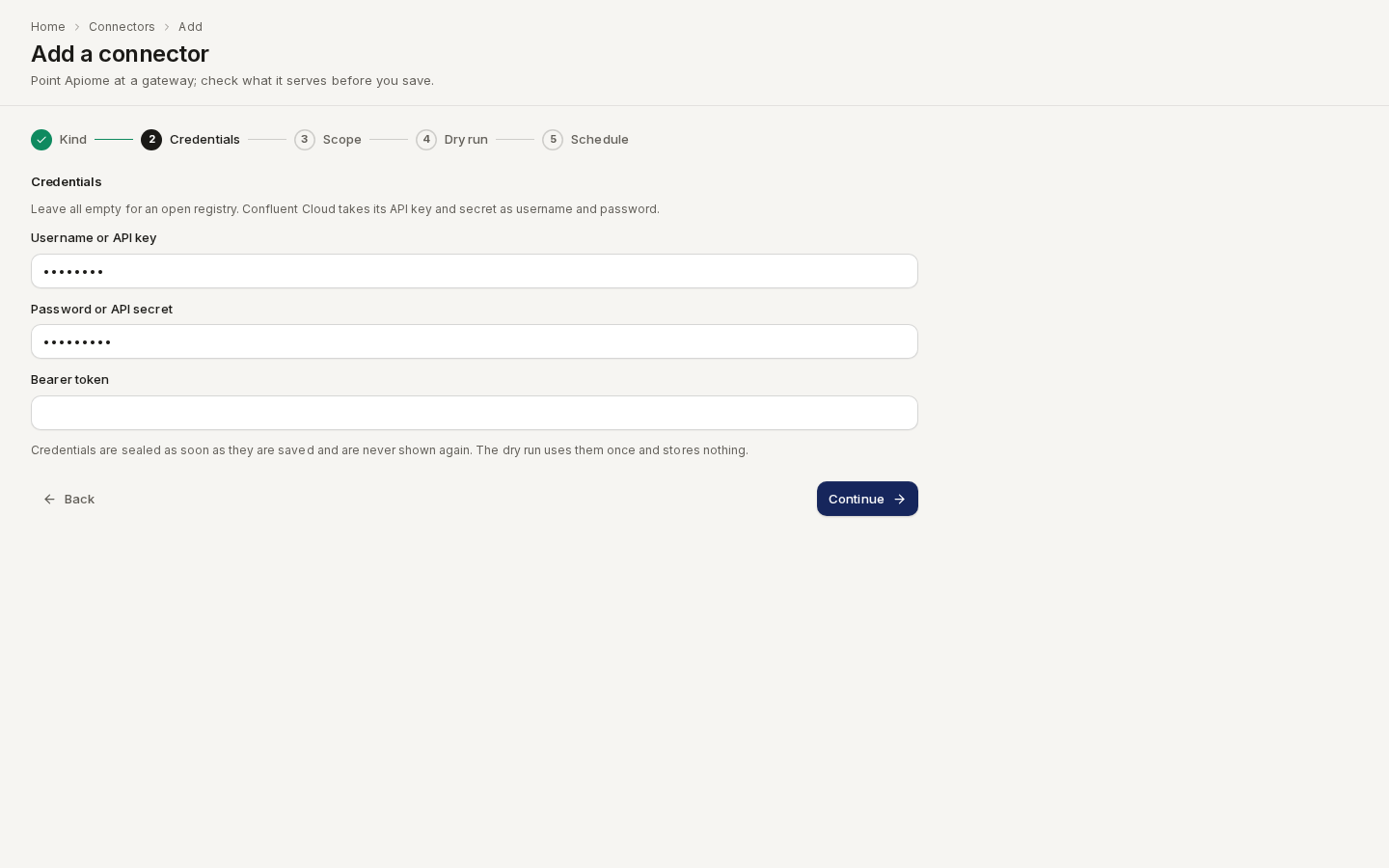
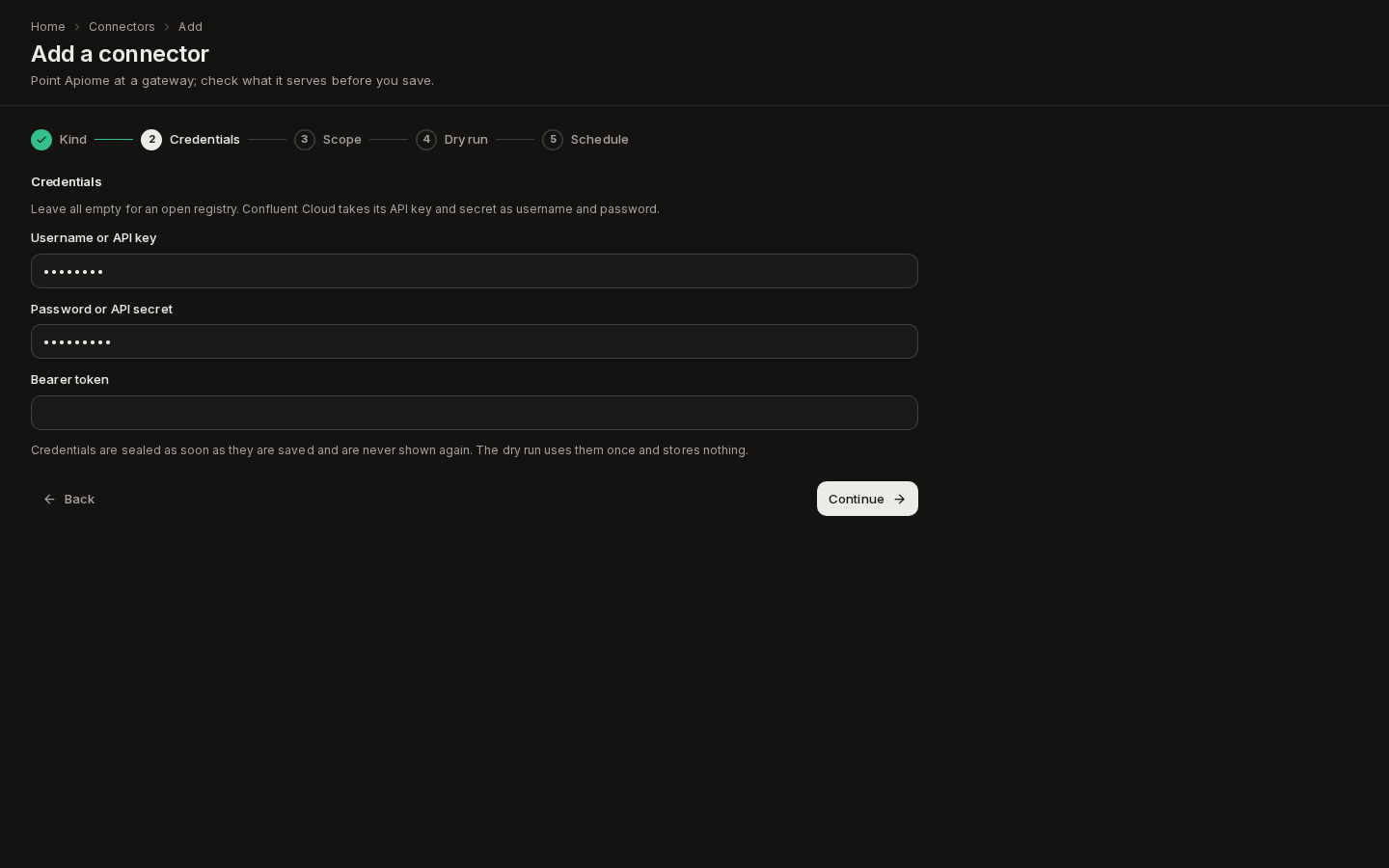
Credentials: leave every field empty for an open registry. For basic auth, enter a Username or API key and a Password or API secret; Confluent Cloud takes its Schema Registry API key and secret here. For a registry behind a token, enter a Bearer token. Click Continue.
Route /ade/dashboard/connectors/new -
Scope: enter the registry's REST address as the Base URL, for example
https://psrc-123.eu-west-1.aws.confluent.cloud. For Apicurio, use its compatibility API:https://<apicurio>/apis/ccompat/v7. A schema registry takes no other scope. -
Dry run and Schedule work as for every other kind: the dry run lists the subjects the registry returns, and nothing is stored until you click Save connector.
With the API, register it with an empty scope:
{
  "kind": "schema-registry",
  "name": "Prod schema registry",
  "baseUrl": "https://psrc-123.eu-west-1.aws.confluent.cloud",
  "scope": {}
}
What a schema registry sync does
Each sync lists the registry with GET /subjects, then, for each subject, GET /subjects/{subject}/versions and GET /config/{subject}?defaultToGlobal=true. A registry that
answers 404 there, such as Apicurio for a subject with no level of its own, falls back to GET /config. Each subject is one inventory row. A subject is fetched again only when it has a new or
deleted version or a different compatibility level. For each one:
- It reads each version it has not mirrored yet, oldest first, with
GET /subjects/{subject}/versions/{version}. When the answer has no schema text,GET /schemas/ids/{id}supplies it. - It deduplicates by schema id. A schema id the connector has already seen, under any subject and in any sync, is not parsed or imported again. A schema your workspace already holds keeps its Apiome schema id and revision. Only new content is imported, as a new revision of the subject's catalog item, labelled with the upstream version number.
- It copies the subject's settings. The upstream compatibility level is copied onto the
subject. When the subject states no strategy, it is read from the name:
<topic>-keyor<topic>-valueistopic, the record name alone isrecord, and<topic>-<record name>istopic_record. - It mirrors deletions. A version the registry no longer lists is deleted from the subject. The catalog revision behind it stays.
A mirrored subject shows where it came from: sourceRef is registry:<base URL> and
sourceConnectorId names the connector. Each mirrored version keeps the upstream upstreamVersion
and upstreamSchemaId beside Apiome's own version number and schema id. Compatibility checks are
not run on mirrored versions, because the upstream registry already admitted them.
Each version read counts as one pull against the workspace's polling quota, and so does each
/schemas/ids/{id} call. A subject Apiome cannot mirror stays discovered, and the Items tab
shows why under its status:
discoveredReason | What it means | What to do |
|---|---|---|
subject-name-taken | Your workspace already has a subject with this name, registered in Apiome or mirrored by another connector. It is never overwritten | Rename or delete the other subject |
references-unsupported | A version refers to schemas in other subjects and cannot be read on its own | Nothing yet: the versions before it are mirrored |
schema-type-unavailable | The deployment cannot read this schema type (Protobuf without the bundled buf) | An operator can install the toolchain |
Any other schema the importer refuses fails that subject for this run. The versions mirrored before it stay, and the next sync carries on from there. Schema registry connectors are left out of Shadow APIs: schema subjects are not APIs a gateway serves.
MCP registry
The mcp-registry kind reads GET /v0.1/servers from any registry that speaks the MCP Registry API:
the official registry at https://registry.modelcontextprotocol.io, Azure API Center, a Kong
registry, or another Apiome workspace's MCP registry endpoint. Each
server becomes an MCP server of your workspace's MCP catalog, not a catalog item.
Add an MCP registry
-
Go to Bring in → Connectors and click Add connector.
-
Kind: choose MCP registry and click Continue.
-
Credentials: leave both fields empty for a public registry. Enter a Bearer token for a registry that asks for one, or an Apiome workspace API key to read another Apiome workspace. Click Continue.
-
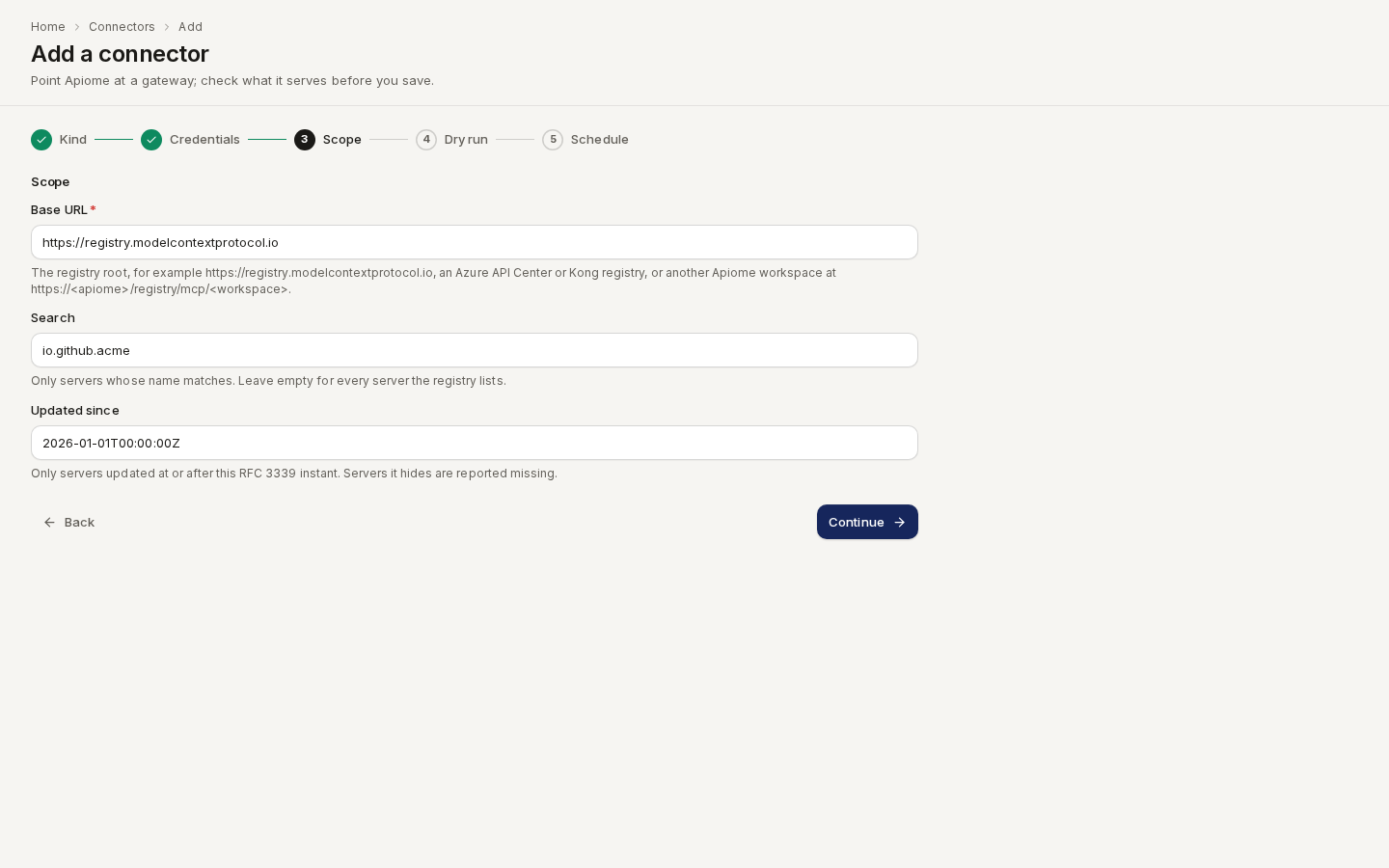
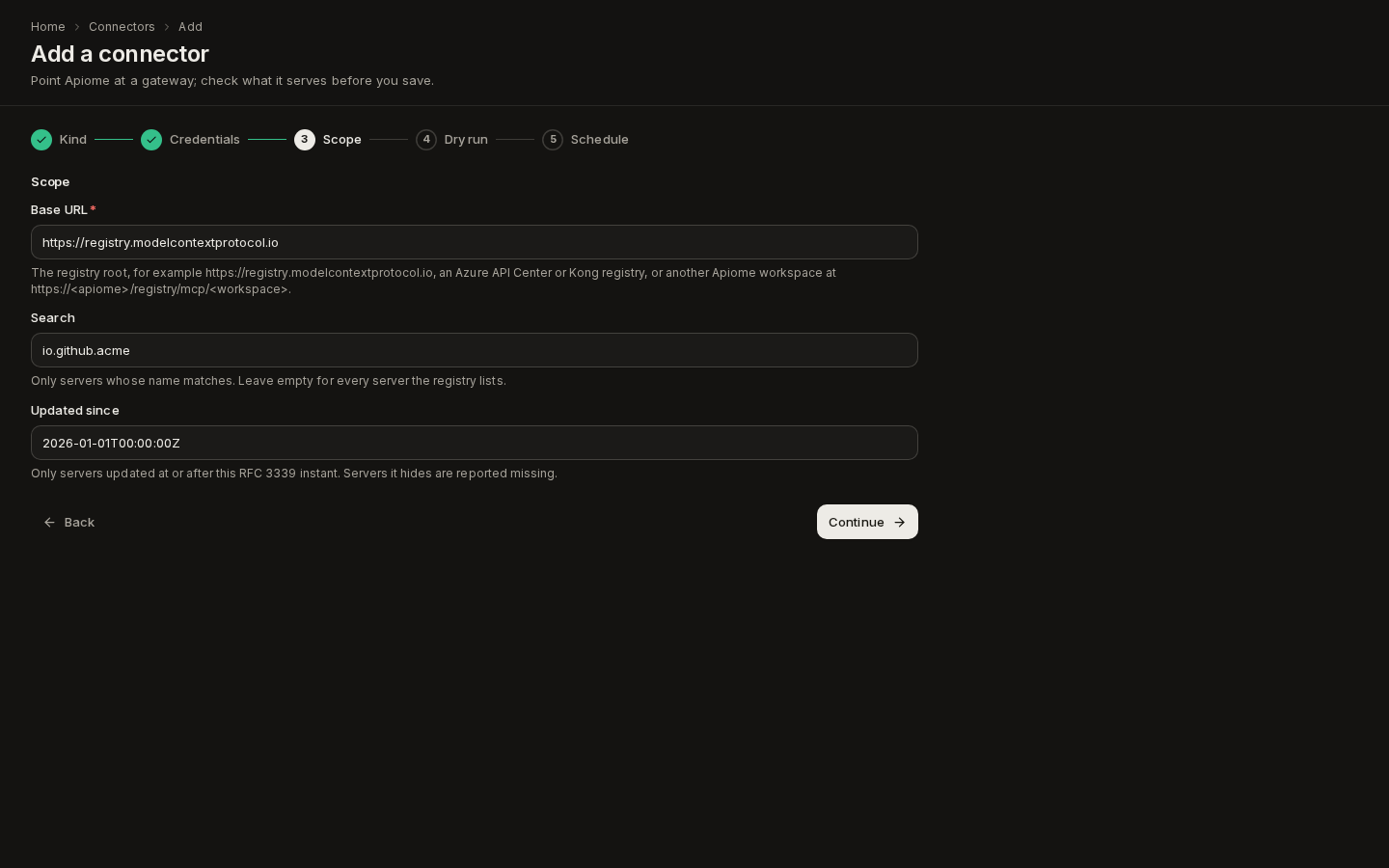
Scope: enter the registry root as the Base URL. Optionally narrow what is read:
- Search: only servers whose name matches, for example
io.github.acme. - Updated since: only servers updated at or after an RFC 3339 instant, for example
2026-01-01T00:00:00Z. Servers the filter hides are reported missing, so leave it empty to keep the whole registry in view.
Route /ade/dashboard/connectors/new - Search: only servers whose name matches, for example
-
Dry run and Schedule work as for every other kind: the dry run lists the servers the registry returns, and nothing is stored until you click Save connector.
With the API, register it with the registry root as baseUrl (a trailing /v0.1 or /v0.1/servers
is accepted):
{
  "kind": "mcp-registry",
  "name": "Official MCP registry",
  "baseUrl": "https://registry.modelcontextprotocol.io",
  "scope": { "search": "io.github.acme", "updatedSince": "2026-01-01T00:00:00Z" }
}
Store a credential, when the registry needs one, with PUT …/connectors/{id}/credentials and
{"credentials": {"token": "…"}} (sent as Authorization: Bearer) or {"credentials": {"apiKey": "…"}}
(sent as X-API-Key).
What an MCP registry sync does
Each sync pages through /v0.1/servers (version=latest, with your search and updated_since).
Each server name is one inventory row; a server the registry marks deleted turns missing. For
every server that is new or changed since the last sync:
- It picks a remote. The first
remotes[]entry of typestreamable-httporssewith a concrete URL. - It adds or refreshes the MCP server. A new server is added as private and unpublished, marked as imported from a registry. A server it added before has its name, URL, transport and description refreshed from the registry.
- It links the server's sources with the provenance registry published: the registry
entry itself,
repository.urlas a Git source, and each npm, PyPI, NuGet, Cargo or OCI entry ofpackages[]. A package is pinned only when the registry names an exact version. A link this connector made that the registry no longer lists is retired; links you added yourself are never touched. - It runs discovery, which also lints and grades the server. Any answer from the server, even
401, means it is there, and the row becomes imported.
Discovery runs inside the sync, one server at a time, so the first sync of a large registry takes a while. Narrow it with Search. A scheduled sync stops at the workspace's polling quota and defers the rest to its next run; unchanged servers are skipped.
A server that cannot be reached stays discovered, and the Items tab shows why under its status. The reason starts with a stable code:
discoveredReason | What it means | What to do |
|---|---|---|
no-remote | The server lists only packages, which run locally over stdio, or no HTTP remote at all | Nothing: there is nothing to discover remotely |
remote-templated | The remote URL contains a {variable} the client fills in | Add the server by hand with its concrete URL |
remote-refused | The remote resolves to a private address (the base URL rule) | An operator can allow the range |
remote-unreachable | Discovery could not connect (connect_error, tls_error, timeout, …). The server was added; Apiome tries again on the next sync | Check the server is up |
On the Items tab, the column MCP server says Added to the MCP servers for every server the connector added (Open the MCP server on deployments where the MCP servers screen is turned on). MCP registry connectors are left out of Shadow APIs: MCP servers are not APIs a gateway serves.
Registry crawl
The registry kind crawls a registry rather than one document: it lists every artifact the
registry holds, fetches each one and imports each as its own catalog item, versioned on its own.
The connector's scope names the protocol, which picks the importer that reads the artifacts:
| Protocol | Base URL | What becomes a catalog item | Imported as |
|---|---|---|---|
a2a-registry | The registry's listing URL | Each agent the registry lists | A2A Agent Card |
xregistry | The xRegistry root, for example https://<host>/reg | Each schema in each schema group, each message group and each endpoint | A schema: JSON Schema, Avro, Protobuf or XSD, from its format. A message group or endpoint: CNCF xRegistry |
fhir-metadata | The FHIR server base, for example https://fhir.example.com/r4 | The server's CapabilityStatement and, with Include profiles, each profile its resources declare | FHIR |
Add a registry crawl
-
Go to Bring in → Connectors and click Add connector.
-
Kind: choose Registry crawl and click Continue.
-
Credentials: leave both fields empty for a public registry. Enter a Bearer token, or an API key sent as
X-API-Key. Click Continue. -
Scope: enter the registry's Base URL and choose its Protocol. For an xRegistry, list Groups to crawl only those schema and message groups (comma-separated), or leave it empty for every group. For a FHIR server, tick Include profiles to import each StructureDefinition too.
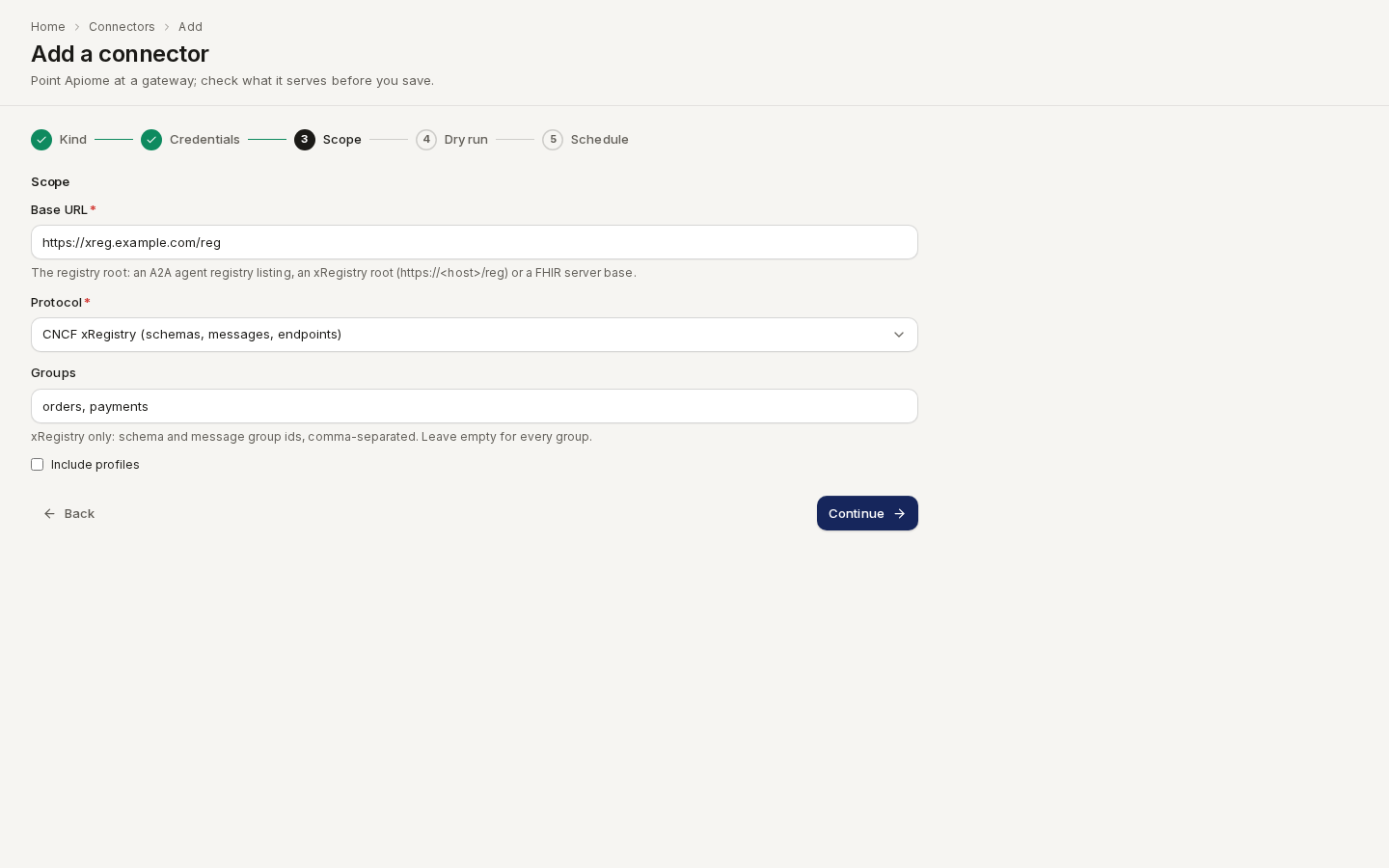
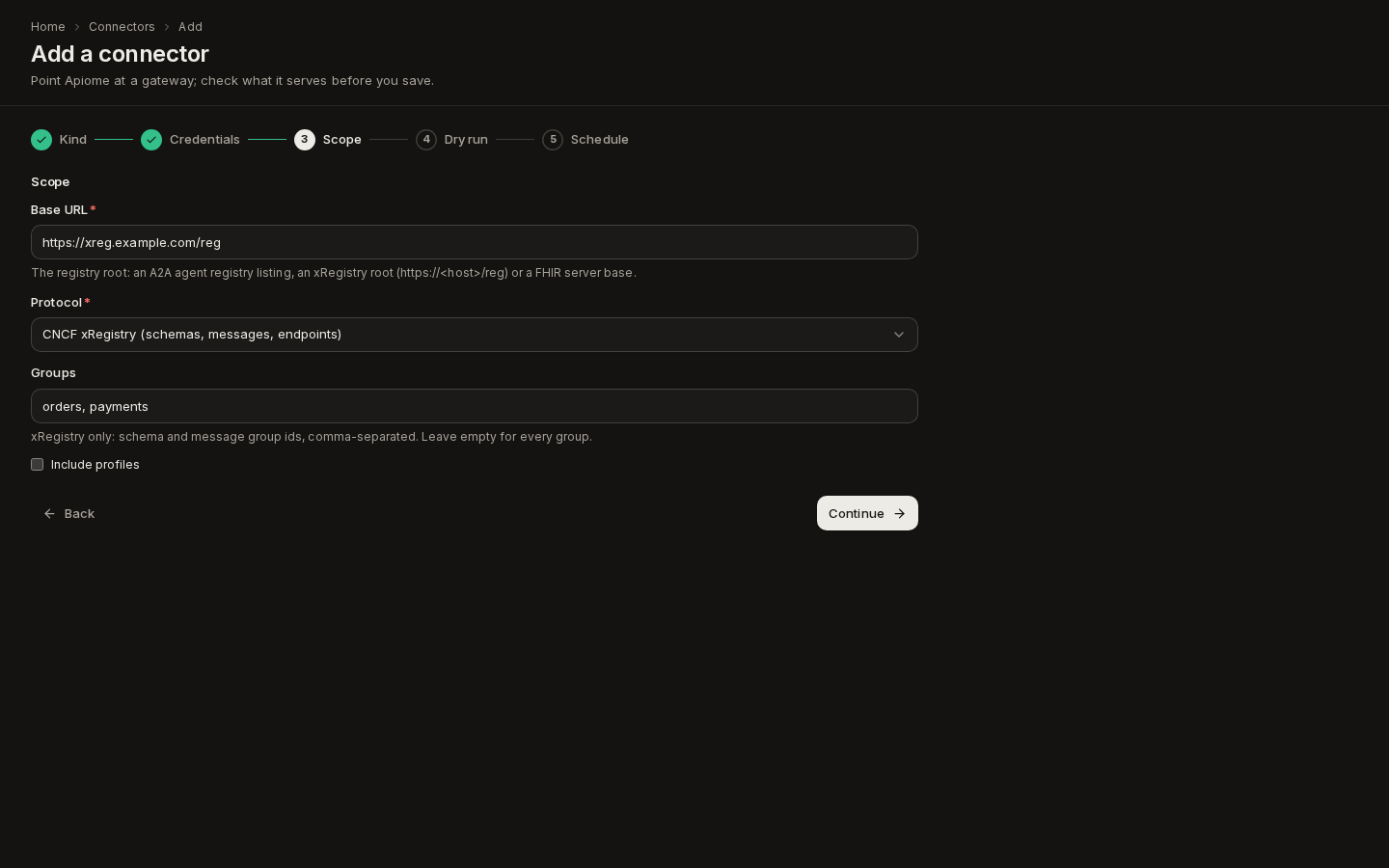
Route /ade/dashboard/connectors/new -
Dry run lists the artifacts the registry returns, and Schedule sets how often it is crawled again. Nothing is stored until you click Save connector.
With the API or the CLI, put the protocol in the scope:
{
  "kind": "registry",
  "name": "Event schemas",
  "baseUrl": "https://xreg.example.com/reg",
  "scope": { "protocol": "xregistry", "groups": ["orders", "payments"], "requestsPerSecond": 2 }
}
apiome connectors add --kind registry --name "Event schemas" \
  --base-url https://xreg.example.com/reg --scope '{"protocol": "xregistry"}'
What a registry crawl does
Each sync lists the whole registry, following its pages, and records one inventory row per artifact,
keyed by the artifact's id in the registry (an Agent Card URL, schemagroups/<group>/schemas/<id>,
messagegroups/<group>, endpoints/<id>, a profile's canonical URL). For each artifact:
- A new artifact is fetched and imported as a new catalog item.
- A changed artifact is fetched again and imported as a new revision of the same catalog
item, with a change report against the previous one. An artifact counts as changed when its
revision in the registry moved (an A2A entry's
versionorupdatedAt, an xRegistry schema's version andepoch, a CapabilityStatement'sversionanddate). An artifact the registry gives no revision is fetched every sync and imported again only when its content differs. - An unchanged artifact is skipped, and nothing is fetched. A revision that moves while the content stays the same is also not imported again.
- An artifact the registry no longer lists turns missing. Its catalog item stays.
Every revision records where it came from: the connector, the registry protocol, the artifact's id and revision in the registry, and its URL there. It shows on the catalog item's Provenance tab.
Limits. Every request goes through the connector's address rule,
on every redirect too. A crawl sends at most requestsPerSecond requests a second to one host (5 by
default, 20 at most), at most 2,000 requests a sync, reads at most 100 pages of a listing and 5,000
artifacts, and refuses a response over 5 MB. Each artifact fetched counts as one pull against the
workspace's polling quota. An artifact that fails to fetch or import fails only
itself: the rest of the registry is still imported.
A2A agent registry
A2A does not define a registry API yet, so the crawl reads the shape registries publish today.
GET <base URL> answers either a JSON array of entries, or {"agents": [entries], "nextPageToken": "…"}.
The next page is GET <base URL>?pageToken=…. An entry is one of these:
- An Agent Card URL (
https://agent.example.com/.well-known/agent-card.json), or an agent's address (https://agent.example.com), whose card is read from/.well-known/agent-card.jsonand then the legacy/.well-known/agent.json. - An object with
url(orcardUrl), and optionallyname,versionandupdatedAt. - An object holding the Agent Card itself, under
cardor as the entry.
xRegistry
An xRegistry holds three registries, and the crawl reads each one the registry serves. Every
collection follows Link: <…>; rel="next" pages.
Schemas. The crawl reads GET <base>/schemagroups and, for each group, its schemas
collection. A schema's format picks the importer:
JsonSchema/…imports as JSON Schema.Avro/…imports as Avro.Protobuf/…imports as Protobuf.XSD/…imports as XSD.
A schema in any other format is skipped and listed in the run's findings. A schema whose listing
carries the document (schema or schemabase64) is not fetched again; any other schema is read
from GET <base>/schemagroups/<group>/schemas/<id>, or from its schemaurl.
Message groups. The crawl reads GET <base>/messagegroups and each group's messages
(GET <base>/messagegroups/<group>/messages, unless the listing carries them). Each group becomes one
catalog item, imported as a CNCF xRegistry document: its messages are
operations on the channels their CloudEvents type names. A group with no messages is skipped
and listed in the run's findings.
Endpoints. The crawl reads GET <base>/endpoints and each endpoint's own messages. Each endpoint
becomes one catalog item holding the endpoint, its messages and the message groups it references, so
its operations, payloads and broker URIs read on their own.
A registry that answers 404 for one of the three collections simply has none of it; a base URL that
serves none of them fails the sync. Message groups and endpoints carry no revision, so they are
imported again only when their content changes; the epoch, createdat and modifiedat stamps are
left out of the document, so a stamp that moves alone imports nothing.
Two scope keys narrow the crawl:
groups— the schema and message group ids to crawl. Endpoints are always crawled, with the groups they reference.include— which registries to crawl: any ofschemas,messages,endpoints(all three when left out). For example{"protocol": "xregistry", "include": ["messages", "endpoints"]}.
FHIR /metadata
The crawl reads GET <base>/metadata and imports the CapabilityStatement. With Include
profiles, every profile and supportedProfile of its resources is read from the same server
with GET <base>/StructureDefinition?url=<canonical>. Requests ask for application/fhir+json.
Registry connectors are left out of Shadow APIs: a registry's artifacts are published, not found on a gateway.
Quota and audit
Every document a connector fetches counts against the workspace's repository polling quota, the same budget Git refreshes use. Fetches show under Polls on Quota & rate limits. A scheduled sync that runs out of quota defers the rest to a later run, and a manual sync is never held back by the quota.
Every connector change and run is written to the audit trail as repository.connector.*, so the
repository audit export lists connector runs next to Git refreshes.
API
| Method and path | What it does |
|---|---|
GET /v1/tenants/{tenant}/connectors | List connectors, the kinds, and the kinds that can sync |
POST /v1/tenants/{tenant}/connectors | Register a connector |
POST /v1/tenants/{tenant}/connectors/dry-run | Ask the provider once what a connector would sync; stores nothing |
GET / PATCH / DELETE …/connectors/{id} | Read, change or delete one |
POST …/connectors/{id}/sync | Sync now and return the run |
GET …/connectors/{id}/items | The inventory (?status= filters it), with each item's deployment |
GET …/connectors/{id}/runs | The runs, newest first |
GET /v1/tenants/{tenant}/refresh-runs | Connector runs and Git refreshes together (?connector=, ?source=git|connector) |
PUT …/connectors/{id}/credentials | Store or replace the credential |
POST …/connectors/{id}/items/{itemId}/link · ignore · unignore · import | Act on one inventory item (see Shadow APIs) |
See the API reference for the request and response shapes.
Where next
- Catalog: where synced APIs land, and the Provenance tab that names their connector.
- Repositories: the Git side of the same refresh engine.
- Shadow APIs: what your connectors serve that the catalog does not describe.