Agents and models
Agents are the fastest-growing consumers of your APIs. Apiome already knows them through their agent keys and the toolsets those keys call; registering an agent gives it a name, an owner team and a page, and makes it a consumer of every API it can call. A model records what an agent runs on — provider, version, where it is hosted and how it handles data — and when it is deprecated.
Register an agent
- Go to Bring in → Catalog and click the "Agents" tile.
- Click "Register agent".
- Type a Name — for example
Support bot— and, if you like, its Runtime (LangGraph on Cloud Run), a Model and a Description. - Under Agent keys, tick the keys the agent uses. Only live keys are listed, by name and prefix; a key belongs to at most one agent.
- Click "Register agent". Its page opens.
What an agent consumes
An agent may call the tools its keys allow: the enabled tools of each key's toolset that are on the key's allowlist. For each API (project) those tools belong to, Apiome:
- makes the agent a consumer of that API (finding a consumer with the agent's slug, or creating one), and
- records its contract: one operation per tool — so an agent whose key enables four operations
has four
consumesedges in the dependency graph, and appears in breaking-change impact and the blast radius like any other consumer.
When you revoke or unlink a key, narrow its allowlist, or retire the agent, Apiome records a new contract without those operations, and their edges are marked stale. Tools that are not HTTP operations (a GraphQL field, for example) are kept on the contract as unresolved.
The agent page
Route/ade/dashboard/catalog/agents/[slug]
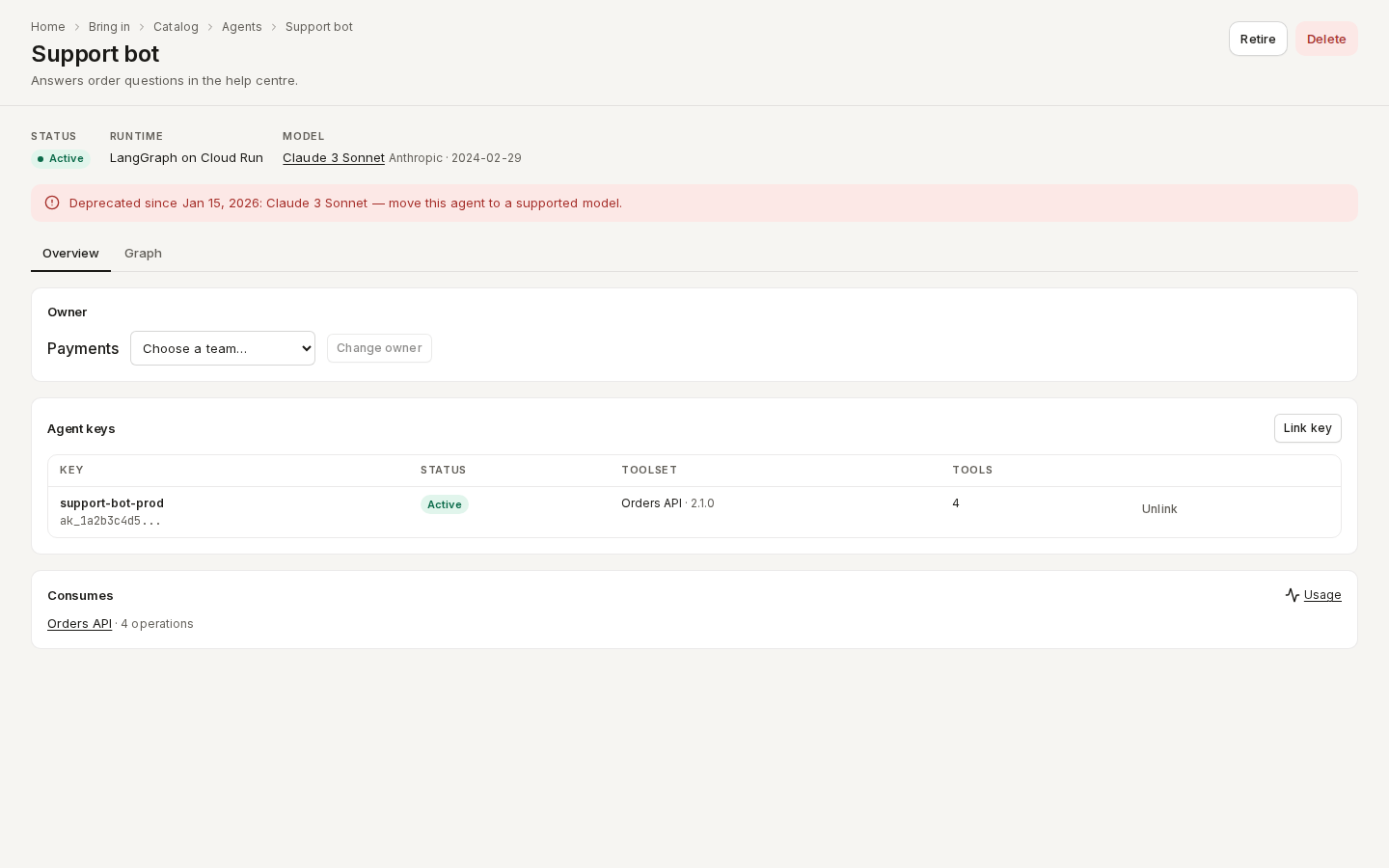
/ade/dashboard/catalog/agents/support-bot- Status, Runtime and Model — and, when the model has a deprecation date, a notice saying so.
- Owner — the owner team. Choose a team and click "Assign owner" (or "Change owner").
- Agent keys — each key's name, prefix and status, its toolset and how many tools it may call. Click "Link key" to add a key; click "Unlink" to remove one. A key's secret is never shown.
- Consumes — the APIs the agent is a consumer of, with how many operations; click "Usage" for its calls, errors and latency.
- Graph — the dependency graph around the agent (choose the API when it consumes several).
- "Retire" stops the agent consuming anything ("Reactivate" undoes it); "Delete" removes it.
Models
- Click the "Models" tile on the catalog home, then "Add model".
- Type the Provider (
Anthropic) and Model name (claude-3-sonnet), and if you like the Version, Hosting (Provider's API or Self-hosted), Data handling (what the provider retains, where data is processed) and Deprecated on. - Click "Add model".
/ade/dashboard/catalog/models/[slug]
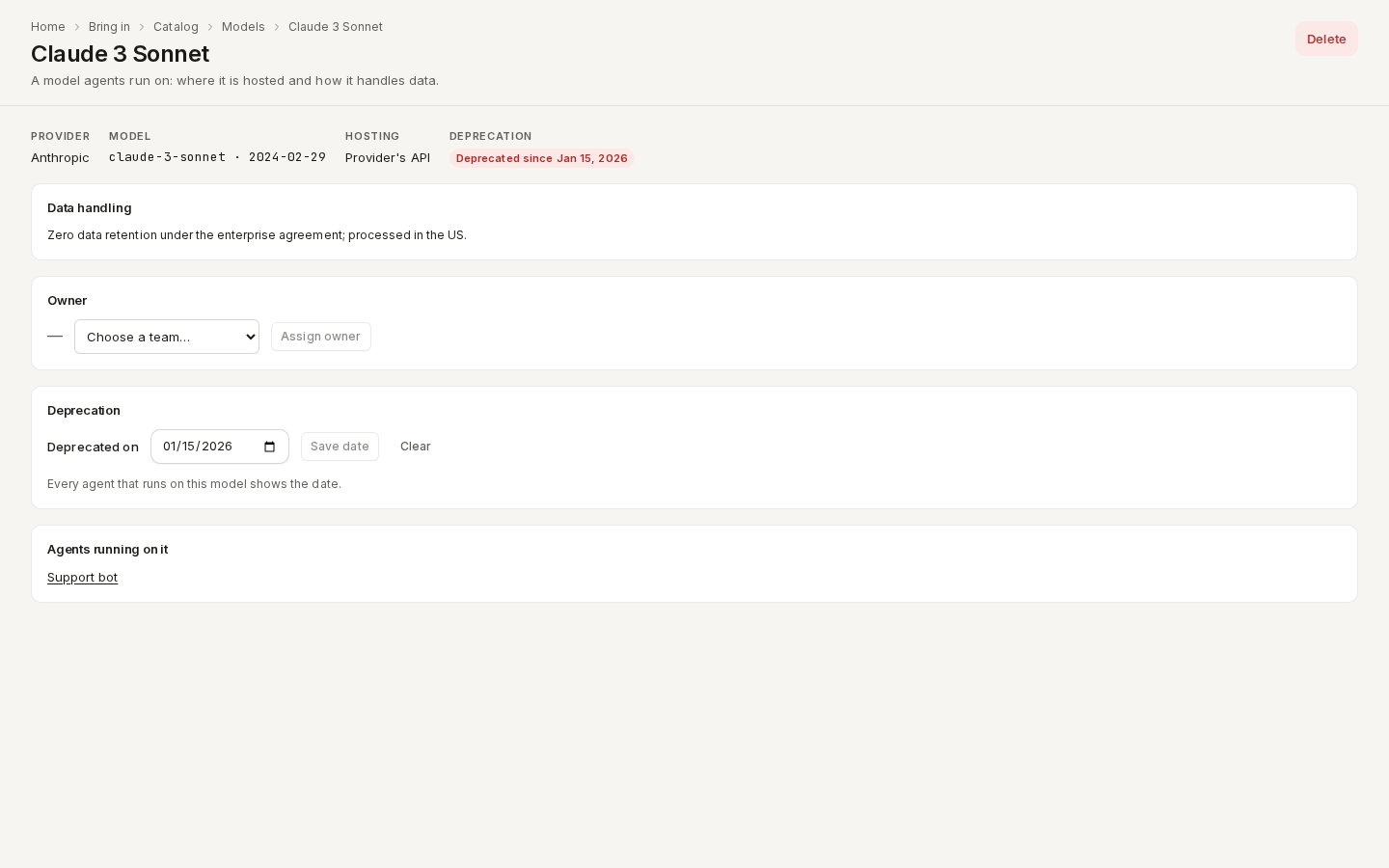
/ade/dashboard/catalog/models/claude-3On a model's page, set Deprecated on and click "Save date" (or "Clear"). The date shows on every agent that runs on the model — as a warning before it, and as an error once it has passed.
With the API
| Route | Does |
|---|---|
GET / POST /v1/tenants/{tenant}/catalog-agents | List or register agents (keyIds links keys) |
GET / PATCH / DELETE …/catalog-agents/{slug} | Read, change (status: retired, model) or delete an agent |
PUT / DELETE …/catalog-agents/{slug}/keys/{keyId} | Link or unlink an agent key |
GET / POST /v1/tenants/{tenant}/catalog-models | List or register models |
GET / PATCH / DELETE …/catalog-models/{slug} | Read, change (deprecatedAt) or delete a model |
Reading needs Consumer contracts — view; changing needs Consumer contracts — create, edit or
delete, and linking a key also API keys — view. See the Catalog agents
reference. Agents and models are also listed by GET /v1/catalog/{tenant}/entities?kind=agent
(see Kinds).