Agent access
/ade/dashboard/mcp/agents
Agent access turns a published version of your API into MCP tools an AI agent can call — only the operations you choose, with keys you issue. Go to MCP servers → Agent access. It has three tabs: Toolsets, Agent keys and Usage. You need permission to manage API keys.
Enable agent access
- Click “Enable Agent Access”.
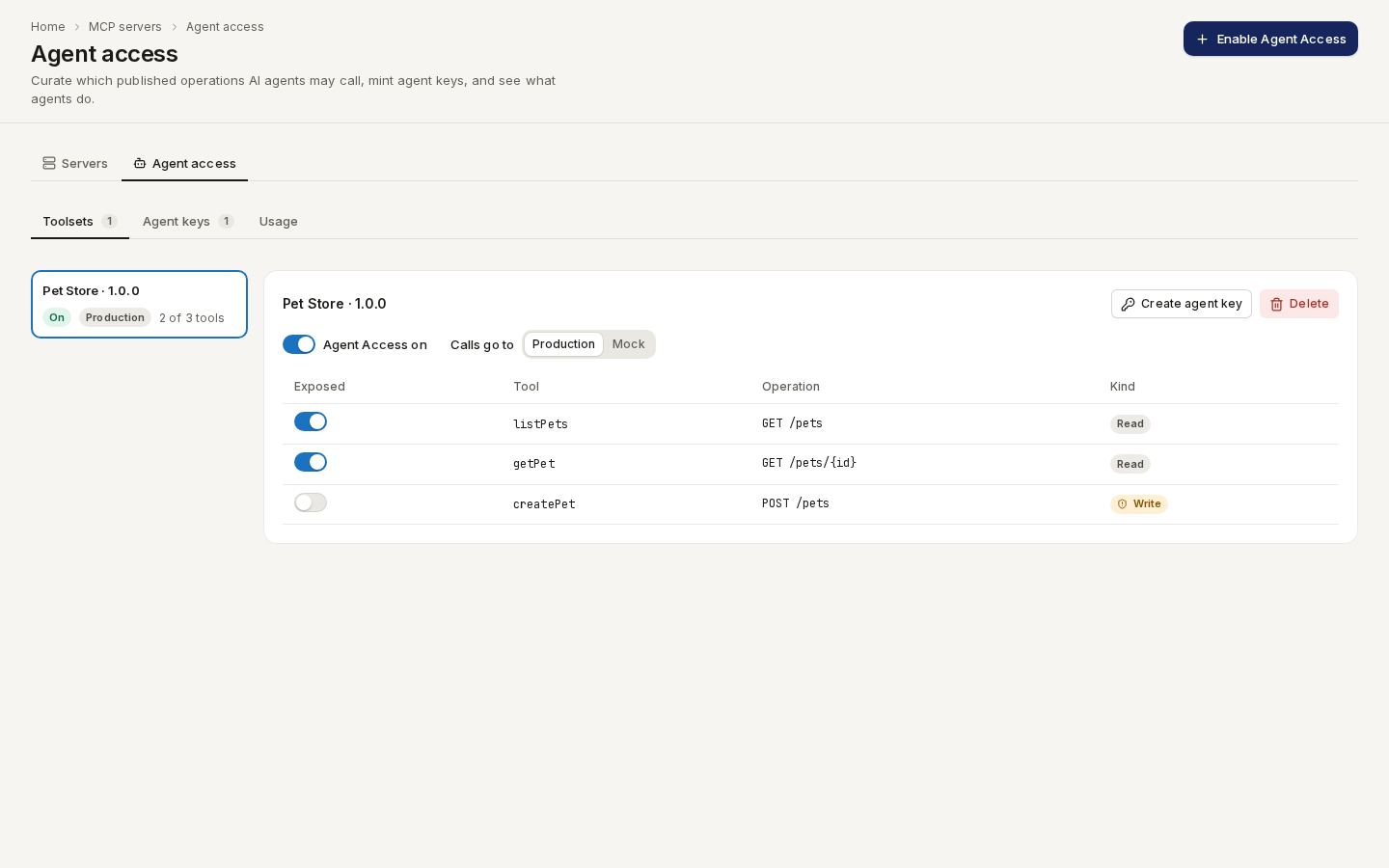
- Choose the Published version to expose, and where Calls go to: Production or Mock.
- Confirm. Apiome creates a toolset: one tool per operation. Read operations are exposed right away; write operations stay off until you switch each one on and confirm Let agents call a write operation?
/ade/dashboard/mcp/agentsCreate an agent key
- On the toolset, click “Create agent key” (or Agent keys → Create agent key).
- Enter a Name (for example
claude-desktop) and a Description, choose the Toolset, tick the Tools this key may call, and set Expires in (days) — expiry cannot change later. - Copy the key from Agent key created — it is shown only once — and click “I've saved my key”.
The agent connects to Apiome's MCP endpoint with that key; see Connect an MCP host.
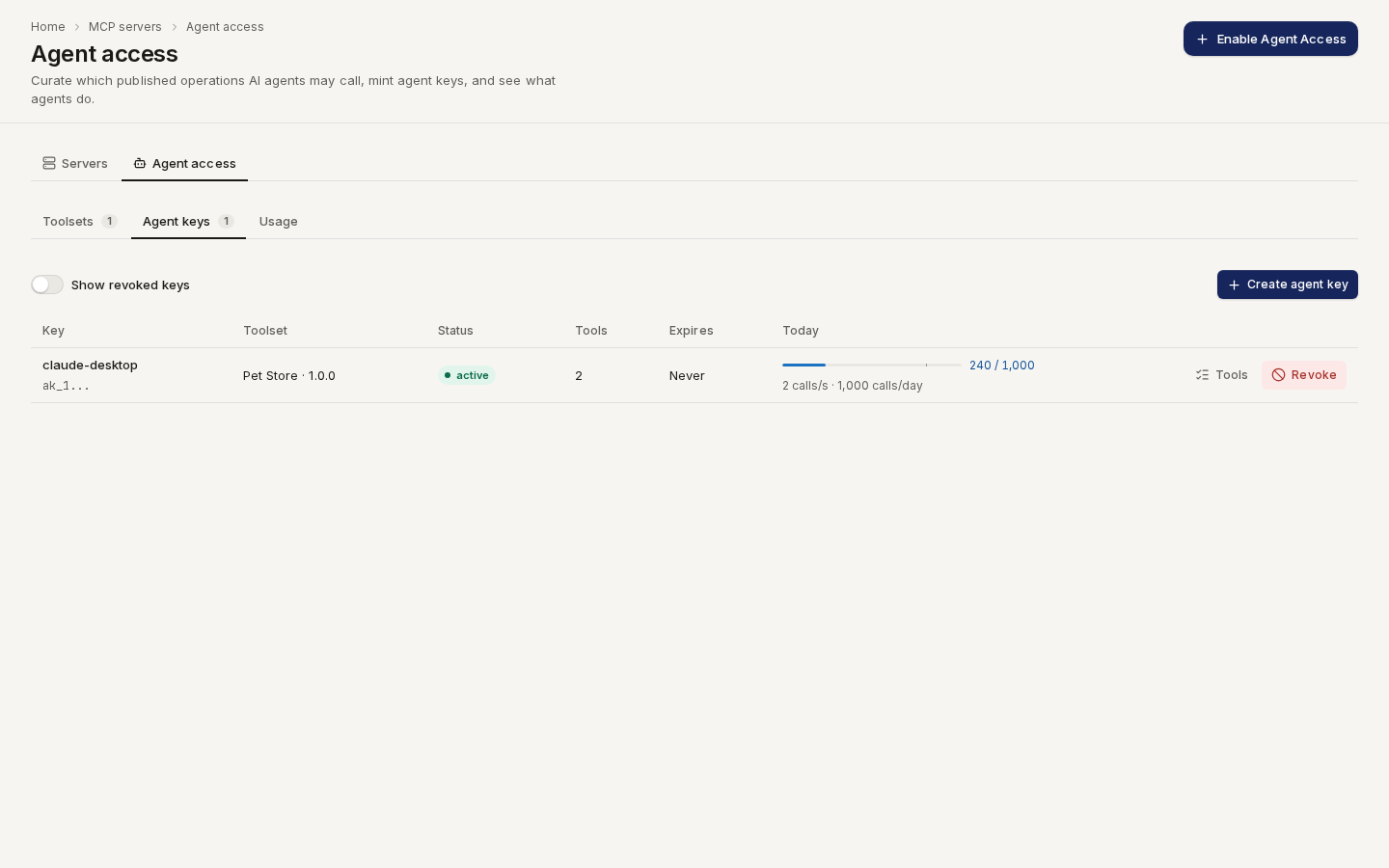
/ade/dashboard/mcp/agentsShow revoked keys includes revoked ones; Revoke key stops a key at once.
Usage
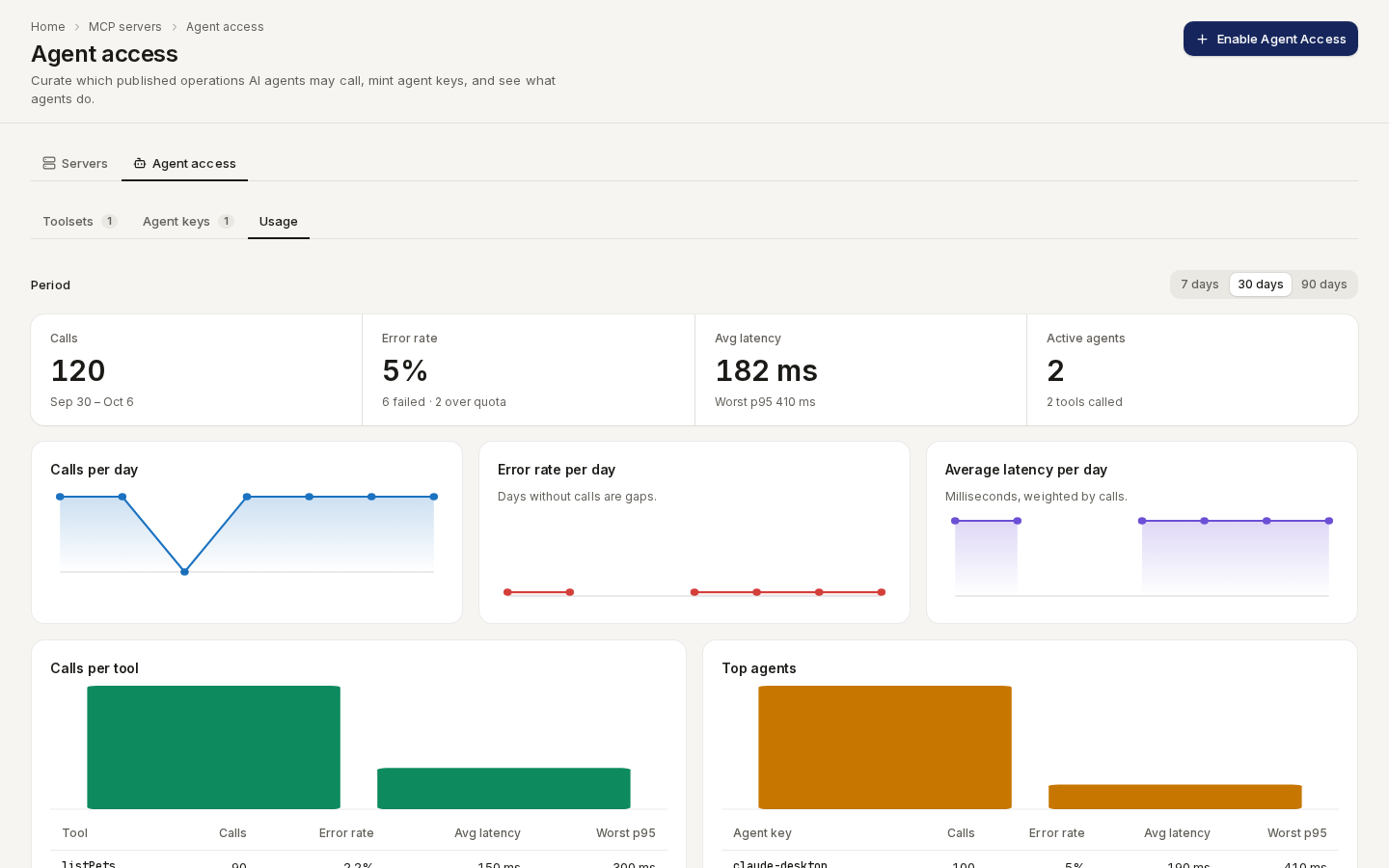
Usage shows calls, error rate, latency and active agents over 7 days, 30 days or 90 days, with charts per day, per tool and per agent.
/ade/dashboard/mcp/agentsWith the API
GET / POST /v1/tenants/{tenant}/agent-toolsets, GET …/agent-toolsets/{toolset}/tools,
GET / POST /v1/tenants/{tenant}/agent-keys, GET /v1/tenants/{tenant}/agent-usage — see the API
reference.